


Support our independent tech coverage. Chrome Unboxed is written by real people, for real people—not search algorithms. Join Chrome Unboxed Plus for just $2 a month to get an ad-free experience, access to our private Discord, and more. Learn more about membership here.
START FREE TRIAL (MONTHLY)START FREE TRIAL (ANNUAL)
Google once again made clear its commitment to the Messages app and RCS by announcing a slew of new features that will be rolling out in the next few weeks. Additionally, Google felt it was time to give the Messages icon a refresh, and while they were at it, updated the icon for the Contacts and Phone apps as well.



10 new features coming to Messages
1. Reply to a single message: As long as RCS is turned on, you’ll be able to reply to a single message in a conversation. The reply will show the exact message you are replying to right above it.

2. React to SMS texts from iPhone users: Remember earlier this year when Google started showing iPhone reactions as Emojis on Androids? Well, now Google is flipping that by making it easy for Android users to react to SMS messages from iPhones by using emoji as well. Google says that although using RCS would be the best solution, this is them trying to do what they can to help bridge the gap between Android and iPhone messaging.

3. Voice Message Transcription: This feature was initially launched as a Pixel 7 and Pixel 7 Pro exclusive, however, it will now be made available for the Pixel 6, Pixel 6A, Pixel 6 Pro, Samsung Galaxy S22, and Galaxy Fold 4. This feature uses machine learning to transcribe voice messages and let you read the audio just like you would a text message.
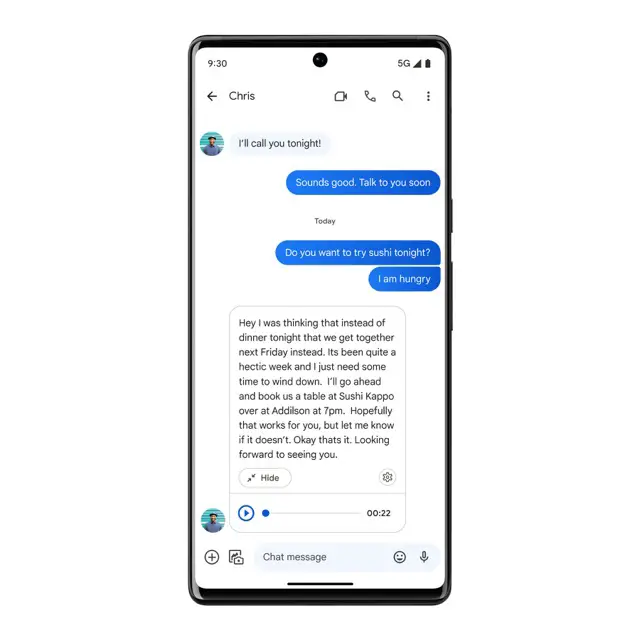
4. Reminders: You can now set reminders directly in the Messages app without switching to another. Additionally, if you add someone’s birthday or anniversary in the contacts app on your phone, the Messages app will remind you about it.

5. Embedded YouTube player: You can now watch YouTube videos without ever leaving the Messages app. So if someone sends you a link to YouTube, you can watch it and reply quickly without having to switch back and forth.
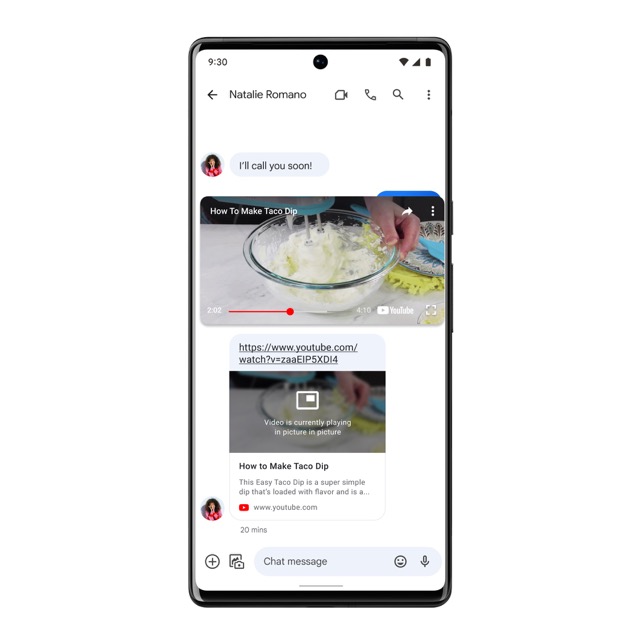
6. Automatically Starring messages: suggest that you “star” messages that have things like addresses, door codes, and phone numbers. This will help you keep track of important conversations and find them quickly.
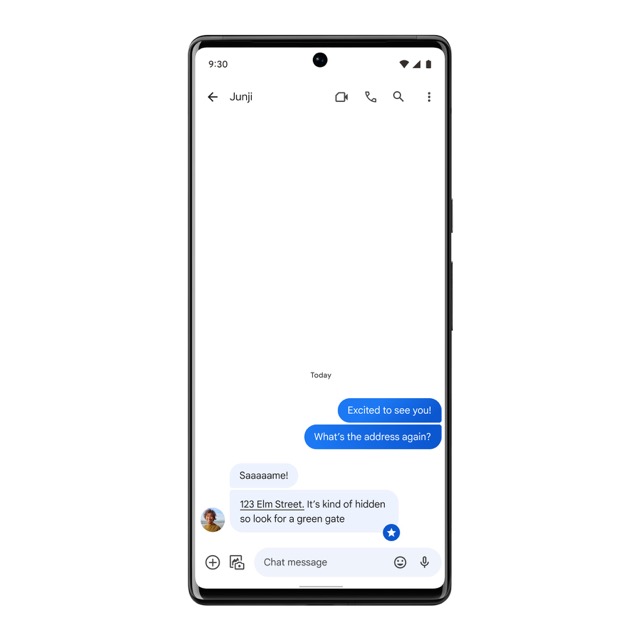
7. Automatically suggest a video call: Messages will be able to read texts like “Can we talk now?” and show an icon next to the message to suggest a Meet call. It will also suggest adding events to your calendar for messages like “Let’s meet at 6 p.m. on Tuesday.” This will help you remember important dates.
8. Chat with businesses found on Search and Maps: In some countries, Google is testing a feature that lets you talk to businesses you find on Search and Maps directly through Messages. This way, all of your conversations will be in one place.
9. Multi-device messaging: You will be able to send and receive messages on all of your devices, including your phone, Chromebook, and smartwatch. To test this feature, just ask Google Assistant to do it for you.
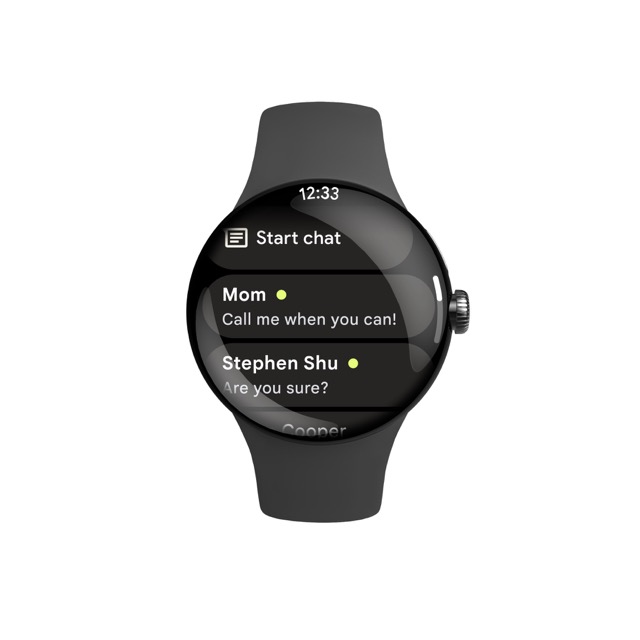
10. United Airlines partnership: Google is partnering with United Airlines to bring on-flight messaging when RCS is turned on. It will be available on United WiFi for most carriers this fall, and soon, more carriers will be able to use it.
I am definitely looking forward to all these features becoming available soon. I am particularly excited about the emoji reactions to iPhone SMS messages, though I’m curious how iPhone users will see the reactions on their end. I imagine they will look just like they look on the Android side, with the same exact emoji instead of the iMessage reactions that iPhone users are used to. I guess we’ll have to wait until that feature rolls out to see what it does.
SUBSCRIBE TO UPSTREAM
Get Chrome Unboxed delivered straight to your inbox
Upstream is our flagship, curated newsletter with the top stories, most click-worthy deals, giveaways, and trending articles from Chrome Unboxed sent directly to your inbox a few times a week. Join 31,000+ subscribers.
