


Support our independent tech coverage. Chrome Unboxed is written by real people, for real people—not search algorithms. Join Chrome Unboxed Plus for just $2 a month to get an ad-free experience, access to our private Discord, and more. Learn more about membership here.
START FREE TRIAL (MONTHLY)START FREE TRIAL (ANNUAL)
It’s that time of year again. The time when major PC makers start dropping all the new EDU devices just in time for schools to make purchasing decisions for the upcoming school year. As expected, the latest models are coming equipped with Intel’s newest Jasper Lake CPUs but Lenovo has taken a bit of a different route with its new EDU lineup by forgoing the long-used MediaTek SoCs and launching three devices with AMD’s Athlon Silver designed specifically for Chromebooks. One device houses Intel’s Jasper Lake processor but we’ll take a look at that model further down the page. First, let’s cover the three new AMD-powered EDU Chromebooks from Lenovo.
Lenovo 14e Chromebook GEN 2
Building on the platform of the original AMD-powered 14e Chromebook, Lenovo has updated the 14″ MIL-SPEC Chromebook by adding the latest AMD processor for Chromebooks. Presumably, this is the AMD Athlon Silver 3050C but those details weren’t revealed in the press release. Because this device is made more for educators than students, it is plausible that it may have an option for the AMD Athlon Gold 3150C but we’ll have to wait and see if that is the case.
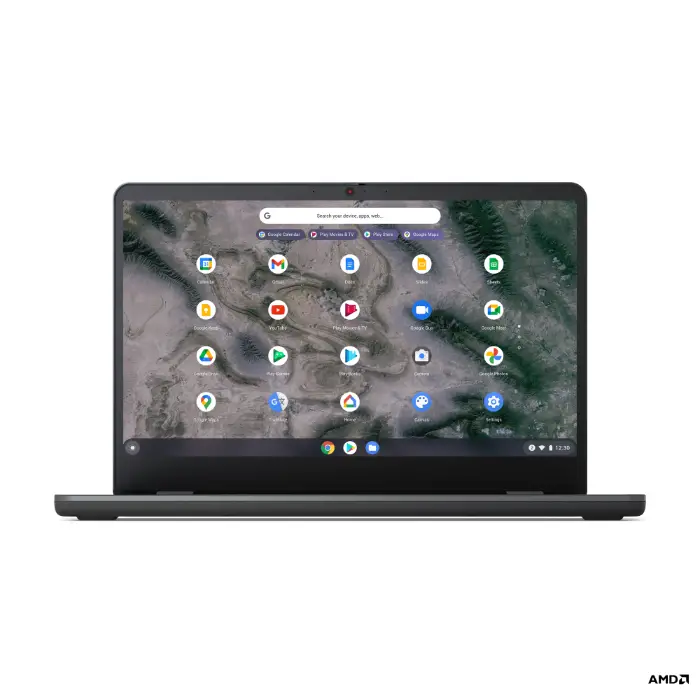


The most important thing to note about this new Chromebook is the processor update. The previous generation of AMD Chromebook processors was a bit of a letdown in the power department. The first generation of APUs made for Chromebooks failed to stand up against Intel’s Gemini Lake and Gemini Lake-R CPUs but the latest models are showing promise as formidable opponents for users that need a little more power without stepping up to a Core chip. The 14e Chromebook GEN 2 offers three display options with the base model features an HD TN panel at 220 nits. Moving up, users can opt for a 250 nit FHD panel or go all out and get an IPS touch display with a respectable 300 nits of brightness. For teachers, I would suspect that this will be the most desirable configuration as no one wants to stare at a dismal, washed-out display for 8+ hours a day. The touch panel will also add some useful workflow enhancements by allowing educators to quickly navigate the digital classroom. Here’s a quick look at the Lenovo 14e Chromebook GEN 2 specs.
- Chrome OS
- AMD processor for Chromebooks
- Up to 8GB RAM
- Up to 64GB eMMC storage
- 1 USB-C
- 2 USB 3.1
- HDMI port
- 3.5mm audio jack
- Wi-Fi 6f
- 720p webcam with privacy shutter
- Up to 10 hours battery life
- MIL-STD-810H(rugged)
- spill-resistant keyboard
- reinforced ports
- Accidental damage protection
Lenovo Chromebook 100e & 300e
Lenovo has made a name for itself with its ongoing line of 11.6″ Chromebooks for education. The 100e and 300e have seen a number of iterations and used chipsets from Intel as well as MediaTek. This year, Lenovo has replaced Intel on the low and mid-range EDU models to go with AMD’s Athlon Silver. Apart from that, not much has changed on the two rugger Chromebooks. The 100e is your basic clamshell device with an upgrade to Wi-Fi 6 and this year, will offer an LTE option. The display is a 250 nit HD TN panel and it comes with 4GB of RAM and 32GB of storage. You get the usual MIL-SPEC ratings and a decent array of ports with a single USB-C, an HDMI port, 2 x USB 3.2, MicroSD card reader, and a 3.5mm audio jack.
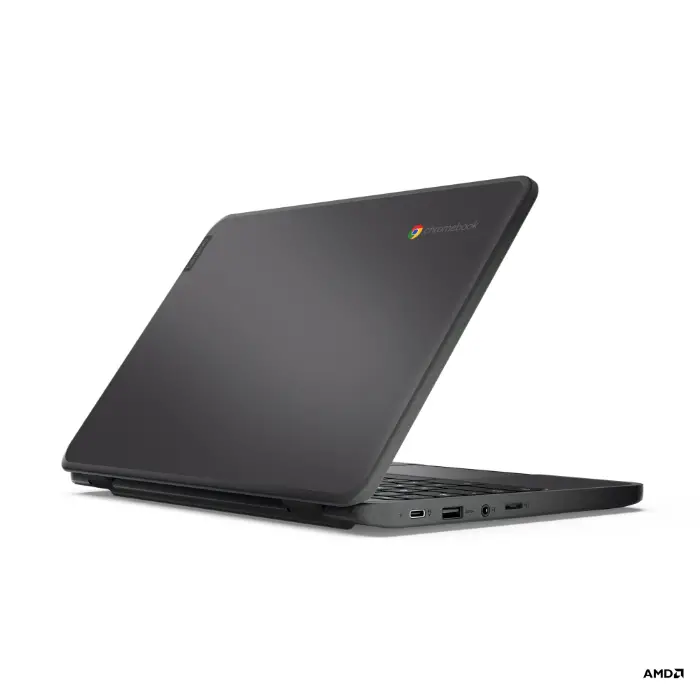

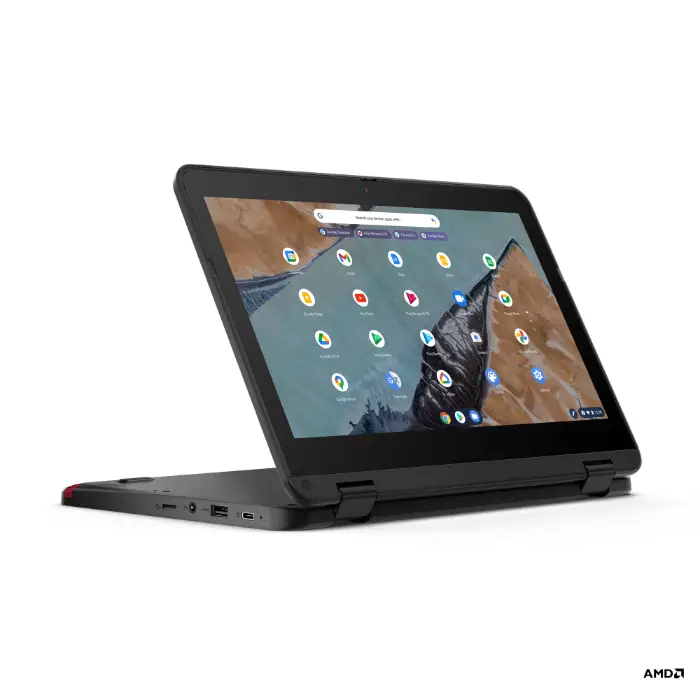
The 300e Chromebook gets a bit more interesting as it features a 2-in-1 convertible form-factor with an IPS touch display. You get the same port selection but this model features an optional 5MP world-facing camera as well as an optional garaged USI stylus that appears to come in a sharp, Lenovo red color. It will use the same AMD processor and come with 4GB of RAM and up to 64GB of storage.

Lenovo Chromebook 500e
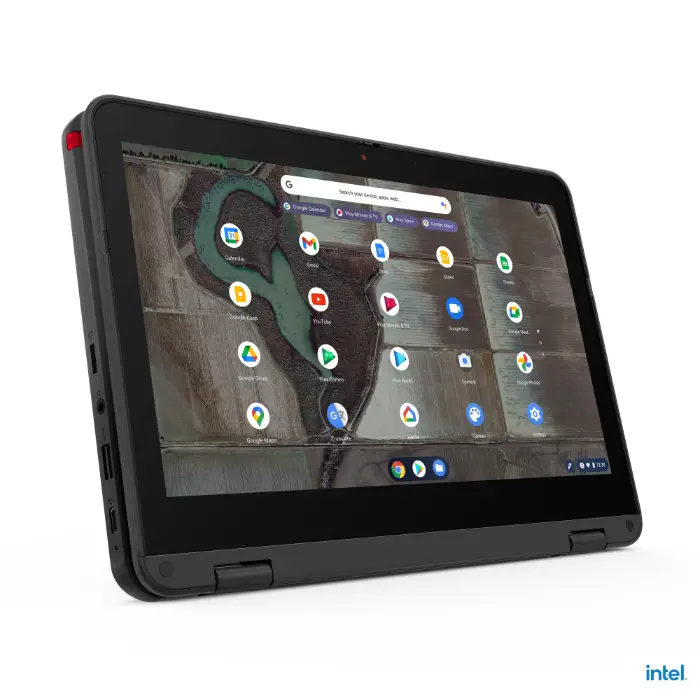
The cream of the crop in Lenovo’s 11.6″ EDU lineup, the Chromebook 500e forgoes the AMD processor in favor of Intel’s latest Jasper Lake CPU. This ATOM-level processor is rumored to bring significant gains over the Gemini Lake-R predecessor which was no slouch. The 5003 is similar to the 300e in just about every way from the 11.6″ HD touch display to the optional garaged USI stylus but the Jasper Lake Celeron processor should make this one of the most powerful EDU Chromebooks to hit the market. The 500e gets the same MIL-SPEC ratings, spill-resistance, and ports as the 300e but it looks like this model will also get Bluetooth 5.1 thanks to that Intel CPU. These devices will be launching in May and you can see the entry-level pricing below.
- Lenovo 14e Gen 2 May 2021 $334
- Lenovo 100e Gen 3 May 2021 $299
- Lenovo 300e Gen 3 May 2021 $359
- Lenovo 500e Gen 3 May 2021 $429
Lenovo is also debuting new Targus cases designed for its EDU lineup and they will launch in May with a retail price of $19.99. See what’s new with Lenovo and education at Lenovo’s Story Hub.
SUBSCRIBE TO UPSTREAM
Get Chrome Unboxed delivered straight to your inbox
Upstream is our flagship, curated newsletter with the top stories, most click-worthy deals, giveaways, and trending articles from Chrome Unboxed sent directly to your inbox a few times a week. Join 31,000+ subscribers.

