


Support our independent tech coverage. Chrome Unboxed is written by real people, for real people—not search algorithms. Join Chrome Unboxed Plus for just $2 a month to get an ad-free experience, access to our private Discord, and more. Learn more about membership here.
START FREE TRIAL (MONTHLY)START FREE TRIAL (ANNUAL)
As we mourn the demise of Stadia once and for all today, we are all at least a bit comforted by the fact that Google has created a clear and simple method for updating the firmware on your Stadia controllers to convert them over to a more-standard Bluetooth controller. Once completed, your Stadia controller will behave more like a standard Bluetooth controller and become visible to devices just like an XBOX or PlayStation controller would.
This is obviously good news and if you are like me, you have a few of these fantastic devices lying around at this point. Of all the things I enjoyed about Stadia, the controller was one of my favorites. The ergonomics are super-comfortable, the thumbsticks are easy to use, and the buttons all have a great, tactile feel to them. There’s something so enjoyable about just picking one up and using it that I’m incredibly grateful to now have a few of these around to use as standard controllers.
Some early latency issues
As these things tend to go, we’re seeing a few issues right off the bat and the primary one is latency with certain services and hardware. As the clear replacement for Stadia, GeForce NOW is the go-to service for cloud gaming at this point, and it sure would be nice if these newly-converted Stadia controllers worked with that service on the Google-made Chromecast via a Bluetooth connection.
Unfortunately, for now at least, that isn’t the case. Like I see with the XBOX controller/GeForce NOW/Chromecast combo, there’s a decent amount of input lag present across the board. It’s a tad bit worse with the Stadia Controller than what I get in the XBOX controller, and though it isn’t wildly worse, both of these controllers are useless in their current state. Hooking up the NVIDIA Shield controller I’ve had for years works without issue, so I know the blame isn’t completely on the Chromecast and/or the GeForce NOW Android TV app.
Good news: more updates could still arrive this year
Instead, the issue likely lies in the Bluetooth firmware on the controllers themselves, and here’s where the good news comes in. According to Google’s landing page for the Stadia controller conversion, these devices will remain eligible for updates through the entirety of 2023, meaning there’s a real chance a few updates come along that make this controller play a bit nicer with Google’s Chromecast and GeForce NOW.
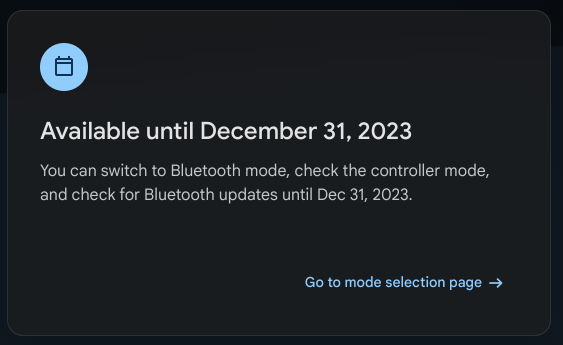
While this by no means guarantees Google will issue any further updates, it seems to indicate that some firmware updates are definitely in the gameplan. They could have just left that part out if their intention was to simply enable Bluetooth and move on. Instead, I’d wager a few firmware updates will become available over the next few months to smooth the edges of the connections on these freshly-reinvigorated controllers, and I’m hopeful something can change to make GeForce NOW on Chromecast a far better experience in the future.
For now, I’m having no issues at all using a converted Stadia controller with my Chromebook and GeForce NOW, but I also realize Stadia was a livingroom sort of service and having GeForce NOW on Chromecast via Android TV would be a great setup utilizing these Stadia controllers if things worked a bit better. Though that isn’t the case for now, I’m hoping in the future it will be.
SUBSCRIBE TO UPSTREAM
Get Chrome Unboxed delivered straight to your inbox
Upstream is our flagship, curated newsletter with the top stories, most click-worthy deals, giveaways, and trending articles from Chrome Unboxed sent directly to your inbox a few times a week. Join 31,000+ subscribers.

