

Support our independent tech coverage. Chrome Unboxed is written by real people, for real people—not search algorithms. Join Chrome Unboxed Plus for just $2 a month to get an ad-free experience, access to our private Discord, and more. Learn more about membership here.
START FREE TRIAL (MONTHLY)START FREE TRIAL (ANNUAL)
There was a time a few years ago that I really pushed back at the idea of needing a remote for the living room any longer. The thought process went something like this: if I can share anything up to the big screen from my phone, tablet, or Chromebook, why in the world would I bother with another device, another remote, and another UI to navigate?
This was back in the days of the Chromecast Ultra being the top-dog of streaming dongles, and our house and the houses of many of my family members (at my suggestion) utilized a standard Chromecast on many of the available televisions. The formula was enticingly simple, even if the actual execution for those accustomed to using remotes wasn’t always so seamless.
Still, even when the new Chromecast with Google TV arrived, I wasn’t sold on making the switch to using a remote to control my television once again. Sure, Roku and Amazon had been at this sort of thing for a year or two by that point, but I was still quite sold on the standard Chromecast method at that point.
I’m re-converted
Fast forward to today, and I’m 100% re-converted to having a UI and a remote for my streaming dongle. In some moves we’ve made here at the office, I was forced to use the old Chromecast Ultra in the new space we find our desks, and I was immediately frustrated.
The videos I wanted on in the background wouldn’t update to 1080p for some reason from my phone, and just the clunky nature of having to manage what was on the screen from my phone all day immediately made me question why I would choose this way of viewing video content over the new, remote+UI setup we see on all Google TV devices these days.
So, in short, I was wrong. Having a remote, a user interface, and a more old-school way of doing things on the TV is the right approach. There’s no doubt in my head that this is the case, and though I think the original Chromecast and the few devices that followed it were groundbrekaing and important in the larger adoption of content streaming, their time is up. Moving forward – for me at least – I’m no longer interested if there’s not a remote attached.
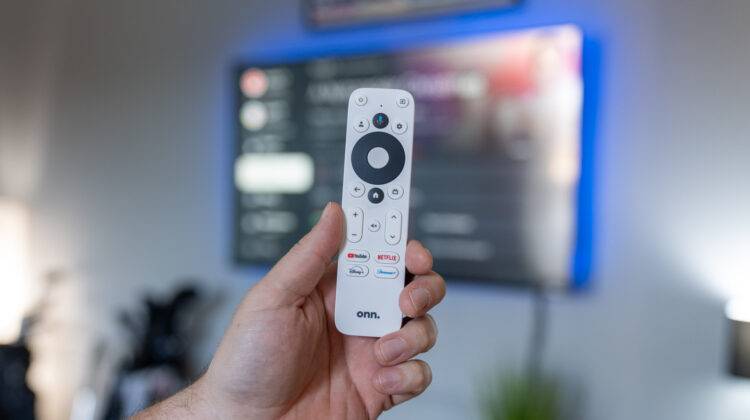
So, in that vein, it’s important to talk about current hardware and what to get if you are looking for a streaming solution. For us in the office right now, the answer to that question is the latest Google TV box from Onn. that comes with some stellar upgrades and keeps the overall price down to a very reasonable $50. There are other options, too, but this one is the current champ if you want to stick with Google TV. There’s a link below to grab one if you like, and I’m here to tell you that the experience will be better than you currently have it if you are still rocking one of the older versions of the Chromecast.
SUBSCRIBE TO UPSTREAM
Get Chrome Unboxed delivered straight to your inbox
Upstream is our flagship, curated newsletter with the top stories, most click-worthy deals, giveaways, and trending articles from Chrome Unboxed sent directly to your inbox a few times a week. Join 31,000+ subscribers.

