

Support our independent tech coverage. Chrome Unboxed is written by real people, for real people—not search algorithms. Join Chrome Unboxed Plus for just $2 a month to get an ad-free experience, access to our private Discord, and more. Learn more about membership here.
START FREE TRIAL (MONTHLY)START FREE TRIAL (ANNUAL)
That’s a strange title, I know. But it absolutely happened and the resulting recalibration provided some serious insight about how I view the relationships between functionality, potential, and creature comforts when it comes to personal tech and computing.
Switching to a brand-new piece of hardware is always exciting in theory and in our imaginations, but the reality of using that new device can bring up a whole host of uncomfortable contradictions as we weigh the benefits of new features with the desire we each have to keep things the same and keep things comfortable.
Case in point: I just received the new Samsung Galaxy Z Fold 8 yesterday after waiting months for its release. I was genuinely hyped to unbox it, get my apps installed, and dive into Samsung’s new take on the folding form factor. But after about 24 hours of actual use, I hit an unexpected wall – not because the hardware is bad, but because my established habits were actively fighting the phone’s form factor.
Coming from a taller foldable I used for over two and a half years, the squat, wider aspect ratio of the Fold 8 completely broke my muscle memory. On the shorter outer display, I realized for the first time where my thumb naturally hovers while reading content. Right out of habit, my thumb rests dead-center on the screen (which would be on the bottom 1/3 of a standard height screen), completely blocking text as I wait to scroll, forcing me to consciously relearn how to hold the phone just to read a feed like Google Discover.
That friction carried over to my car setup as well, where the new proportions required a custom spacer pad (two tubes of lip balm for now) just to sit properly on the wireless charging cradle. I’ve commissioned my son to find a solution there and 3D print me a booster seat of sorts for my stubby little phone.
Even the inner screen threw me for a loop. Widescreen media looks great in landscape, but I find myself wanting to rotate back to portrait mode far more often than expected to view mobile websites and social media apps. Because the device opens into landscape, it feels like it wants to be used that way for the web, and it’s just a better experience the other way around. Not a huge deal, but an awkward adjustment I need to make to my habits for sure.
But on that note, I do have to take issue with the way One UI re-orders desktop widgets and shortcuts in portrait, sending the left-most widgets from the landscape view to the bottom while the right-most jump to the top. You can see in the images below, but I’d assume the stuff on page 1 would be up top, not on the bottom. Not a deal breaker, again, but just another oddity I need to adjust to.
A brief moment of panic
And by mid-morning, I had a brief moment of panic. I actually found myself browsing T-Mobile’s site to see if I could return the Z Fold 8 and grab the Motorola Razr Fold I had been eyeing previously. I just felt drawn to go back to something a bit more like what I’ve had in the past, regardless of how much I think the main stuff I do on a phone – read, play games, and watch videos – will be better overall on this new passport-style phone.
Then I took a deep breath, closed the browser tab, and realized what was actually happening: I was resisting change simply because my old habits were more comfortable at the moment. The Fold 8 is fantastic hardware, but it requires me to adapt both software and physical habits that I’ve grown very, very accustomed to. Once I chilled out and reminded myself of all the incredible potential in this new design, I knew I was keeping it. I just need to give my brain time to adjust. Crisis averted.
Prepping for Googlebook and a new software experience
Reflecting on that morning panic, the connection to Google’s upcoming Googlebook launch next month quickly crystallized in my mind.
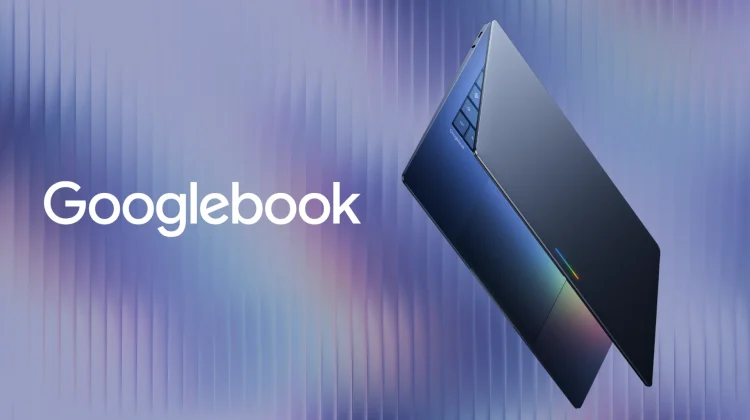
As someone who has used Chromebooks for well over a decade, it is easy to assume that transitioning to Googlebook will be seamless. After all, when you open a Googlebook on your desk, it will still look a lot like a super-high-end Chromebook. It has a physical keyboard, a trackpad, a fingerprint sensor, speakers, USB ports, and a screen. From a pure hardware perspective, the learning curve won’t feel jarring at all.
However, beneath that familiar aluminum shell, the shift to a whatever they will call the Googlebook OS is most likely going to require some serious mental adjustment for long-time ChromeOS users. I’ve watched Windows and MacOS users transition to ChromeOS many, many times, and though I’ve observed it, I’ve not had to live that experience for a very long time.
I’m 100% comfortable using ChromeOS for all my computing needs on a daily basis. And as similar as a Googlebook may look to a Chromebook, there will most definitely be processes, patterns, and workflows that will require adjustment to make the switch. Of this I have little doubt.
Workflow friction and breaking old habits
Even when an old way of doing things is technically deficient, human beings naturally resist changing habits once those patterns are ingrained. In over a dozen years of utilizing ChromeOS for hours every day, I know I’ve built specific desktop routines that I execute almost on autopilot. I know precisely how ChromeOS snaps windows, creates virtual desks, and organizes browser tabs; so adapting to Googlebook’s way of windowing and using virtual desks, a phone-style status bar, and mobile system toggles is going to take genuine time.
That same friction extends to our underlying file systems and everyday keyboard shortcuts. Transitioning away from the traditional ChromeOS Files app to a native Android file picker means re-learning how apps do things like requesting storage permissions and routing downloads. Even basic muscle memory like launching search will require a mental reset as we’ll likely trade the traditional Launcher key for dedicated hardware triggers like the new Gemini key and Magic Pointer cursor actions.
None of these changes are inherently bad. In fact, running native Android hardware translation layers and treating mobile apps as first-class desktop citizens will bring massive long-term benefits to overall speed, productivity, gaming, and app reliability. But it is a change that will require new habits to form, and that process can feel tough at first.
Preparing for the transition
With Googlebooks scheduled to begin launching as early as next month, it’s worth acknowledging that the initial week or two with these devices might feel a little awkward – maybe even slightly frustrating.
Just like my first 24 hours with the Galaxy Z Fold 8, there will likely be moments where we all catch ourselves reaching for old ChromeOS muscle memory, fighting a software layout, or wondering why a familiar task feels different. And in those moments, I know there will be a part of my brain that just wants to go back to the comfort of ChromeOS – even if it may be inferior in multiple ways for my use cases.
The key is recognizing that adjustment periods are a natural part of moving into a new computing era. Googlebook represents a huge leap forward for Google’s desktop ambitions, but before we can reap the full rewards of that new platform, we all may need to be prepared to break a few old habits first.
SUBSCRIBE TO UPSTREAM
Get Chrome Unboxed delivered straight to your inbox
Upstream is our flagship, curated newsletter with the top stories, most click-worthy deals, giveaways, and trending articles from Chrome Unboxed sent directly to your inbox a few times a week. Join 31,000+ subscribers.

