


Support our independent tech coverage. Chrome Unboxed is written by real people, for real people—not search algorithms. Join Chrome Unboxed Plus for just $2 a month to get an ad-free experience, access to our private Discord, and more. Learn more about membership here.
START FREE TRIAL (MONTHLY)START FREE TRIAL (ANNUAL)
Google’s Bard AI may or may not be the future of AI chatbots, but right now, it’s really not looking like that’s the case. Competitors like ChatGPT and Bing AI are already miles ahead of it in pretty much every area. With that being said, I’m going to go beyond showing you how to install and use ChatGPT on your Chromebook and show you how to make use of Microsoft’s Bing AI to get assistance with coding, answers to general knowledge questions, and more. Since Google Assistant is falling to pieces, you may want an alternative, even if it is just to explore, and just because you have a Google-centric laptop, that doesn’t mean you should miss out!
Though Chromebooks are made by many different hardware manufacturers, the operating system, ChromeOS, was designed by the Big G and was meant to run the Chrome browser, Android, and Linux apps almost exclusively. Because of this and the fact that Bing AI is exclusive to the Edge browser, we’ll have to use a workaround. There are two apps that can help you access Microsoft’s chatbot on the fly. Those are Microsoft Start, and “Bing” – aptly named. It really doesn’t matter which one you grab from the Google Play Store, because they’re literally identical in their presentation and features. Don’t bother trying to install the Edge browser via its Android app as it simply doesn’t work for most ChromeOS devices for some strange reason.
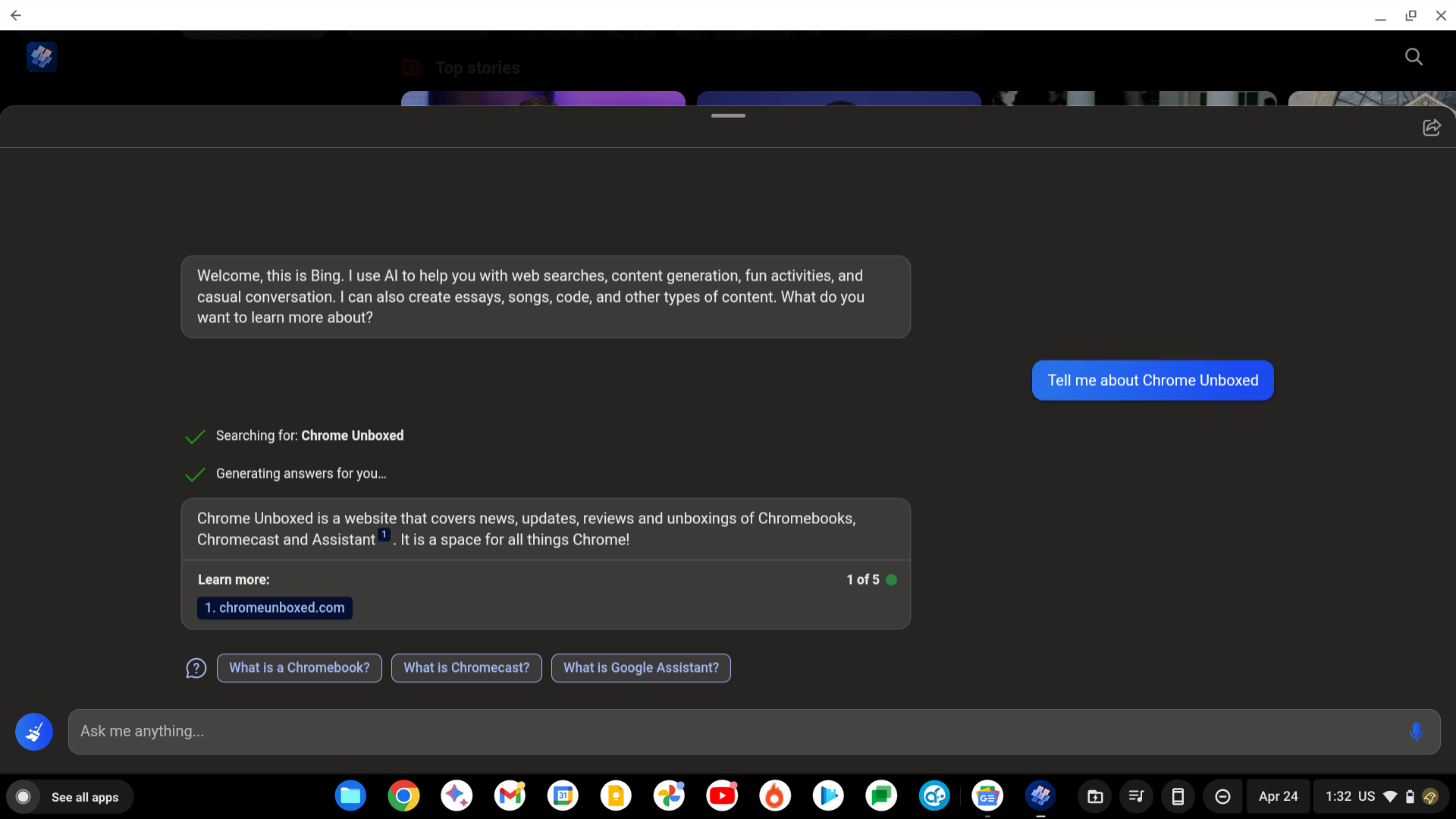
Until Bard AI is fully developed, Microsoft Bing is stealing a spotlight it never earned before
I just want the steps!
1. Open the Google Play Store on your Chromebook
2. Search for “Bing” or “Microsoft Start” and install either one
3. Open it and tap the Bing Chat button in the bottom middle of the navigation
4. Sign into your Outlook account and join the waitlist
5. Once you’re in, talk to it like you would a human for assistance!
Anyway, with one tap after installation, you can get human-like answers to your questions and test out its capabilities. While the apps launch in phone portrait mode, you can resize them to fit your screen for a more laptop-like experience, but they will still have extremely chunky phone-focused touch UI. That’s okay though for something like this – it’s not like we’re here to actually use Bing’s other features. Now, tap the Bing chat button at the bottom of the screen, and you’ll be prompted to sign in and join to use “the new Bing”. While there is a waitlist, most of my accounts gained access within just a few days.
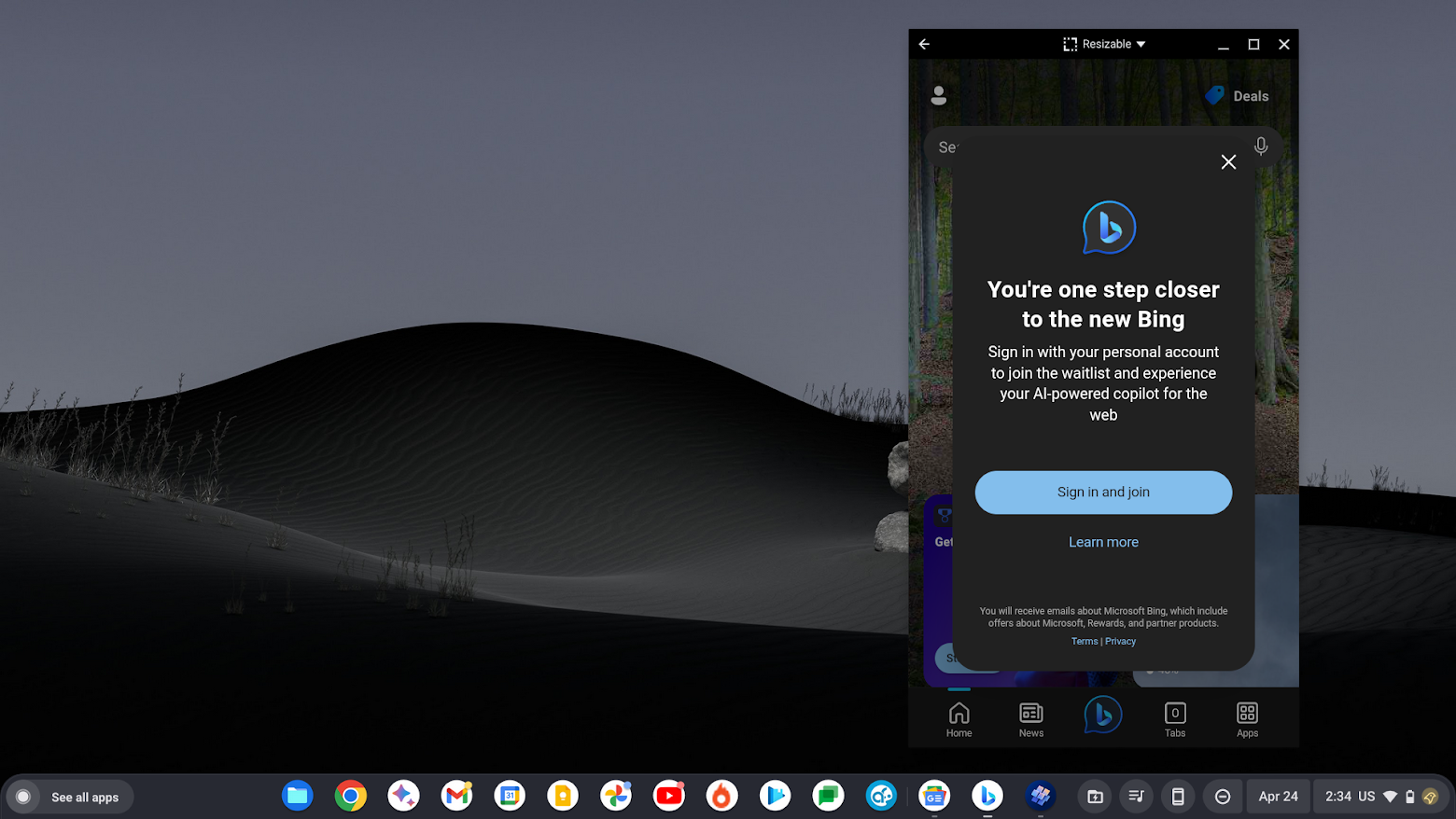
You may need to join the waitlist, but access is granted pretty quickly
It really is that simple! Instead of tapping the microphone to talk to Bing though, you can tap the keyboard button to the right at the bottom of the app screen, which will allow you to use your Chromebook’s keyboard to input queries.
A lot of people are currently using Bing AI to help them with programming or communications tasks, so you may want to dive in and explore that a bit instead of just treating it like a virtual question-and-answer assistant. Who would have thought that Bing of all search engines would be useful in any capacity in 2023? As you’d expect, Microsoft jumped on the opportunity to upstage Google, but how long will it last?
While it’s true that Bing AI went off the rails recently and gave users extremely bizarre and questionable responses, Microsoft has taken steps to ensure a safer user experience. They’ve restricted what Bing AI can reply with or what you can ask it, making it a more reliable and safer tool to use. That also means it’s much more boring, but hey, the more artificial intelligence tools we get our hands on as users, the better, and we ultimately win in the end!
SUBSCRIBE TO UPSTREAM
Get Chrome Unboxed delivered straight to your inbox
Upstream is our flagship, curated newsletter with the top stories, most click-worthy deals, giveaways, and trending articles from Chrome Unboxed sent directly to your inbox a few times a week. Join 31,000+ subscribers.

