

• Skip to main content
  • Skip to primary sidebar
  • Deals
  • Features
  • Guides
  • Chromebooks
  • Videos
  • Podcast
  • More +
    • Reviews
    • Unboxing
    • Upcoming Devices
    • Chromebook Plus
    • Chrome
    • ChromeOS
    • Chrome OS Flex
  • Search
  • Sign Up
  • Log In
Chrome Unboxed – The Latest Chrome OS News

Chrome Unboxed - The Latest Chrome OS News

A Space for All Things Chrome, Google, and More!

  • Deals
  • Features
  • Guides
  • Chromebooks
  • Videos
  • Podcast
  • More +
    • Reviews
    • Unboxing
    • Upcoming Devices
    • Chromebook Plus
    • Chrome
    • ChromeOS
    • Chrome OS Flex
  • Search
  • Sign Up
  • Log In

How to tell Web apps and Android apps apart on your Chromebook

September 18, 2022 By Johanna Romero View Comments

Featured image of Chrome web apps vs android apps

Support our independent tech coverage. Chrome Unboxed is written by real people, for real people—not search algorithms. Join Chrome Unboxed Plus for just $2 a month to get an ad-free experience, access to our private Discord, and more. Learn more about membership here.
START FREE TRIAL (MONTHLY)START FREE TRIAL (ANNUAL)

ChromeOS is one of the few operating systems that allows you to install applications from other operating systems, as is the case with Linux and Android apps that run in their own separate containers. However, having a combination of web app shortcuts, PWAs, Android apps, and Linux apps running on the same device can sometimes cause confusion if you’re trying to figure out where the app came from.
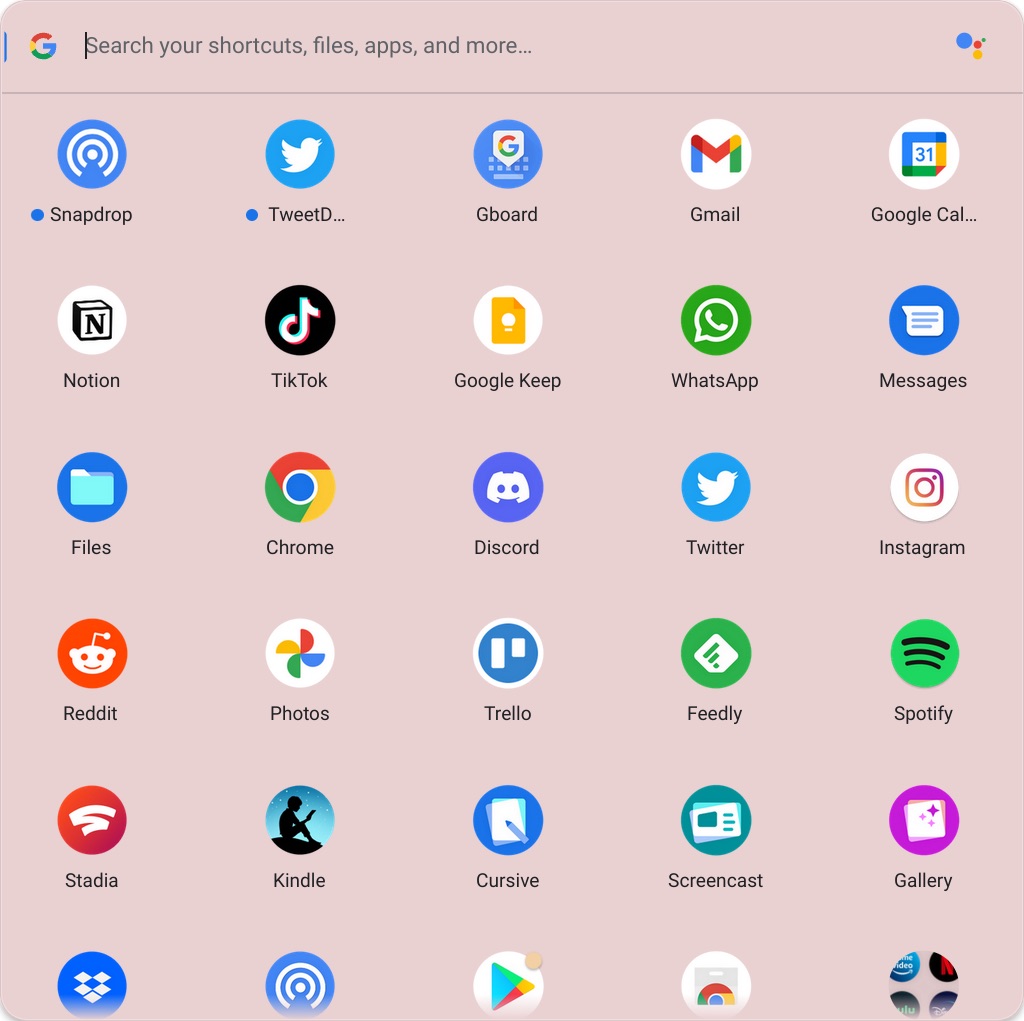
ChromeOS launcher app list

At first look, the ChromeOS launcher doesn’t differentiate between which apps came from the Play Store or from a website. However, things change once you right-click on any of these apps, and therein lies how you can tell the difference. If an app was created from the Chrome browser, that is a PWA or an app shortcut, the first option you will see on the right-click menu is to open a “New window.” For Android apps though, the first option you will see is “Open,” which will proceed to open the app for you.

Xremove ads
web app vs android app right click menu options
Web app vs Android app right click menu options

This will also be the case for apps that are technically web apps, but that also installable from the Play Store, such as Twitter. Since the Twitter app is technically a PWA, the uppermost option on the right-click menu is to open a new window, even though you still get the contextual options to compose a new tweet, explore, etc.

Twitter PWA right click menu options
I just want the steps!
    ​
  1. Right-click on the app icon
  2. If the uppermost option in the right-click menu is to “New window,” you are dealing with a Web app
  3. If the uppermost option in the right-click menu is to “Open,” you are most likely dealing with an Android app

Filed Under: ChromeOS, Guides and How-To's Tagged With: android, chromebook, chromeos, pwa, web app

Primary Sidebar

Googlebook

Early reviews panned Googlebook’s Glowbar, but adore Macbook’s glowing logo

By Robby Payne
October 30, 2026

This Googlebook trick makes speaking to Gemini so much faster

By Robby Payne
October 30, 2026

Googlebook and foldable apps are about to get a massive quality boost from the Play Store

By Robby Payne
October 29, 2026

Googlebook update finally puts an end to the most frustrating PWA flickering bug

By Robby Payne
October 29, 2026

The Lenovo Googlebook Duet m is my dream device, and I’m glad it hasn’t launched yet

By Robby Payne
October 28, 2026

More Googlebook

Xremove ads

Deals

My favorite convertible Chromebook is $150 off right now and primed for Googlebook OS

By Robby Payne
September 29, 2026

Google Pixel Buds 2a in Hazel bundled with a new Googlebook laptop at Best Buy

Score a free $129 pair of Pixel Buds 2a with any Googlebook pre-order at Best Buy

By Robby Payne
September 28, 2026

The best Chromebook deals today

By Robby Payne
September 2, 2026

The best Chromebook ever made is $350 off at Best Buy right now

By Robby Payne
August 21, 2026

The excellent, powerful Acer Chromebook Plus Spin 514 is $150 off right now

By Robby Payne
August 12, 2026

More Deals

Xremove ads

Reviews

Acer Chromebook Plus Spin 514 Review: the best convertible you can buy [VIDEO]

By Robby Payne
July 1, 2026

Lenovo Chromebook Plus 2-in-1 Review: pretty great in a vacuum

By Robby Payne
April 23, 2026

My review after 6 weeks with the Lenovo Chromebook Plus 14 [VIDEO]

By Robby Payne
August 11, 2025

One week with the best small Android tablet you can buy, and I’m sold

By Robby Payne
May 9, 2025

Best Chromebooks of 2024 [VIDEO]

By Robby Payne
November 28, 2024

More Reviews

Xremove ads

TWITTER · FACEBOOK · INSTAGRAM · YOUTUBE · EMAIL · ABOUT

Copyright © 2026 · Chrome Unboxed · Chrome is a registered trademark of Google Inc.
We are participants in various affiliate advertising programs designed to provide a means for us to earn fees by linking to affiliated sites.

PRIVACY POLICY