

Support our independent tech coverage. Chrome Unboxed is written by real people, for real people—not search algorithms. Join Chrome Unboxed Plus for just $2 a month to get an ad-free experience, access to our private Discord, and more. Learn more about membership here.
START FREE TRIAL (MONTHLY)START FREE TRIAL (ANNUAL)
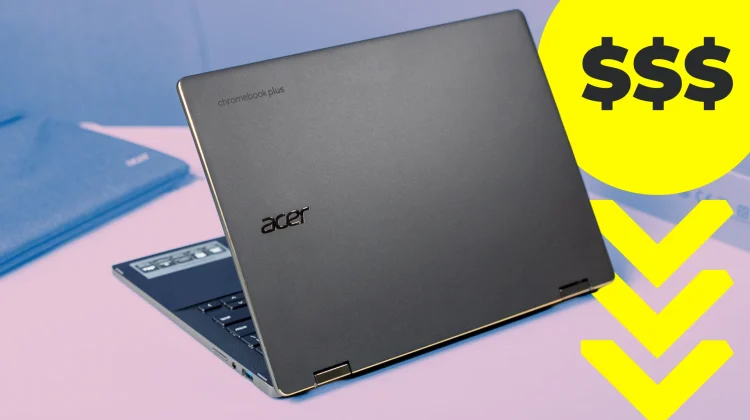
Of all the Chromebook Plus models out there, I’d have to say that the Acer Chromebook Plus Spin 714 is not only in contention to be labeled the best, but also the most versatile. There are fantastic devices on the market right now, including the stellar Samsung Galaxy Chromebook Plus, the ASUS ExpertBook CX54 Chromebook Plus, and the big, bold Acer Chromebook Plus 516 GE. But each of those devices come with a few key trade-offs.
Namely, all those Chromebooks are clamshell by design. That means they don’t have the ability to convert into presentation or tablet modes, and a couple of them (the Samsung and Acer 516 GE) don’t have touch input, either. While not a deal breaker for me or quite a few others, those missing pieces of the Chromebook puzzle definitely keep all these great devices from being considered as the most versatile.
But the Acer Chromebook Plus Spin 714 nails all the same high points as these excellent devices and still remains a convertible, too. That means you get to utilize tablet and presentation modes if needed. It means you can reach up and touch the screen to accomplish tasks, and it means this device also works with a standard USI pen. And there area few versions of it that come with one stowed right in the chassis.
But that added versatility doesn’t manage to take anything away from the performance, build quality, or overall enjoyment of using this device. When you use it in clamshell mode (which you will most of the time) you still get a wonderfully rigid chassis, an excellent keyboard/trackpad, upward-firing speakers, a QHD webcam, and a 14-inch 16:10 screen that hits 340+ nits of brightness.
The port selection is complete, the internals (Intel Core 5-120U, 8GB of RAM, 256GB of storage) complement the exterior portions, and the entire package is a pretty compromise-free device that doesn’t have much it could really get better. The latest version even rounds the edges a bit to make it better in tablet mode and more comfortable to use all around.
Acer’s flat-out been nailing it with the Spin 700 series for years, and the iteration is really paying dividends these days. While I’m hoping for a new, updated, even more refined version of it to arrive this year, I can confidently say that the current Spin 714 is among the best overall Chromebooks ever made, and its versatility is becoming more and more of an asset as the Chromebook Plus story unfolds.
And right now, it’s $120 off and absolutely worth your time and consideration. Also, don’t forget that Best Buy is offering a standard $50 off if you recycle an old, even unusable laptop. Seriously, it doesn’t need to function or be cleaned up; just take it over to them. And there’s a definite chance that it may still hold some trade-in value, too, and Best Buy will give you that on top of the $50 recycling credit. So at worst, you’ll save a total of $170 right now on this device, and for a Chromebook that gets all of it right, $529 is a pretty amazing price.
SUBSCRIBE TO UPSTREAM
Get Chrome Unboxed delivered straight to your inbox
Upstream is our flagship, curated newsletter with the top stories, most click-worthy deals, giveaways, and trending articles from Chrome Unboxed sent directly to your inbox a few times a week. Join 31,000+ subscribers.

