

Support our independent tech coverage. Chrome Unboxed is written by real people, for real people—not search algorithms. Join Chrome Unboxed Plus for just $2 a month to get an ad-free experience, access to our private Discord, and more. Learn more about membership here.
START FREE TRIAL (MONTHLY)START FREE TRIAL (ANNUAL)
Push notifications on the web started with great intentions: letting web apps send you timely, useful updates without needing a dedicated native application. But over the years, bad actors turned that privilege into a chaotic mess of fake virus warnings, deceptive spam prompts, and relentless pop-ups. They are the worst.
To fix this, the Chrome Security team partnered with Firebase Cloud Messaging (FCM) and Safe Browsing on a multi-year initiative to eliminate notification abuse. According to a new technical breakdown from Google Security, those layered protections successfully blocked over 7 billion unwanted notifications every single day on Android in Q1 alone.
Here is a look at how Google is using a defense-in-depth model to eliminate spam notifications, reduce background battery drain, and keep your browsing clutter-free.
The “Swiss cheese” model of defense
Rather than trying to build a single filter to catch every rogue notification, Google implemented what it calls a “Swiss cheese” model: multiple overlapping layers of defense where each layer catches what might slip through another.
This approach addresses the entire notification lifecycle, from the moment a site asks for permission to server-side message dispatching:
- Automatic Permission Revocation: Chrome automatically strips notification permissions from sites you haven’t engaged with recently, as well as sites flagged with repeated suspicious notification warnings. These revoked permissions are accessible in Safety Hub if you ever want to restore them.
- Network-Level Abuse Detection: Malicious actors frequently spin up coordinated networks of domains to bypass single-site blocks. By analyzing service worker activity and behavioral patterns, Chrome identifies and proactively revokes permissions across entire scam and malware networks.
- Server-Side FCM Throttling: On the server side, Firebase Cloud Messaging now enforces strict message rate limits for the Push API based on domain engagement, permission prompt frequency, and dwell time. Disruptive domains exceeding these thresholds get hit with HTTP 429 errors and are capped at 1,000 messages per minute.
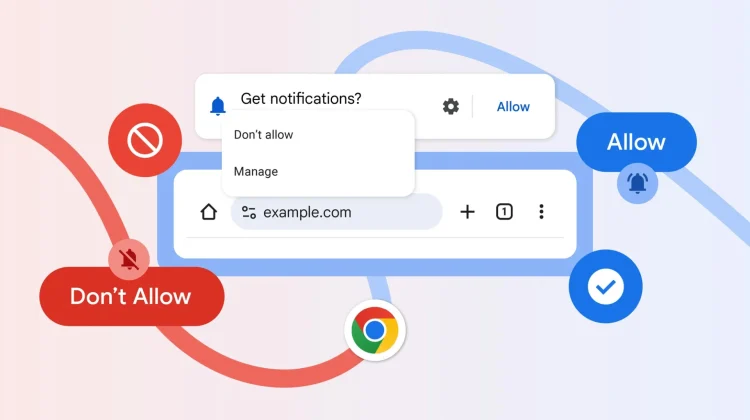
- Streamlined Permission UI: Updated prompt designs on mobile give users clear, friction-free control to decline prompts without interrupting their browsing, backed by the recent one-tap unsubscribe feature in notification shades.
Less spam, better battery life, and peace of mind
Beyond shielding users from malicious phishing links and fake virus warnings, these behind-the-scenes systems solve a massive quality-of-life issue. Constant background notification checks and rogue push messages drain device battery and clutter notification panels.
By clamping down on abusive traffic before it ever hits your device, Chrome operates noticeably quieter and cleaner.
How to check and manage your notification permissions
While Chrome’s automated protections handle the heavy lifting in the background, you can always audit your active site permissions manually:
- On Desktop / ChromeOS: Head to Settings > Privacy and security > Site Settings >
Notifications(or type chrome://settings/content/notifications directly into the omnibox). - On Android: Tap the three-dot menu (⋮) > Settings > Notifications.
From there, you can review which sites have permission to send alerts, remove unused sites, or set your default preference to silent prompt requests.
SUBSCRIBE TO UPSTREAM
Get Chrome Unboxed delivered straight to your inbox
Upstream is our flagship, curated newsletter with the top stories, most click-worthy deals, giveaways, and trending articles from Chrome Unboxed sent directly to your inbox a few times a week. Join 31,000+ subscribers.

