• Skip to main content
  • Skip to primary sidebar
  • Deals
  • Features
  • Guides
  • Chromebooks
  • Videos
  • Podcast
  • More +
    • Reviews
    • Unboxing
    • Upcoming Devices
    • Chromebook Plus
    • Chrome
    • ChromeOS
    • Chrome OS Flex
  • Search
  • Sign Up
  • Log In
Chrome Unboxed – The Latest Chrome OS News

Chrome Unboxed - The Latest Chrome OS News

A Space for All Things Chrome, Google, and More!

  • Deals
  • Features
  • Guides
  • Chromebooks
  • Videos
  • Podcast
  • More +
    • Reviews
    • Unboxing
    • Upcoming Devices
    • Chromebook Plus
    • Chrome
    • ChromeOS
    • Chrome OS Flex
  • Search
  • Sign Up
  • Log In

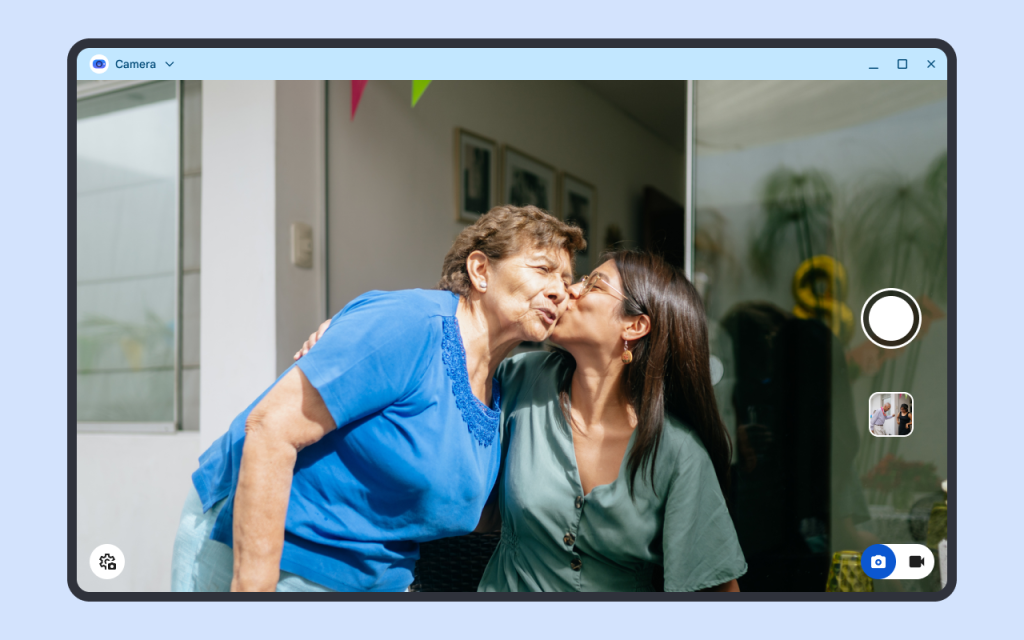
Here’s a sneak peek at the new ‘Desktop Camera’ app for Googlebook

August 17, 2026 By Joseph Humphrey View Comments

Support our independent tech coverage. Chrome Unboxed is written by real people, for real people—not search algorithms. Join Chrome Unboxed Plus for just $2 a month to get an ad-free experience, access to our private Discord, and more. Learn more about membership here.
START FREE TRIAL (MONTHLY)START FREE TRIAL (ANNUAL)

We have been uncovering more and more details about the upcoming Googlebook hardware over the last few weeks, but the actual software running on these premium Android-powered laptops has remained a bit of a mystery. However, the curtain might be slowly lifting, as we now have our first look at what appears to be the default camera application for the new platform.

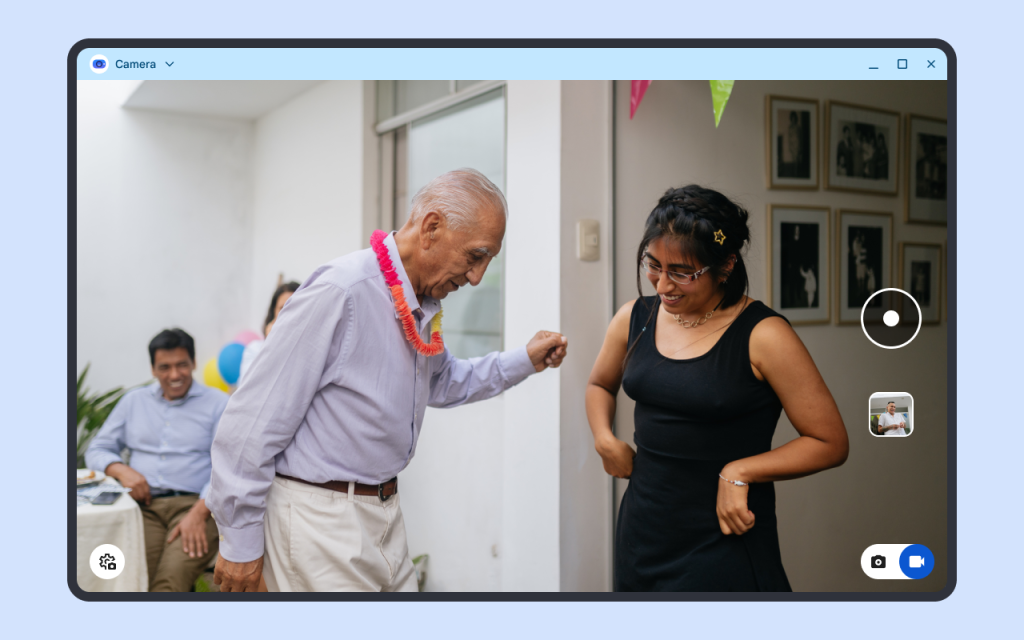
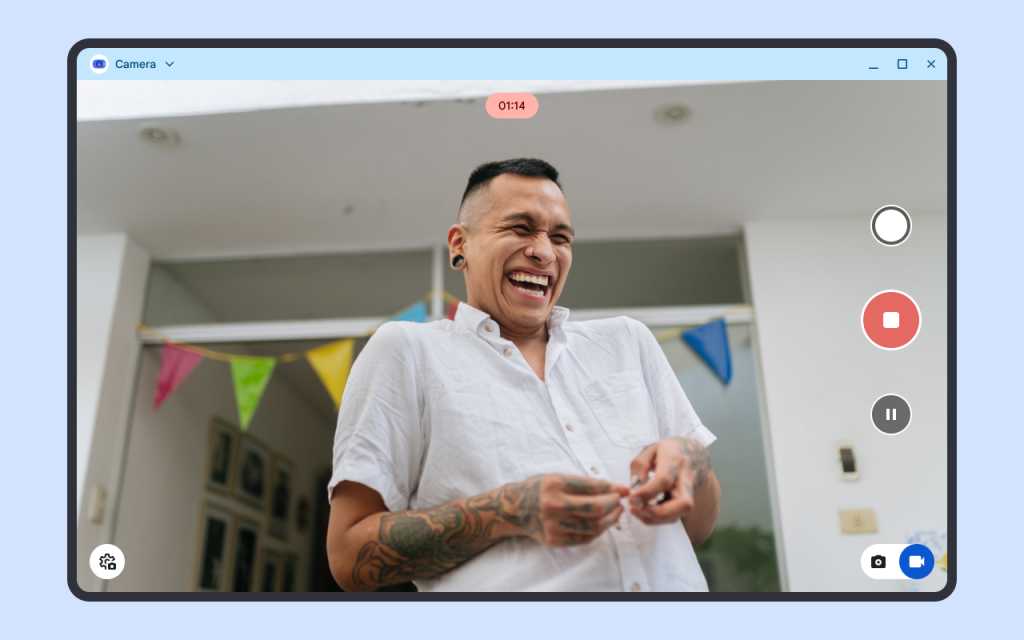
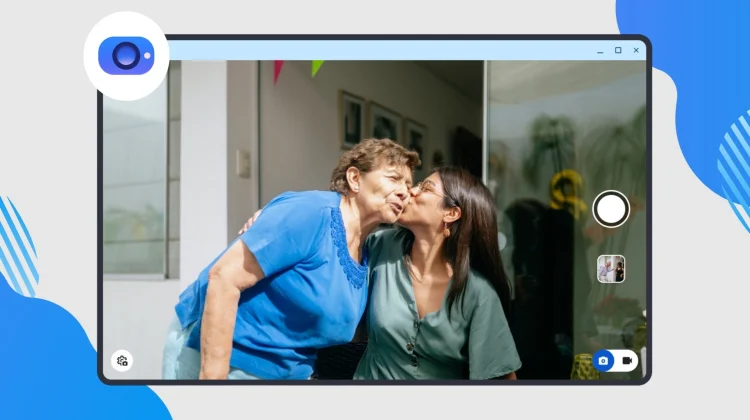
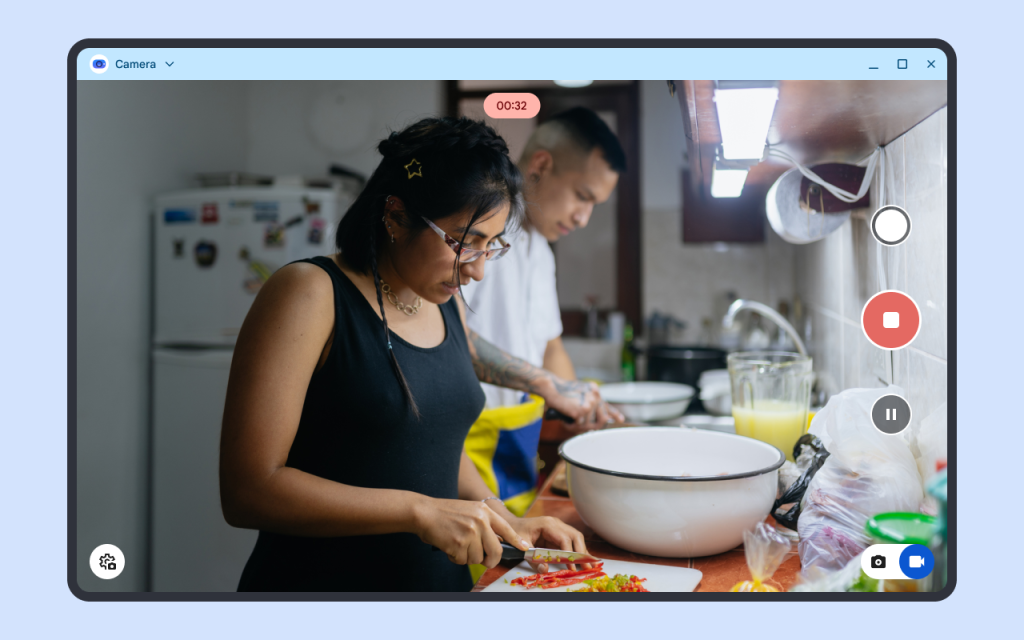
As spotted by the team over at 9to5Google, a brand-new application aptly named “Desktop Camera” has popped up in the Google Play Store. While it is just a single app, it gives us a really solid idea of how Google is approaching the transition of Android from a mobile-first operating system to a true desktop-class environment.
Xremove ads

According to the Play Store listing description, the app is “Built for larger screens, tablets, and desktops” and features a responsive UI designed specifically for landscape orientation. Even more importantly, Google notes that the app offers a simple experience “whether you’re using touch, a mouse, or a keyboard.”

Check out Today’s Best Chomebook Deals

External webcams and smart scanning

Beyond the UI tweaks, the feature list highlights a few practical utilities that laptop/tablet users actually need. The app officially supports external USB webcams, allowing you to seamlessly plug in and switch over to a higher-quality dedicated camera for your video calls. It also includes smart document scanning powered by machine learning for auto-cropping and enhancing physical documents, alongside built-in QR code scanning.

Featured Videos

Xremove ads

While nothing in the official listing explicitly uses the word “Googlebook,” it is safe to assume this is the camera experience that will ship on these new devices this fall. It is a relatively small piece of the puzzle, honestly, but it shows that Google is taking the software side of this premium laptop push very seriously.

SUBSCRIBE TO UPSTREAM

Get Chrome Unboxed delivered straight to your inbox

Upstream is our flagship, curated newsletter with the top stories, most click-worthy deals, giveaways, and trending articles from Chrome Unboxed sent directly to your inbox a few times a week. Join 31,000+ subscribers.

SUBSCRIBE HERE!

Filed Under: Googlebook, News

About Joseph Humphrey

Joe has been a part of Chrome Unboxed since 2016 when he started helping Robby produce YouTube videos. Although normally behind the scenes, Joe has spent countless hours editing reviews and unboxings of many, many Chromebooks. Now a Partner in Unboxed Media, Joe is constantly thinking strategically about the Chromebook industry and how Chrome Unboxed can continue to innovate in the space.

Primary Sidebar

Xremove ads

Deals

The best Chromebook deals today

By Robby Payne
August 17, 2026

The excellent, powerful Acer Chromebook Plus Spin 514 is $150 off right now

By Robby Payne
August 12, 2026

Acer’s new Chromebook 315 is wildly affordable and points to the real future of Chromebooks

By Robby Payne
August 11, 2026

You can score the massively upgraded ASUS CX54 Chromebook Plus for just $599 right now

By Joseph Humphrey
July 28, 2026

The updated Lenovo IdeaPad Slim 3 Chromebook drops to just $199 in massive new sale

By Robby Payne
July 21, 2026

More Deals

Xremove ads

Reviews

Acer Chromebook Plus Spin 514 Review: the best convertible you can buy [VIDEO]

By Robby Payne
July 1, 2026

Lenovo Chromebook Plus 2-in-1 Review: pretty great in a vacuum

By Robby Payne
April 23, 2026

My review after 6 weeks with the Lenovo Chromebook Plus 14 [VIDEO]

By Robby Payne
August 11, 2025

One week with the best small Android tablet you can buy, and I’m sold

By Robby Payne
May 9, 2025

Best Chromebooks of 2024 [VIDEO]

By Robby Payne
November 28, 2024

More Reviews

Xremove ads

Guides

This Chromebook trackpad shortcut is definitely not new, but is blowing my mind

By Robby Payne
March 11, 2024

How to reduce broadcast delay on YouTube TV to stop live spoilers

By Robby Payne
December 8, 2023

Windows PC keyboard and Chromebook

How to use a Windows keyboard with a Chromebook

By Joseph Humphrey
December 8, 2023

How reset and revert your Chromebook to the previous version of Chrome OS

By Robby Payne
November 29, 2023

My Chromebook Plus features disappeared: here’s how I fixed it

By Robby Payne
November 24, 2023

More Guides

TWITTER · FACEBOOK · INSTAGRAM · YOUTUBE · EMAIL · ABOUT

Copyright © 2026 · Chrome Unboxed · Chrome is a registered trademark of Google Inc.
We are participants in various affiliate advertising programs designed to provide a means for us to earn fees by linking to affiliated sites.

PRIVACY POLICY