

Support our independent tech coverage. Chrome Unboxed is written by real people, for real people—not search algorithms. Join Chrome Unboxed Plus for just $2 a month to get an ad-free experience, access to our private Discord, and more. Learn more about membership here.
START FREE TRIAL (MONTHLY)START FREE TRIAL (ANNUAL)
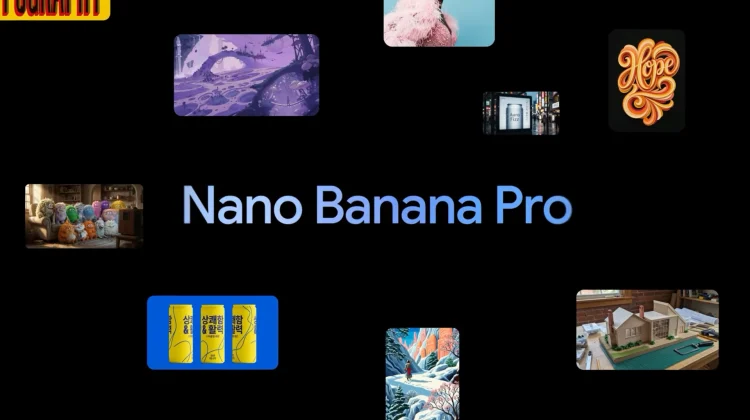
Google has recently released Nano Banana Pro, the latest evolution in its generative image stable. Built on the back of the Gemini 3 Pro architecture, this new model represents a significant technical leap over the standard Nano Banana (Gemini 2.5 Flash Image) that we’ve seen integrated into various products over the last few months. While the original model focused on speed and viral creativity, the latest “Pro” version is built for precision, high-fidelity text rendering, and complex scene reasoning. Here are all the places in Google’s ecosystem you can use it right now.
Accessing the “Thinking” model in the Gemini app
The most direct way to experience Nano Banana Pro is through the Gemini app on desktop and mobile. To trigger the new model, users can select the “Create images” option and then manually choose the “Thinking” model from the settings. This specific model uses the enhanced reasoning of Gemini 3 Pro to understand more nuanced prompts, such as specific lighting requests or complex object relationships.
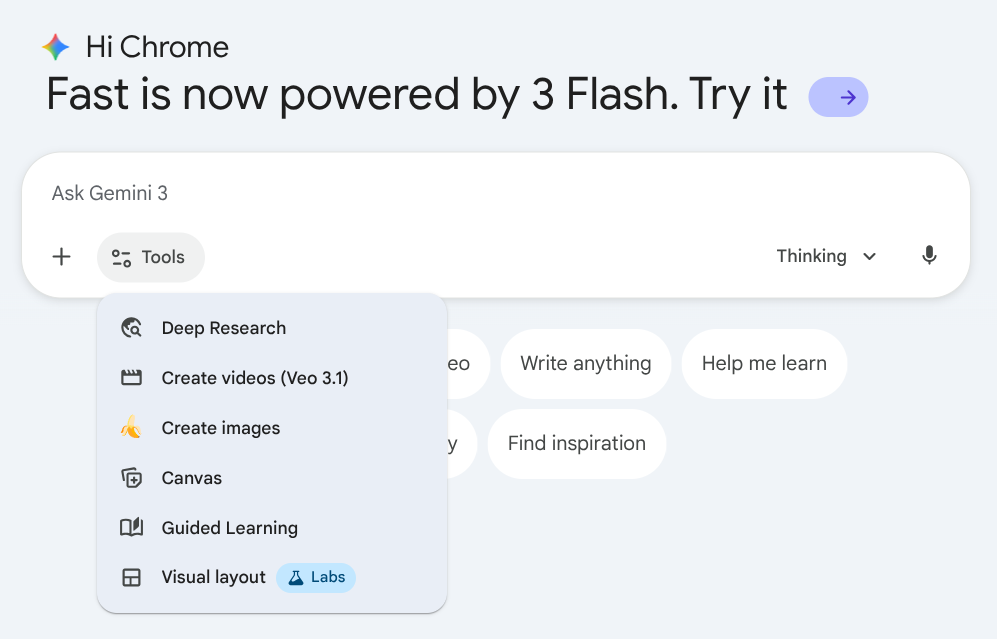
It is important to note that while this is available globally, free-tier users will face usage limits. Once those quotas are reached, the app will revert to the standard Nano Banana model. For those on Google AI Plus, Pro, or Ultra subscriptions, the limits are significantly higher, allowing for more sustained professional use.
Precise generation within Google Search
Google is also bringing this upgraded capability to its AI Mode in Search. By selecting “Thinking with 3 Pro” from the dropdown menu in AI Mode, users can click the plus icon and select “Create Images Pro.”
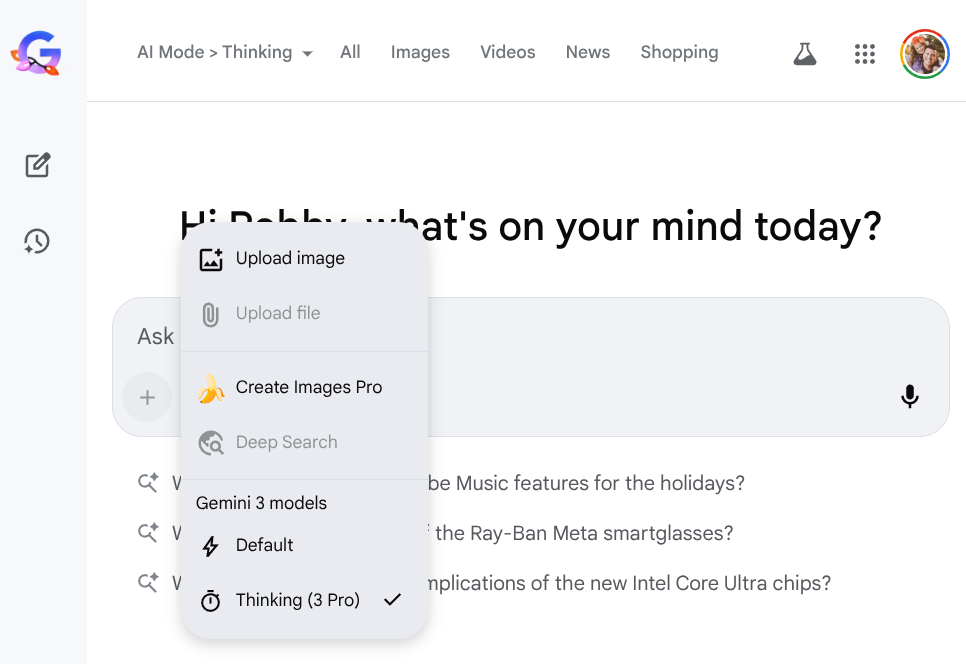
This implementation is particularly useful for those who need a visual representation of a search query that requires a high degree of factual accuracy or complex detail. Currently, this specific integration is available in English across select countries where AI Mode is supported.
Visualizing data in NotebookLM and Workspace
One of the more practical applications of Nano Banana Pro is found in NotebookLM. The tool now allows users to transform their uploaded sources and research notes into visually compelling slide decks and infographics. Instead of just summarizing text, the model can now synthesize that information into a fully styled presentation. This is a massive win for productivity, especially when dealing with “Deep Research” queries that would otherwise result in dense, text-heavy reports.
In Google Workspace, the model is being integrated directly into Google Slides and Google Vids for enterprise and business customers. In Slides, the “Help me visualize” sidebar now utilizes Nano Banana Pro to create professional-grade charts and infographics.
There is also a new “Beautify this slide” feature that analyzes the context of your existing content and suggests a complete design overhaul. In Google Vids, the model powers the “Image” tool, allowing creators to generate precise assets or even entire AI-generated video sequences with improved visual consistency.
Advanced creative tools: Flow and Mixboard
For those working in more creative fields, Nano Banana Pro is now the engine behind Flow and Mixboard. Flow, Google’s AI filmmaking environment, uses the model to give directors more control over frame composition, camera angles, and color grading. The “Pro” model’s ability to render accurate text is a game-changer here, allowing for the creation of realistic signage and props within a digital scene.
Mixboard, the experimental concepting tool from Google Labs, uses Nano Banana Pro for its new “Presentations” capability. This allows users to take a messy board of ideas and instantly format them into a professional pitch deck. Whether you are a developer looking to integrate these tools via Vertex AI or a casual user trying to spruce up a presentation, the arrival of Nano Banana Pro marks a major milestone in Google’s visual AI roadmap.
SUBSCRIBE TO UPSTREAM
Get Chrome Unboxed delivered straight to your inbox
Upstream is our flagship, curated newsletter with the top stories, most click-worthy deals, giveaways, and trending articles from Chrome Unboxed sent directly to your inbox a few times a week. Join 31,000+ subscribers.

