

Support our independent tech coverage. Chrome Unboxed is written by real people, for real people—not search algorithms. Join Chrome Unboxed Plus for just $2 a month to get an ad-free experience, access to our private Discord, and more. Learn more about membership here.
START FREE TRIAL (MONTHLY)START FREE TRIAL (ANNUAL)
Keeping kids safe online while fostering healthy habits is a constant balancing act for parents. As a parent of a 10 year old and 14 year old, I live this reality every single day. For us, Family Link has been a crucial tool that allows us to give our kids autonomy while still being able to rein in certain things when needed.
So, when Google rolls out updates to Family Link, I’m all ears. For this latest round of updates, they are making it easier for parents to manage their children’s digital experiences with a redesigned interface, expanded School time functionality, and parent-managed contacts for Android devices.
Fresh, updated UI
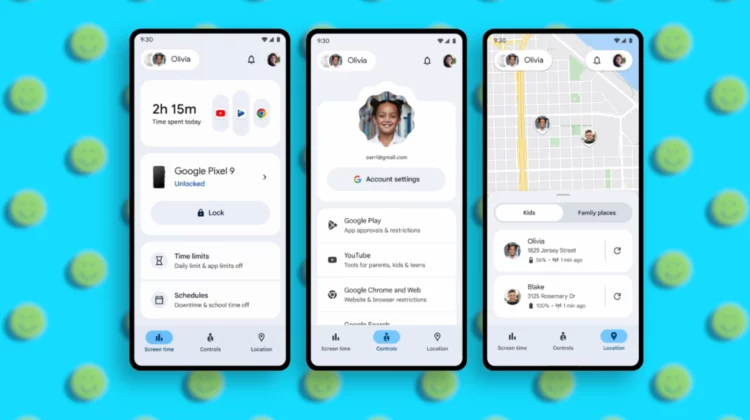
The Family Link app itself is getting a makeover, designed with a more intuitive layout. A dedicated Screen Time tab consolidates all the relevant tools, offering a clear overview of app usage, device-specific summaries, and easy access to setting daily time limits, Downtime, and the increasingly useful School Time feature.
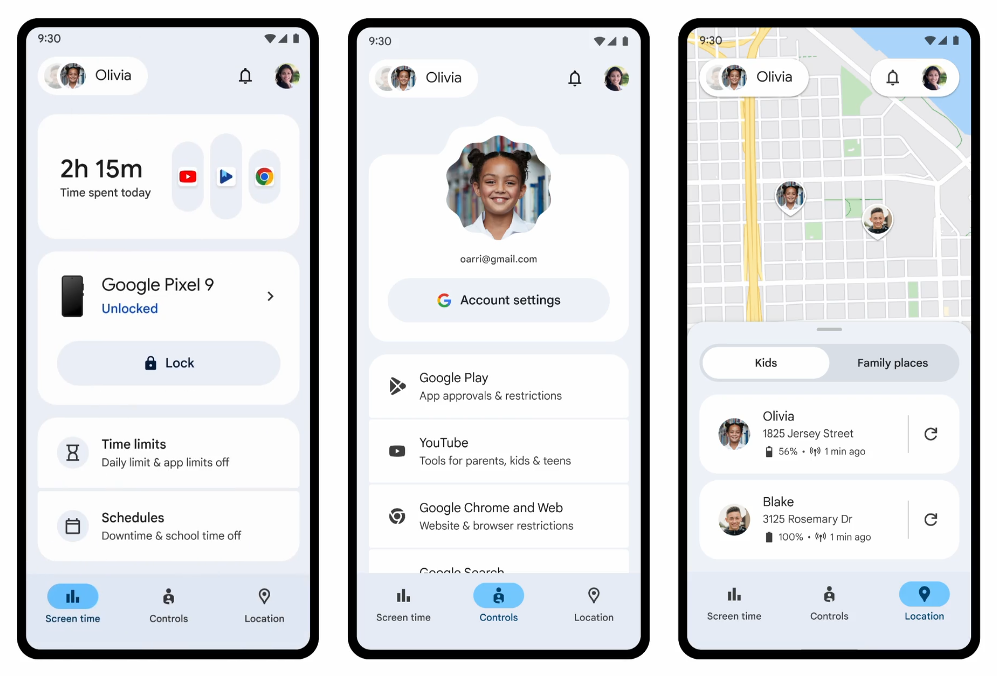
Managing accounts, privacy settings, and content filters is also streamlined within a new Controls tab. Parents can quickly adjust account data settings, approve app downloads, and block websites. Juggling multiple children’s devices is simplified too, with the ability to swipe between profiles and manage everything from a single, centralized location. This is probably the part of this update I’m most excited for.
School Time
School time – first seen on the Fitbit ACE LTE and Samsung Galaxy Watch for Kids – is now making its way to Android phones and tablets. This feature allows parents to schedule limited phone functionality and silenced notifications during school hours, minimizing distractions.
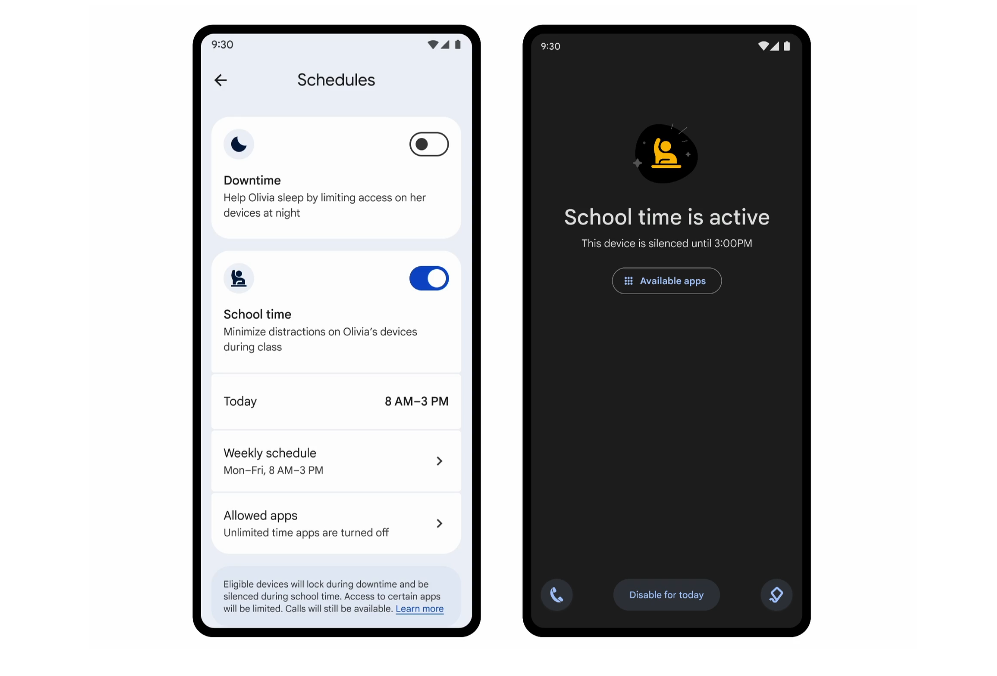
Recognizing that schedules aren’t always rigid, parents can easily adjust School time settings to account for vacations, planned days off, lunches, and recess, creating “Breaks” as needed. Parents retain control over which apps are silenced or restricted and can even designate a set of allowed apps for educational purposes, both during School time and other modes.
Parent-managed contacts
Finally, building on the features introduced with the Galaxy Watch for Kids, Family Link is bringing parent-managed contacts to Android phones. This means parents can directly add approved contacts to their child’s device through Family Link and limit communication to only these pre-approved individuals. Children can also request to add new contacts, which parents can then approve within the Family Link app. This feature offers an added layer of security and peace of mind for parents.
As a parent, I’m loving these updates to Google Family Link. They are each a pretty significant step in providing parents with helpful tools to navigate digital devices with their children. It’s a tough task most of us weren’t faced with when we were younger, so having tools to assist with all of it is a very big deal. Family Link has been an invaluable tool up until now, and it’s only getting more useful.
SUBSCRIBE TO UPSTREAM
Get Chrome Unboxed delivered straight to your inbox
Upstream is our flagship, curated newsletter with the top stories, most click-worthy deals, giveaways, and trending articles from Chrome Unboxed sent directly to your inbox a few times a week. Join 31,000+ subscribers.

