


Support our independent tech coverage. Chrome Unboxed is written by real people, for real people—not search algorithms. Join Chrome Unboxed Plus for just $2 a month to get an ad-free experience, access to our private Discord, and more. Learn more about membership here.
START FREE TRIAL (MONTHLY)START FREE TRIAL (ANNUAL)
Of all the wild demos we saw at Google I/O 2025, the new “Search Live” experience was easily one of the most futuristic. The idea of having a real-time, back-and-forth conversation with Google Search felt like a true step into the next generation of AI-powered search.
And now, as reported by 9to5Google, it looks like Google is beginning to test this powerful new feature in the wild. Powered by Project Astra (the same underlying tech as Gemini Live), Search Live aims to transform the standard query-and-response of search into a fluid, ongoing conversation.
How Search Live works
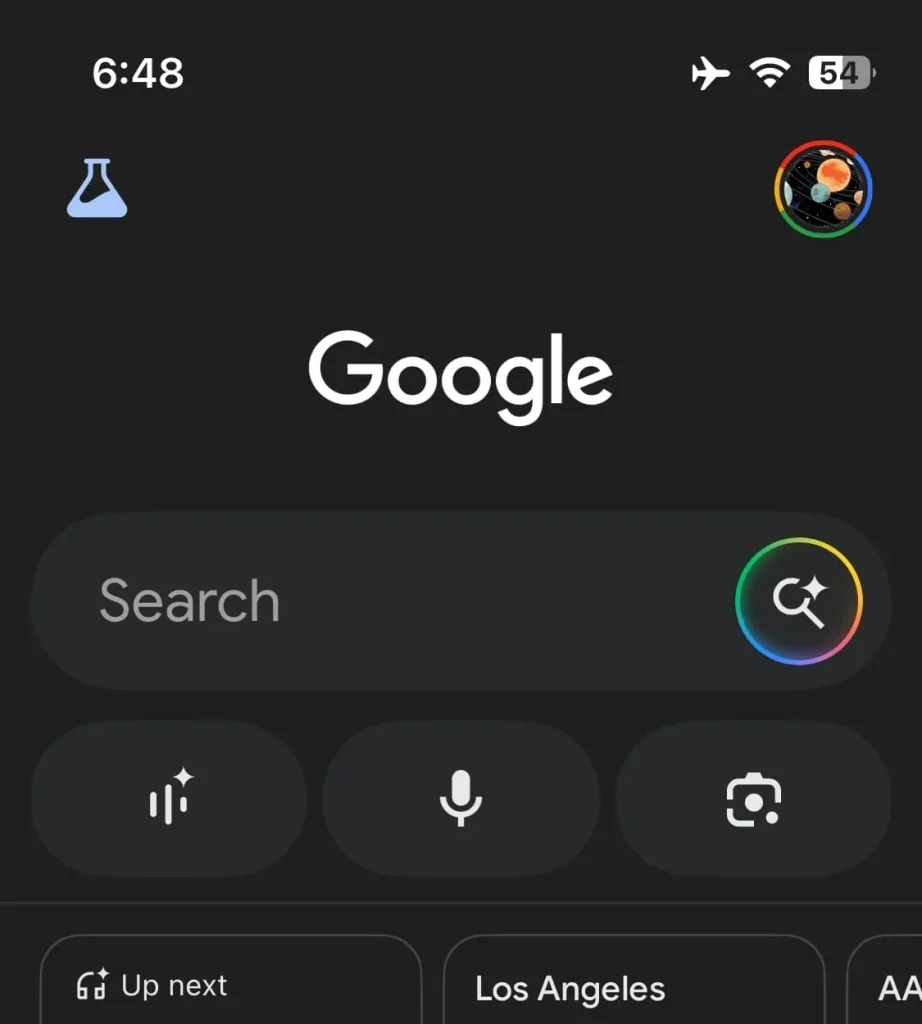
For users who have the feature rolled out to them, there are a couple of new ways to launch this experience in the Google app. The first is a new waveform icon that appears under the main search bar, replacing the previous Google Lens shortcut on the left. The second is a new circular button that shows up to the right of the text field when you’re in an AI Mode conversation.

Once launched, you’re taken to a clean, fullscreen interface with a curved, Google-colored waveform that animates as you speak. You’ll find pill-shaped buttons for “Mute” and “Transcript,” along with a three-dot menu that reveals four different voice options to choose from: Cosmo, Neso, Terra, and Cassini.
The interaction is designed to be truly conversational. You can ask your question, and Search Live will respond while also surfacing a scrollable carousel of the websites it used to inform its answer. It can even ask you clarifying questions to refine your query, and you’re free to ask as many follow-ups as you need. In a particularly neat touch, you can even exit the Google app and your conversation can continue running in the background.
What’s here now and what’s on the way
It’s important to set expectations, as this initial rollout doesn’t include the full vision we saw demoed at I/O just yet. What is available now is the voice-based conversational experience. You can talk to Search, get spoken answers, and see sourced links.
What is not yet available is the powerful camera capability that allows you to stream video from your phone’s camera and ask questions about what you’re seeing in real-time. For that, you’ll still need to rely on your Gemini app for the time being.
This is a massive step forward for what Google Search can be. Moving from a simple tool for finding information to a true, interactive, conversational partner is a profound shift. We can’t wait to get our hands on this and are even more excited for when the full experience, camera and all, becomes widely available. For now, keep an eye on your Google app – you might just get an early look at the future of search.
SUBSCRIBE TO UPSTREAM
Get Chrome Unboxed delivered straight to your inbox
Upstream is our flagship, curated newsletter with the top stories, most click-worthy deals, giveaways, and trending articles from Chrome Unboxed sent directly to your inbox a few times a week. Join 31,000+ subscribers.

