


Support our independent tech coverage. Chrome Unboxed is written by real people, for real people—not search algorithms. Join Chrome Unboxed Plus for just $2 a month to get an ad-free experience, access to our private Discord, and more. Learn more about membership here.
START FREE TRIAL (MONTHLY)START FREE TRIAL (ANNUAL)
As many of you already know, Bluetooth on Chromebooks has never really been a strong suit of the ecosystem. Though Bluetooth 5’s arrival helped many things, the overall experience on Chrome OS has still been a bit hit or miss when it comes to wireless accessories. Overall, though the process and settings screens are still a bit janky, I’ve been able to make things work decently enough on my Chromebook when needed and, sometimes, devices come along that are so rock solid at connecting that I completely forget Bluetooth isn’t a Chromebook strength.
When compared to other operating systems, though, Chrome OS still feels decidedly behind in this department. As we have recently taken a look at the Pixel Buds A Series, one thing that occurred in the out-of-the-box process that I still tend to forget about on a routine basis was the Fast Pair setup prompts. As soon as I opened up the Pixel Buds, the prompt hit my OnePlus 8T and I was connected, up and running within seconds. It’s a very nice touch and part of the modern Bluetooth experience that I really like.
Bluetooth Fast Pair for Chromebooks
We’ve talked about Fast Pair and Chromebooks quite a bit, and the most recent mentions showed a flag was in the works to bring this feature to life sooner than later. After coming across that post on our site just today, I decided to jump to the Developer Channel of Chrome OS 94 and see if the flag was ready to go. And to my surprise, it was! Not only that, as soon as I enabled it (chrome://flags/#fast-pair along with chrome://flags/#bluetooth-advertisement-monitoring) and reset Chrome OS, I put my Pixel Buds in Pairing mode and what you see below was the result.
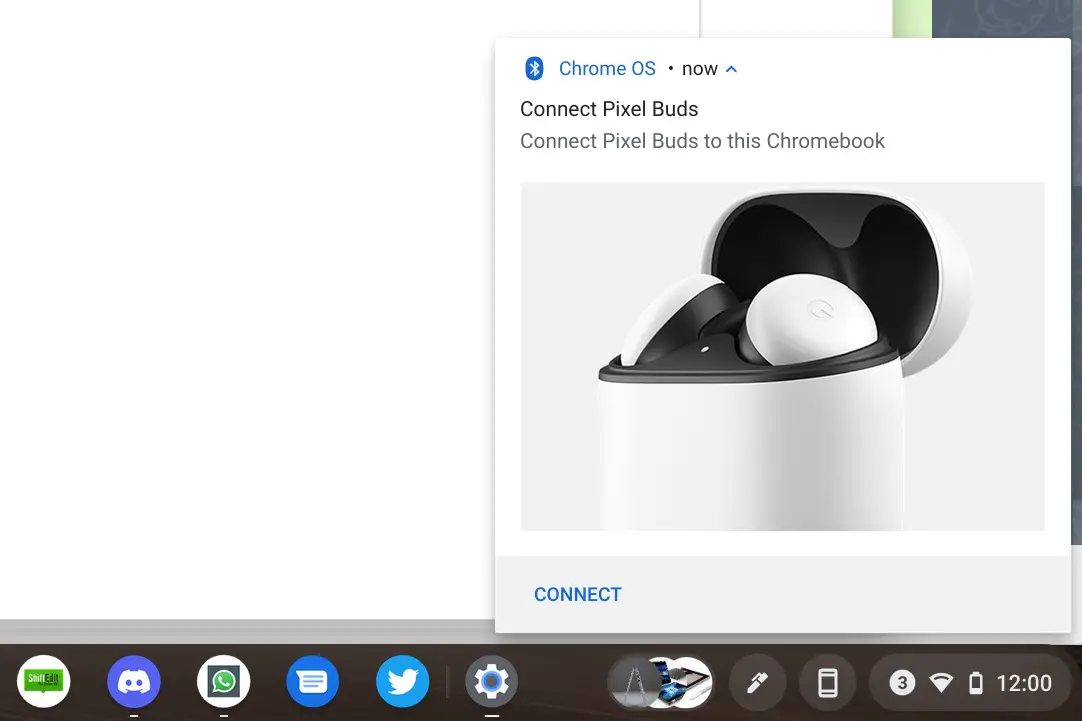
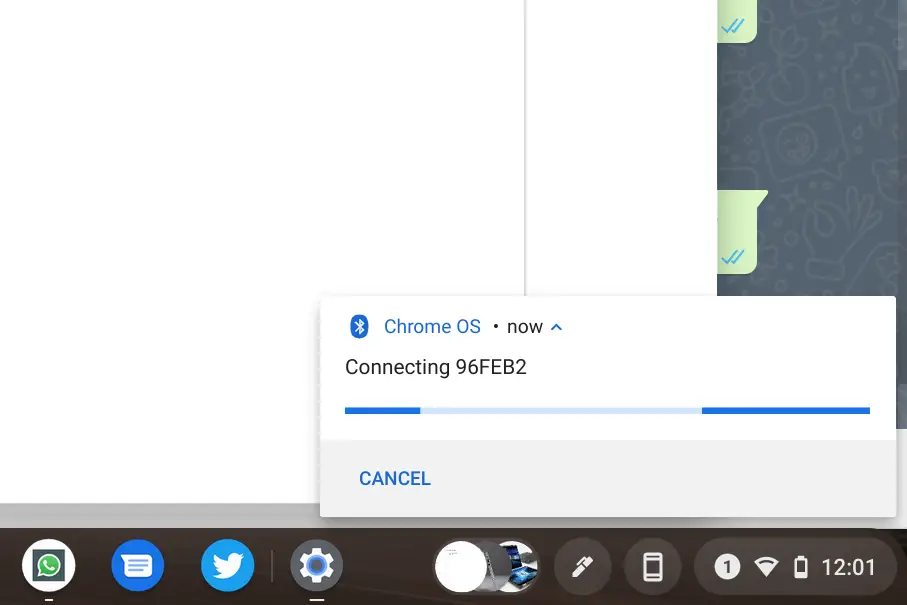
Now, before you get too excited, I do have to make it clear that the pairing never actually finished. Pairing them the more standard way worked fine, but the new Fast Pair method is all still definitely in the testing stage. However, it is clear now what the UI will look like when this does all function, and I was pleasantly surprised to see my Chromebook pick up on the nearby device just as fast as my OnePlus 8T did. Once this actually works as it should, this will make pairing up accessories to your Chromebook easier than ever!
Do note that if you want to give this a try, you’ll need to be in the Developer Channel of Chrome OS and have the two flags I noted above enabled. There’s a chance that other Chromebooks may have the ability to get this working, but I don’t have access to any other Chromebooks that I can drop into the Developer Channel right now. It’s relatively easy to get to the Developer Channel and back to Stable if you want to give this a try, just remember to back up your local files first and let me know if any of you actually get this to function fully. We’re really looking forward to this feature arriving in fullness very soon.
SUBSCRIBE TO UPSTREAM
Get Chrome Unboxed delivered straight to your inbox
Upstream is our flagship, curated newsletter with the top stories, most click-worthy deals, giveaways, and trending articles from Chrome Unboxed sent directly to your inbox a few times a week. Join 31,000+ subscribers.

