


Support our independent tech coverage. Chrome Unboxed is written by real people, for real people—not search algorithms. Join Chrome Unboxed Plus for just $2 a month to get an ad-free experience, access to our private Discord, and more. Learn more about membership here.
START FREE TRIAL (MONTHLY)START FREE TRIAL (ANNUAL)
Ever wished your AI companion could delve deep into your Google toolkit and help you knit everything together? Disappointed by how much Google Assistant sucks at doing this? Well, you probably remember Bard, Google’s fix, or rather, its likely soon-to-be replacement for Assistant’s internals in the near future. When it launched, not everyone was that impressed with it, least of all me.
Now, the company has announced something actually useful for the chat bot that makes it worth using – extensions. Bard can now seamlessly connect with a range of Google apps and services, and this alone already makes it feel like the very first step of replacing the dumber-than-a-box-of-rocks Assistant we’re currently stuck with on our smart speakers and displays.

Actually, this is pretty incredible and the potential is expansive. Once you connect these extensions in the settings menu for Bard, you can literally ask it anything related to your data by appending @ before “Gmail”, “Google Docs”, “Google Drive”, “Google Flights”, Google Hotels”, “Google Maps”, and even “YouTube”! From what I tried so far, asking it to sift through my Drive and find specific receipts for rent payments, it wasn’t perfect, but it was incredible. The fact that it could perform the basic search I would have by visiting the services listed above, but then to go a step further and tailor the result to a list of specifics I give it is amazing.

Update: Here’s the list of available extensions for Bard
– Gmail
– Google Docs
– Google Drive
– Google Flights
– Google Hotels
– Google Maps
– YouTube
To enable these, just visit the puzzle piece icon at the top right of Bard (not the extensions icon for the Chrome browser!) and toggle them one at a time per your preference. See below for an example.


Instead of juggling multiple Chrome tabs, you can now lean on Bard to synchronize everyone’s available dates from Gmail, scout for the best flight and hotel deals in real-time, lay out your route via Google Maps, and even suggest a few YouTube must-watches for your trip destination. Oh, and if you’re on the hunt for a new job, just ask Bard to grab your resume from drive and punch it up a bit. I even asked it when’s the last time I interacted with a specific person, and it told me the date of our last correspondence and what it was regarding, providing the email receipts.
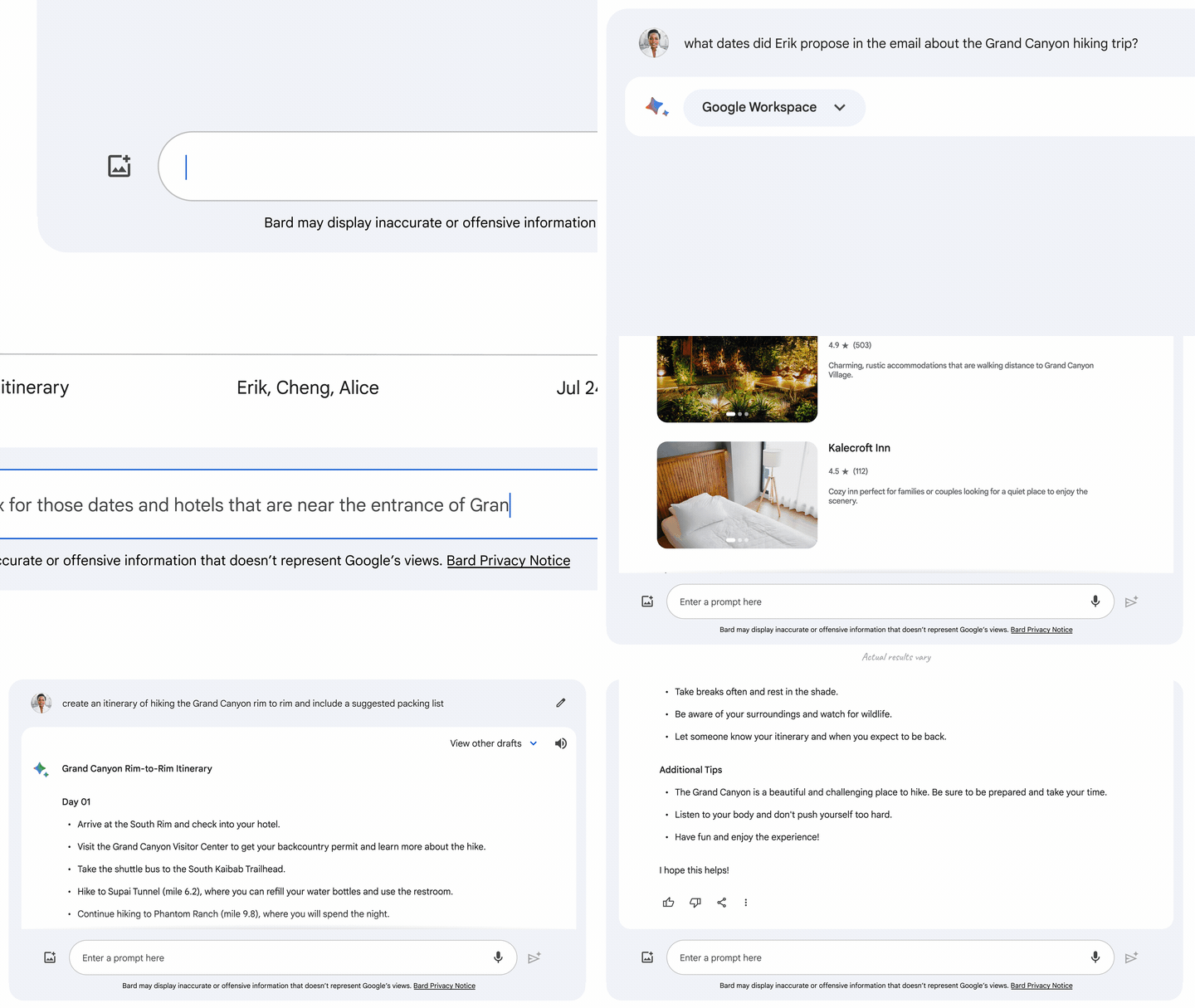
Data protection remains a cornerstone of Bard’s design philosophy, according to Google, and the company harped on this heavily in its blog post yesterday. It ensured that content from Gmail, Docs, and Drive remains off-limits to human reviewers. Moreover, this data isn’t tapped for ad targeting or fed into Bard’s training process. Needless to say, not everyone will believe Google, and many are wary about this kind of technology being introduced when it comes to their personal information, but if you feel any kind of way, you can just disable the extensions in the settings menu. Of course, your data is already in Google’s cloud, so there’s that.
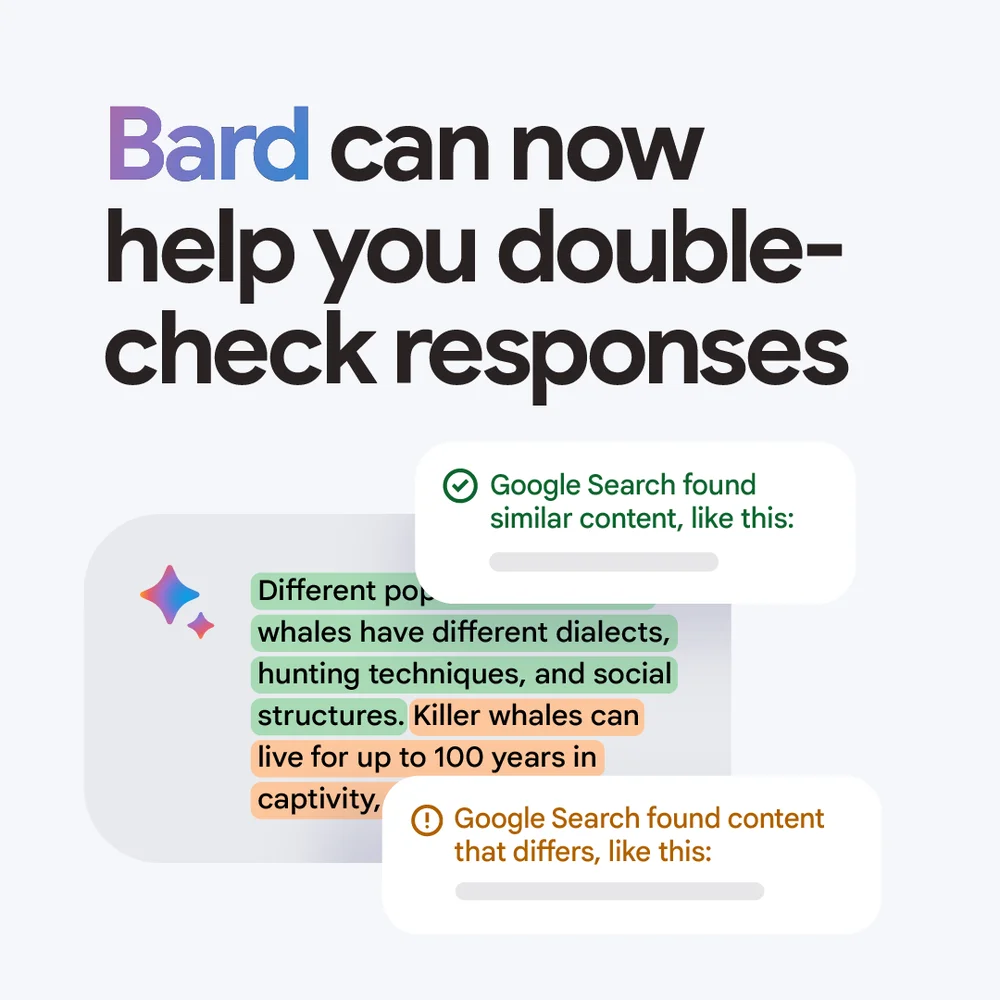
If you’re not sure you trust the responses Bard gives, however, that’s a different story. We may not be able to cross check Google’s trustworthiness on our data (unless you keep an eye on transparency reports and so on), but you can cross check Bard’s accuracy. You’re probably already aware there’s a “Google it” button at the bottom of all generative responses, and this lets you dig a bit deeper and do your own research. This won’t be useful for your own data via the aforementioned extensions, but yeah, at least it’s there.
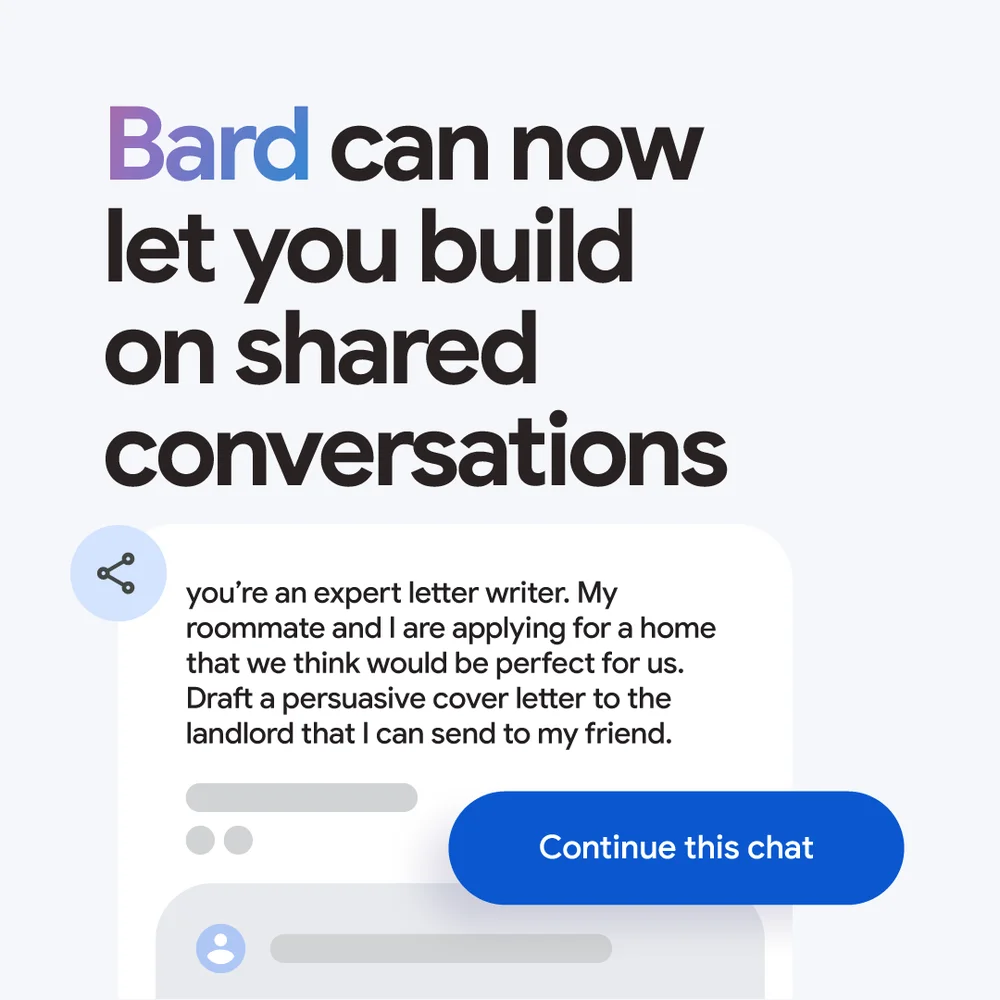
Additionally, you can now share Bard chats via a public link, so others can click it, and pick up where you left off, creating their own generative AI session from your bookmarked conversation point. Anyway, these extensions we’ve been talking about are pretty freaking awesome so far, and though I’ve only used them a bit since yesterday, I can already tell I’m just on the tip of the iceberg of possibilities.
My hope is that Bard still becomes the new heart and soul of Google Assistant and puts its previous capabilities to shame. Right now, it’s looking like that will be the case. Bard is no ChatGPT, and I don’t believe it ever will be, especially for intelligent, well-thought-out responses, but if it can sift through Google Workspace apps and data and return more personal results, it’s carved out its niche and found a way to be useful even still.
SUBSCRIBE TO UPSTREAM
Get Chrome Unboxed delivered straight to your inbox
Upstream is our flagship, curated newsletter with the top stories, most click-worthy deals, giveaways, and trending articles from Chrome Unboxed sent directly to your inbox a few times a week. Join 31,000+ subscribers.

