

Support our independent tech coverage. Chrome Unboxed is written by real people, for real people—not search algorithms. Join Chrome Unboxed Plus for just $2 a month to get an ad-free experience, access to our private Discord, and more. Learn more about membership here.
START FREE TRIAL (MONTHLY)START FREE TRIAL (ANNUAL)
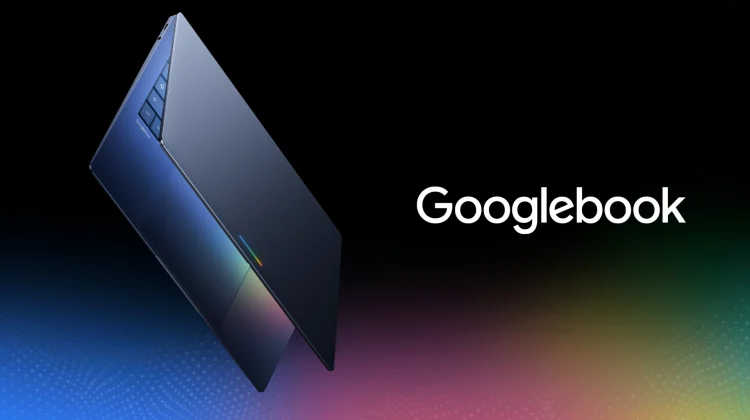
Not long after Google officially pulled back the curtain on Googlebook at The Android Show, I jotted down a quick note to myself that I’ve been reflecting on over the past few days:
“To succeed, Googlebooks will need to truly deliver on the promise of AI being helpful in all forms of work and general use. Specifically, it should make us better creatives and more productive in ways that actually matter. Upon launch, users shouldn’t have to search for ways to make the built-in AI in Googlebook work for them – those features should be easy to find and use. And they should be genuinely helpful.”
As we draw closer to the expected late September or early October launch window, that thought is starting to feel more pressing. We know the hardware from partners like Acer, ASUS, Dell, HP, and Lenovo is going to be gorgeous. We know the dynamic Glowbar will look incredible sitting on a desk. We know the processor options will be plenty fast.
But Googlebook isn’t just a hardware evolution; it is explicitly built around Gemini Intelligence. And if Google wants this new platform to genuinely reshape modern computing, the AI features cannot simply be little gimmicks. They need to hit a home run right out of the gate, be easy to find, easy to use, and actually something users find value in.
The problem with “easy to find” but “hard to use”
When you look back at how AI has been integrated into desktop operating systems over the past couple of years, the results have been pretty middling. Too often, AI feels like a feature bolted onto the side of an OS rather than something woven into its DNA.
To make Gemini Intelligence a truly transformative OS feature, Google has to nail three specific criteria simultaneously: it must be easy to find, easy to use, and genuinely useful. Failing at even one of those pillars ruins the experience.
Consider a recent-ish non-AI addition to ChromeOS as a prime example: the Quick Insert key. Google gave it a dedicated physical key on the keyboard, making it incredibly easy to find. Opening the menu is effortless, making it easy to use. But in practice, the actual utility often falls flat, leading to a feature that sits mostly untouched by everyday users.
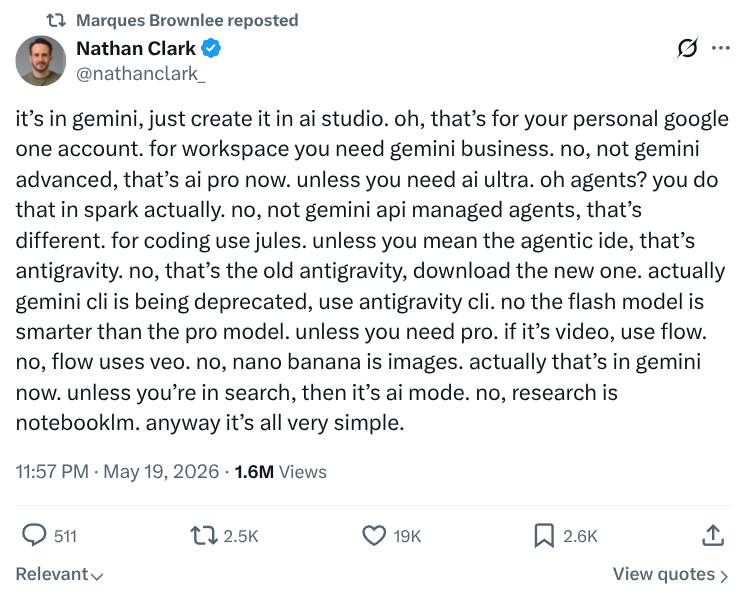
On the flip side, we’ve seen plenty of desktop AI features over the last year that are genuinely powerful, but they get obfuscated by what plan you are on, which app you are using to access them, and what AI sub-system is responsible for pulling off what you are trying to do. I once again reference this post on X that lives rent-free in my head:
Beyond the tip of the iceberg
What Google showed us during the initial reveal (like the AI-powered Magic Pointer cursor and custom ambient widget creation) is almost certainly just the tip of the iceberg. In our interview with Google VP John Maletis, he told us as much – even if he wouldn’t share any further details with us just yet.
When a user opens a Googlebook for the first time, the AI needs to prove its worth instantly without feeling intrusive. It needs to make creative workflows faster, assist with complex research seamlessly, and eliminate as many tedious micro-tasks as possible that slow down our workdays.
It shouldn’t require a masterclass in prompt engineering to extract value from your laptop. The OS should anticipate context, offer smart, low-friction entry points, and deliver outcomes that actually save time or enhance creativity.
Day one impressions matter
In the tech sphere, initial impressions dictate long-term adoption. If early adopters open their brand-new Googlebooks this fall and find an array of half-baked tools or novelty AI tricks, the narrative around the platform will sour quickly. And that’s to say nothing of the app ecosystem that absolutely must be in a solid spot on day one.
Google has a rare opportunity here. By building an entire operating system around Gemini Intelligence from the ground up, they have the chance to redefine what desktop productivity looks like for the next decade. But to pull it off, those launch-day features have to be obvious, seamless, and above all else, indispensable. For Googlebook, the “killer app” doesn’t need to be an app at all. It needs to be the AI that is at work under the hood. And it needs to be really good.
SUBSCRIBE TO UPSTREAM
Get Chrome Unboxed delivered straight to your inbox
Upstream is our flagship, curated newsletter with the top stories, most click-worthy deals, giveaways, and trending articles from Chrome Unboxed sent directly to your inbox a few times a week. Join 31,000+ subscribers.

