

Support our independent tech coverage. Chrome Unboxed is written by real people, for real people—not search algorithms. Join Chrome Unboxed Plus for just $2 a month to get an ad-free experience, access to our private Discord, and more. Learn more about membership here.
START FREE TRIAL (MONTHLY)START FREE TRIAL (ANNUAL)
As I have spent the last couple weeks thinking through all the tutorials I’d like to start making for Googlebook OS, one major omission has stood out that will affect both content creators and remote workers alike. On ChromeOS, we were spoiled by a native screen capture tool that included built-in webcam selfie support alongside the excellent Screencast app for annotated walkthroughs.
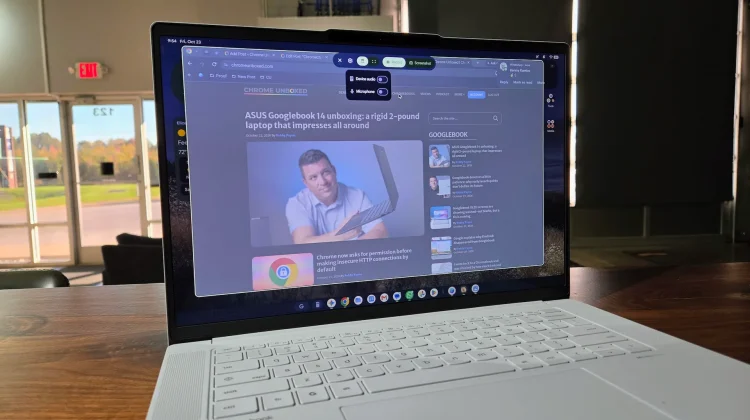
On Googlebook OS today, the built-in screen recorder is far more basic, lacking a floating webcam bubble when you want to talk viewers through what is happening on your display. While you can use workarounds inside the browser like the less-than optimal Google Vids Screen Recorder Chrome extension, having a native OS-level selfie overlay is a huge deal when you are recording full desktop workflows or Android apps.
Thankfully, Google is actively overhauling the native screen recording suite inside Android 17. Following the addition of selfie camera “Screen Reactions” on Pixel phones earlier this summer, a new teardown of Android 17 QPR3 Beta 2 from Android Authority reveals that Google is now building live on-screen drawing and markup overlays into the exact same system framework that powers Googlebook OS.
What Google is building inside Android 17’s screen recorder
If you use a Samsung phone like my daily driver Galaxy Z Fold 8, you have probably used One UI’s screen recording toolbar, which lets you turn on a floating selfie camera bubble and draw directly on the screen at the same time. Google has been steadily building out that exact feature set for its own first-party Android interface on devices like the Pixel 11 Pro XL.
Based on code uncovered inside Android 17 QPR3 Beta 2, Google is expanding the native SystemUI screen recorder with several creator-friendly tools:
- Dedicated markup system package: Introduces a new system component labeled
com.android.systemui.screenrecord.markupdesigned to run as an interactive layer during active screen captures. - Toggleable drawing overlays: Adds references for showing and hiding a live markup toolbar (
ScreenRecordingMarkup) so you can circle menus or point out buttons mid-recording without pausing. - Customizable brush styles: Includes a
screenrecording_markup.brushfamilyresource that points to multiple pen sizes and color options for on-screen annotations. - Floating camera integration: Builds directly on top of Android 17’s existing front-camera Screen Reactions pipeline, which overlays a movable selfie bubble over any app you are recording.
Why shared Pixel DNA makes this a near lock for Googlebook OS
The reason this matters so much for laptop buyers comes down to how Googlebook OS is constructed under the hood. As we have already seen with Googlebooks quietly getting first-party access to the Pixel Weather app and missing desktop features getting patched in fast, the Googlebook desktop interface and the Pixel UI share a massive amount of foundational code.
Rather than maintaining two completely separate operating systems the way it did with Android and legacy ChromeOS, Google is now building core system utilities inside Android 17’s shared framework. When the SystemUI team upgrades the native screen recorder package for Pixel phones and tablets, bringing those exact same floating overlays over to Googlebooks is a natural next step.
Whether you are an educator recording a quick lesson, an IT admin walking a coworker through a settings menu, or a creator showing off a new workflow, seeing the person talking in the corner of the screen makes a recording infinitely more engaging. We will be keeping a close watch on upcoming Googlebook OS system updates and QPR builds in the studio to see how soon Google flips the switch on these upgraded recording tools for laptops.
SUBSCRIBE TO UPSTREAM
Get Chrome Unboxed delivered straight to your inbox
Upstream is our flagship, curated newsletter with the top stories, most click-worthy deals, giveaways, and trending articles from Chrome Unboxed sent directly to your inbox a few times a week. Join 31,000+ subscribers.

