

• Skip to main content
  • Skip to primary sidebar
  • Deals
  • Features
  • Guides
  • Chromebooks
  • Videos
  • Podcast
  • More +
    • Reviews
    • Unboxing
    • Upcoming Devices
    • Chromebook Plus
    • Chrome
    • ChromeOS
    • Chrome OS Flex
  • Search
  • Sign Up
  • Log In
Chrome Unboxed – The Latest Chrome OS News

Chrome Unboxed - The Latest Chrome OS News

A Space for All Things Chrome, Google, and More!

  • Deals
  • Features
  • Guides
  • Chromebooks
  • Videos
  • Podcast
  • More +
    • Reviews
    • Unboxing
    • Upcoming Devices
    • Chromebook Plus
    • Chrome
    • ChromeOS
    • Chrome OS Flex
  • Search
  • Sign Up
  • Log In

Googlebook finally delivers a true desktop with app icons and widgets to Google’s laptops

May 15, 2026 By Robby Payne View Comments

Support our independent tech coverage. Chrome Unboxed is written by real people, for real people—not search algorithms. Join Chrome Unboxed Plus for just $2 a month to get an ad-free experience, access to our private Discord, and more. Learn more about membership here.
START FREE TRIAL (MONTHLY)START FREE TRIAL (ANNUAL)

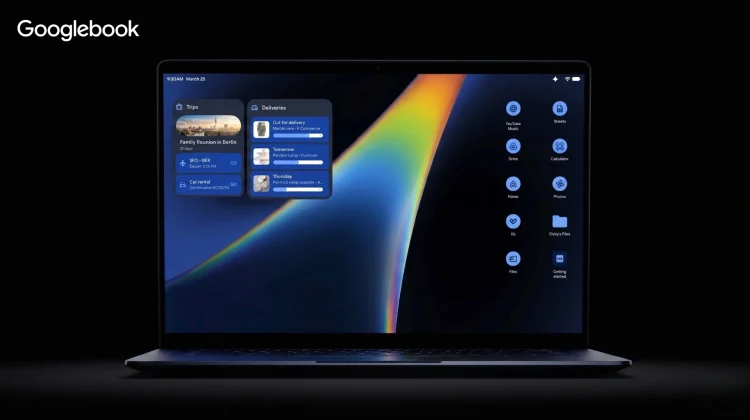
For over a decade, the ChromeOS desktop has been little more than a glorified wallpaper viewer. While there is definitely an appeal to that distraction-free, minimalist approach, users migrating from Windows or macOS have consistently asked for a traditional space to organize their workflows. With the introduction of the new Googlebook, Google is finally delivering a proper, functional desktop experience.

A functional space for your apps

Let me be clear: I have always appreciated the clean, simple desktop of the Chromebook experience. There is something calming about closing all your windows and just seeing a beautiful piece of wallpaper without a sea of cluttered icons staring back at you. But as workflows get more complex, having the option to drop a few essential app shortcuts or temporary files right on the desktop is a massive quality-of-life upgrade.
Xremove ads

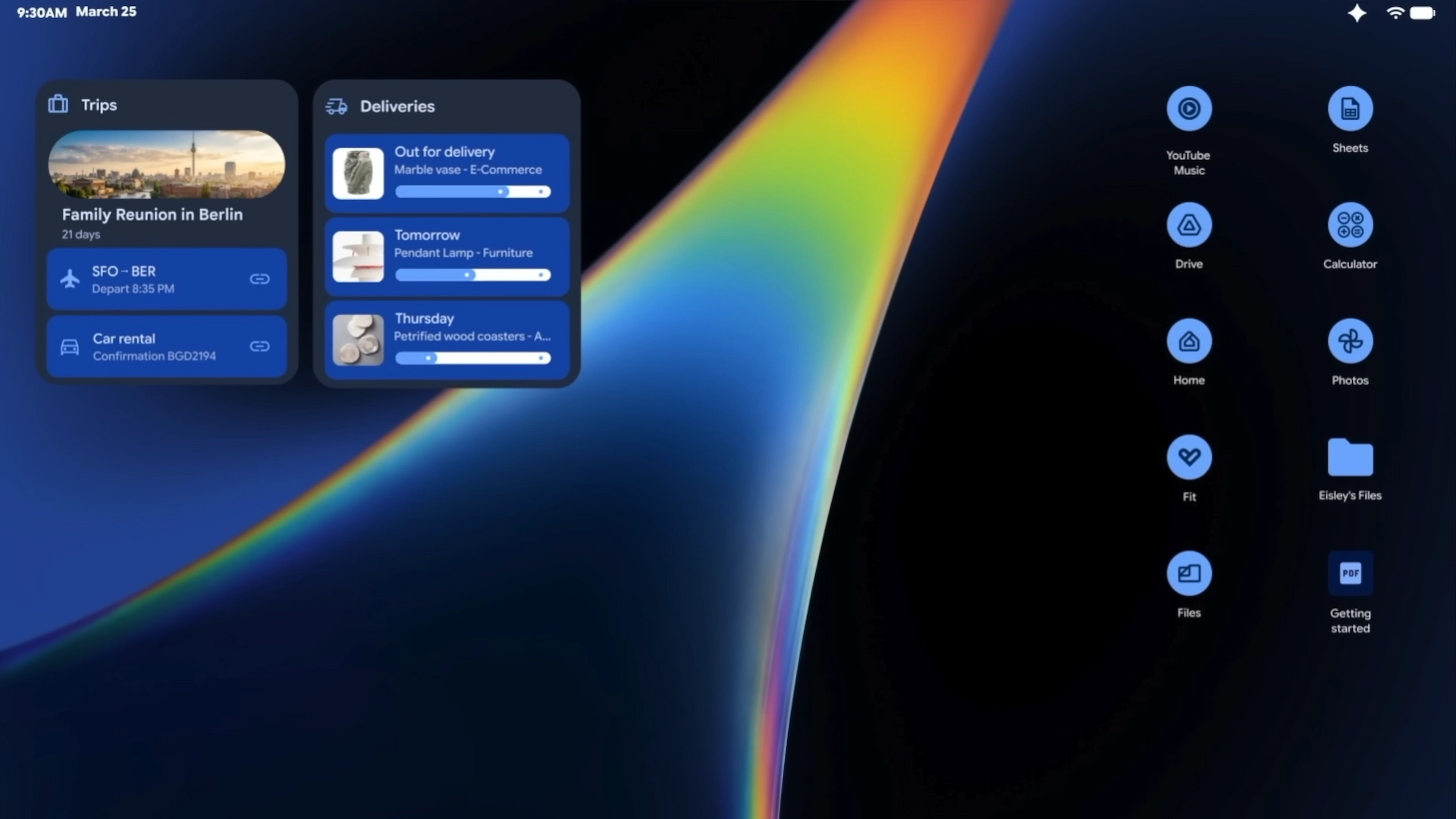
Based on the early looks at the new Android-based desktop environment powering Googlebooks, we are getting a true workspace. Being able to right-click to create folders or drag a native Android app directly to the desktop fundamentally changes how we will interact with these laptops. It bridges the gap between the mobile app ecosystem and traditional desktop computing in a way we’ve been hoping to see for years.

Custom widgets powered by Gemini

Beyond just app shortcuts, the most exciting addition to the desktop is the introduction of widgets. We caught a glimpse of this during the official Googlebook announcement with the incredibly cool “Create My Widget” feature.

Featured Videos

Xremove ads

Instead of just picking from a pre-set list of static squares, you can actually use Gemini to generate custom, at-a-glance dashboards. Whether it’s a personalized travel itinerary countdown pulled from your Gmail, or a highly specific weather readout for an upcoming golf trip, these intelligent widgets will live right on your desktop. It transforms that previously empty space into a highly personalized command center.

The best of both worlds

It’s a seemingly small addition compared to the massive AI features or the premium hardware announcements, but it’s one of those foundational shifts that will make the Googlebook feel like a truly mature operating system. For those who want to keep their desktop completely bare and minimalist, that will of course still be an option. But for the rest of us who want a bit more utility and quick access to our most important tools, the era of the functional Google desktop is finally here.

SUBSCRIBE TO UPSTREAM

Get Chrome Unboxed delivered straight to your inbox

Upstream is our flagship, curated newsletter with the top stories, most click-worthy deals, giveaways, and trending articles from Chrome Unboxed sent directly to your inbox a few times a week. Join 31,000+ subscribers.

Xremove ads
SUBSCRIBE HERE!

Filed Under: Googlebook, News Tagged With: videos

About Robby Payne

As the founder of Chrome Unboxed, Robby has been reviewing Chromebooks for over a decade. His passion for ChromeOS and the devices it runs on drives his relentless pursuit to find the best Chromebooks, best services, and best tips for those looking to adopt ChromeOS and those who've already made the switch.

Primary Sidebar

Xremove ads

Deals

The best Chromebook deals today

By Robby Payne
May 15, 2026

Save $40 on the Google Pixel Watch 4 before the Spring Sale ends

By Joseph Humphrey
April 24, 2026

Deal Alert: the excellent Lenovo Chromebook Plus 2-in-1 returns to $429

By Robby Payne
April 20, 2026

Lenovo Legion Tab Gen 3 drops to $399, ahead of the much pricier Gen 5 release

By Joseph Humphrey
April 18, 2026

How to get 50% off YouTube Premium for a full year with Google One

By Robby Payne
April 16, 2026

More Deals

Xremove ads

Reviews

Lenovo Chromebook Plus 2-in-1 Review: pretty great in a vacuum

By Robby Payne
April 23, 2026

Acer Chromebook Plus Spin 514 Review: Kompanio Ultra power in a convertible

By Robby Payne
December 24, 2025

My review after 6 weeks with the Lenovo Chromebook Plus 14 [VIDEO]

By Robby Payne
August 11, 2025

One week with the best small Android tablet you can buy, and I’m sold

By Robby Payne
May 9, 2025

Best Chromebooks of 2024 [VIDEO]

By Robby Payne
November 28, 2024

More Reviews

Xremove ads

Guides

This Chromebook trackpad shortcut is definitely not new, but is blowing my mind

By Robby Payne
March 11, 2024

How to reduce broadcast delay on YouTube TV to stop live spoilers

By Robby Payne
December 8, 2023

Windows PC keyboard and Chromebook

How to use a Windows keyboard with a Chromebook

By Joseph Humphrey
December 8, 2023

How reset and revert your Chromebook to the previous version of Chrome OS

By Robby Payne
November 29, 2023

My Chromebook Plus features disappeared: here’s how I fixed it

By Robby Payne
November 24, 2023

More Guides

TWITTER · FACEBOOK · INSTAGRAM · YOUTUBE · EMAIL · ABOUT

Copyright © 2026 · Chrome Unboxed · Chrome is a registered trademark of Google Inc.
We are participants in various affiliate advertising programs designed to provide a means for us to earn fees by linking to affiliated sites.

PRIVACY POLICY