

Google just unveiled its May “Workspace Drop,” and it’s packed with AI-driven innovations aimed at helping users work a bit smarter. The focus this month is squarely on leveraging Gemini and other AI to help you stay informed, dive deeper into your information, and present your best self in meetings. Let’s look at all the cool new capabilities rolling out across your favorite Workspace apps.
Catch up quickly with AI summaries in Gmail, Chat, and Docs
Feeling overwhelmed by the constant stream of information? Google is here to help with more intelligent summarization features:
- Gmail on mobile is getting new Gemini summary cards. These will pop up at the top of longer email threads, giving you a quick snapshot of the key points without needing to wade through every reply. The summary even refreshes as new replies come in.
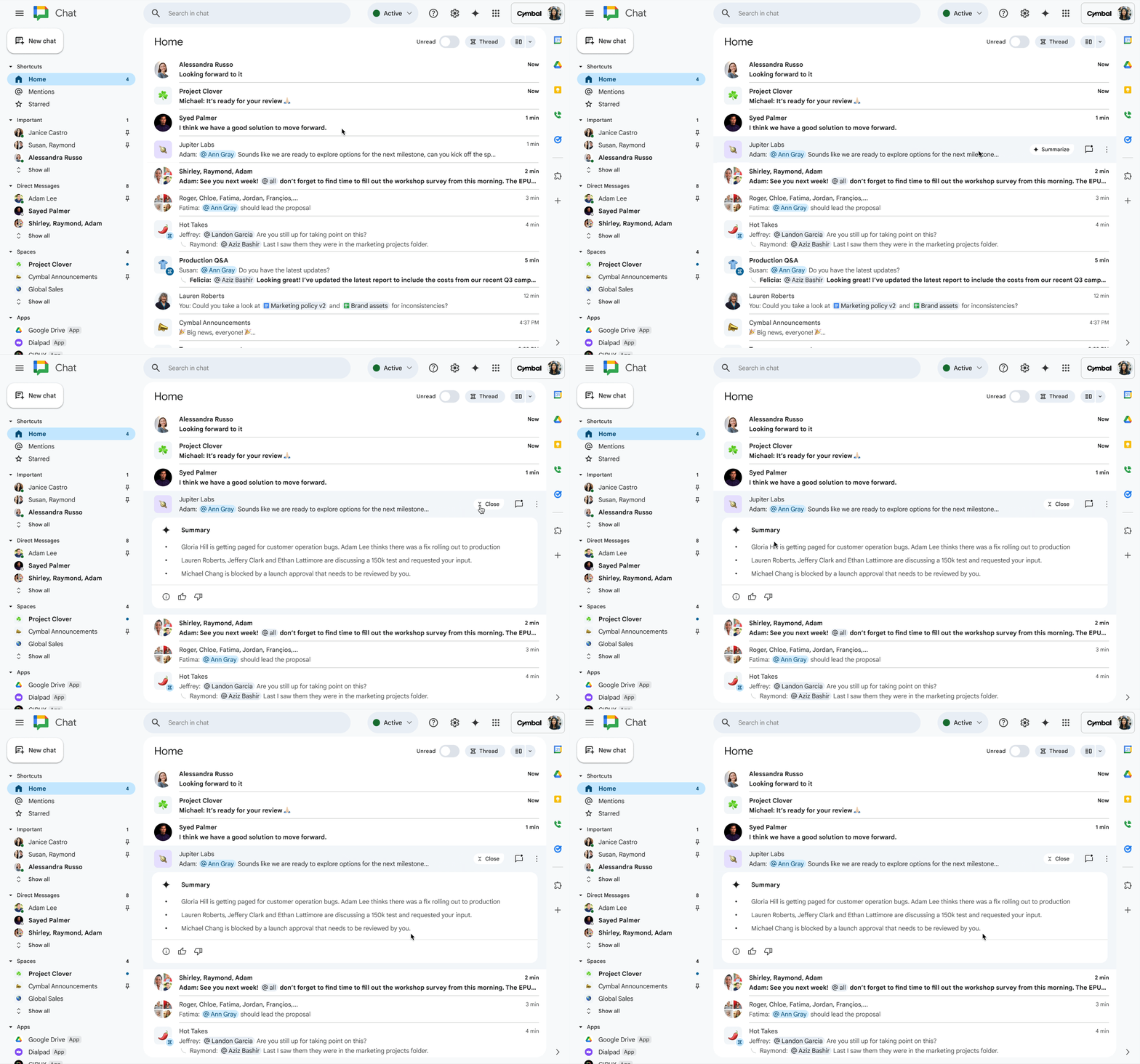
- Google Chat is making it easier to stay on top of all your conversations. Gemini summaries in the Chat home view (now available in more languages including English and Spanish) provide a single place to see what’s happening across every discussion. Plus, if a colleague shares a lengthy Doc, Sheet, or Slide in a chat, you can now get a succinct summary of the file directly within Chat before deciding if you need to open it – a huge time-saver!
- In Google Docs, a new summary building block powered by Gemini can instantly generate a concise overview of your document. Whether it’s a research report or a launch plan, you can easily insert this summary at the top and refresh it anytime the content changes.
Deeper research and understanding with NotebookLM

NotebookLM, Google’s AI-powered research tool, is also getting some powerful new tricks:
- Interactive Mind Maps: You can now generate Mind Maps to get a visual overview of your source materials (like Docs, Slides, websites). This helps you quickly grasp key themes, understand how different ideas connect, and even find new entry points into complex topics.
- Discover Sources: NotebookLM can now help you find related web resources, like background information and research papers, and easily add them to your notebooks, making your research more comprehensive.
- Output Language Selector: Need your notes or summaries in a different language? NotebookLM now allows you to choose the output language for generated text, making it easier to understand and share your work globally.
Look and sound your best in Google Meet
With hybrid work being the norm, Google Meet is rolling out AI features to keep you looking and sounding professional:
- For Hybrid Meetings (especially with Meet hardware):
- New dynamic layouts offer a more efficient view, with smaller “portrait tiles” for individual faces and larger “room tiles.”
- Dynamic tiles can create individual video feeds for up to three in-room attendees, with AI automatically highlighting the active speaker.
- Face match allows those in-room attendees to associate their name with their dynamic tile using Companion mode, so everyone knows who’s who.
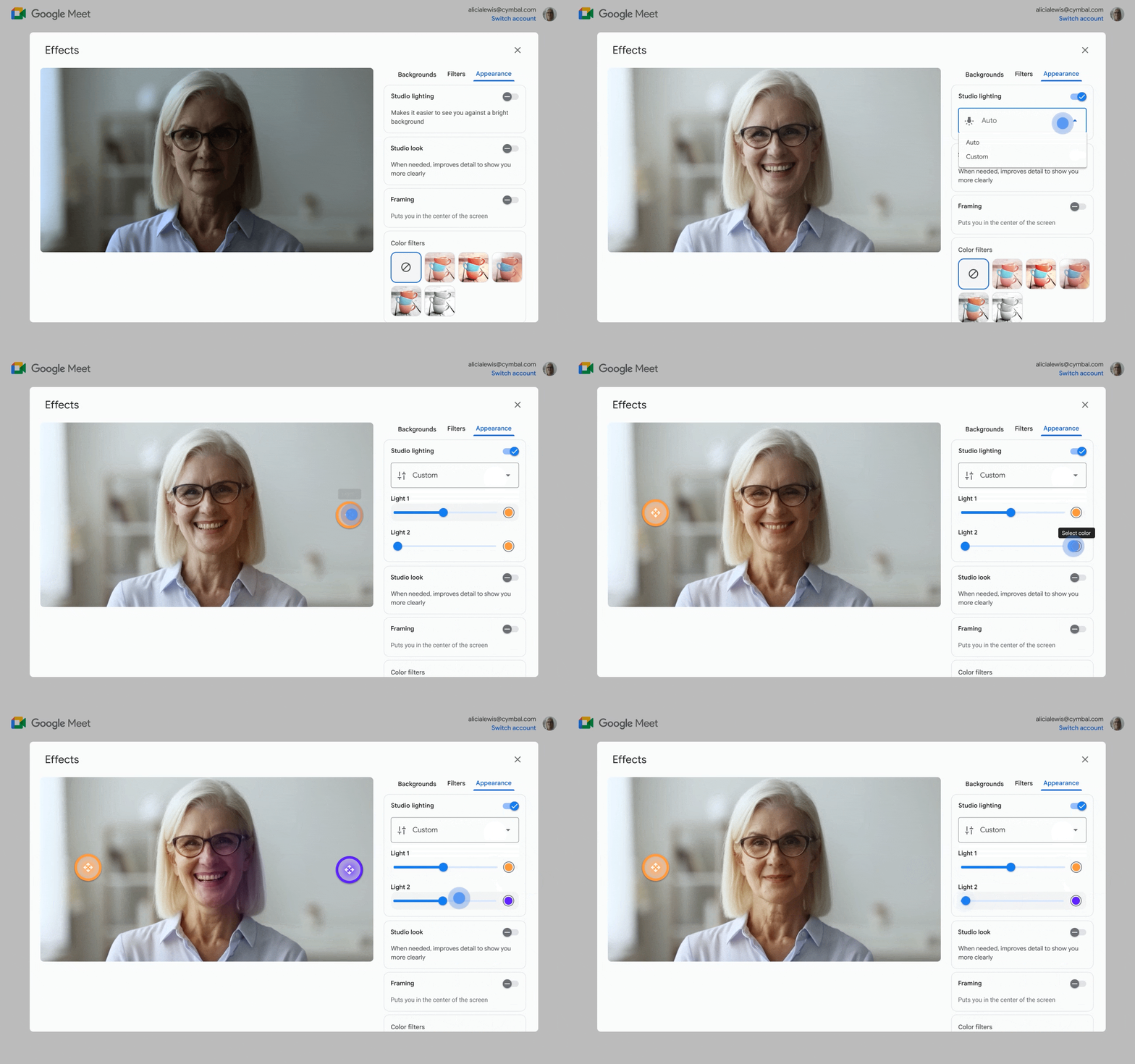
- For Laptop Users (Business & Enterprise Plans): The powerful studio effects are now fully rolled out.
- Studio look uses generative AI to enhance your camera’s video quality and sharpness in real-time.
- Studio lighting simulates professional lighting, letting you adjust its position, color, and intensity.
- Studio sound cleans up your audio by recreating and balancing missing or distorted frequencies, ensuring your voice is crisp and clear.
These updates are all part of Google’s ongoing effort to weave helpful AI directly into the Workspace tools many of us rely on daily. By making it easier to summarize information, conduct research, and present ourselves effectively, the aim is to help us all focus on what truly matters. Keep an eye out for these new features rolling out to your Google Workspace account!
Join Chrome Unboxed Plus
Introducing Chrome Unboxed Plus – our revamped membership community. Join today at just $2 / month to get access to our private Discord, exclusive giveaways, AMAs, an ad-free website, ad-free podcast experience and more.
Plus Monthly
$2/mo. after 7-day free trial
Pay monthly to support our independent coverage and get access to exclusive benefits.
Plus Annual
$20/yr. after 7-day free trial
Pay yearly to support our independent coverage and get access to exclusive benefits.
Our newsletters are also a great way to get connected. Subscribe here!
Click here to learn more and for membership FAQ

