

Support our independent tech coverage. Chrome Unboxed is written by real people, for real people—not search algorithms. Join Chrome Unboxed Plus for just $2 a month to get an ad-free experience, access to our private Discord, and more. Learn more about membership here.
START FREE TRIAL (MONTHLY)START FREE TRIAL (ANNUAL)
When Google first introduced Google Vids as part of the Google Workspace suite, it was positioned almost exclusively as a workplace tool for teams to quickly assemble presentations, onboarding modules, and project recaps without needing high-end desktop editing suites.
But over the months since its introduction, it has only continued to grow in its abilities. And now, Google is dramatically expanding its baseline audience.
In a major update announced on News from Google, Google has opened up free AI video creation in Google Vids to anyone with a standard, personal Google account. Even better, they’ve wired their newest multimodal AI model – Gemini Omni 1.1 Flash – directly into the editor, allowing users to generate high-definition video clips from scratch at zero cost.
From basic slides to actual video direction
The early iterations of generative video often felt like a bit of a crap shoot: you typed in a prompt, hoped the AI didn’t hallucinate nightmare distortions, and had virtually no control over timing or continuity. With Gemini Omni 1.1 Flash inside Google Vids, Google is shifting the paradigm from simple prompting to actual video direction:
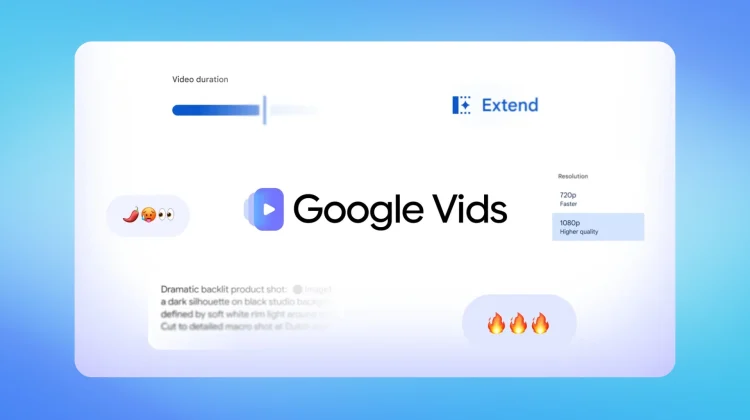
- Native 1080p HD Generation & Upscaling: You can generate brand-new AI video scenes in full 1080p HD or take existing lower-res AI clips on your timeline and upscale them to match your final export.
- Scene Extensions with Visual Consistency: One of the hardest problems in generative video is continuity. Google Vids now allows you to extend existing scenes while preserving lighting, environmental details, and character appearance from frame to frame.
- Precise Duration Controls: Instead of being locked into arbitrary 4- or 5-second video snippets, you can dial in exact clip durations so scenes line up neatly with your voiceover and storyboard timing.
- SynthID Watermarking: To ensure transparency, every frame generated with Gemini Omni in Google Vids includes an imperceptible SynthID digital watermark, allowing viewers and platforms to verify that the media is AI-assisted.
Built for everyday creators, not just boardrooms
While enterprise marketing and internal training teams will certainly benefit from these tools, unlocking Google Vids for personal accounts makes this a compelling utility for everyday users and independent creators:
- Small Businesses & Side Hustles: You can drop photos of physical products into a template and let Gemini generate promotional clips to showcase new inventory.
- Community & Club Organizers: Produce polished event announcements and social promo videos without touching a timeline editor like Premiere or DaVinci Resolve.
- Voiceovers via Gemini 3.8 Flash-Lite (Coming Soon): Google also confirmed that a lightweight text-to-speech engine powered by Gemini 3.8 Flash-Lite is rolling out soon, allowing you to convert written scripts into natural-sounding voiceovers across more than 100 languages with a few keystrokes.
How to try it right now
Testing the new video generator requires zero downloads or installs. You simply need to follow these steps:
- Open your desktop browser and head straight to vids.new.
- Sign in with your standard personal Google account or Google Workspace account.
- Select the “Create AI videos” tile from the creation dashboard to start building scenes with Gemini Omni 1.1 Flash.
Google Workspace Business and Enterprise plans still offer expanded generation pools and administrative controls, while personal users needing higher limits can tap into Google AI subscription plans. But for anyone looking to assemble quick, professional video clips on a Chromebook, Googlebook, or any desktop browser, having native 1080p AI video generation baked directly into the Google ecosystem for free is a massive step forward.
SUBSCRIBE TO UPSTREAM
Get Chrome Unboxed delivered straight to your inbox
Upstream is our flagship, curated newsletter with the top stories, most click-worthy deals, giveaways, and trending articles from Chrome Unboxed sent directly to your inbox a few times a week. Join 31,000+ subscribers.

