


Support our independent tech coverage. Chrome Unboxed is written by real people, for real people—not search algorithms. Join Chrome Unboxed Plus for just $2 a month to get an ad-free experience, access to our private Discord, and more. Learn more about membership here.
START FREE TRIAL (MONTHLY)START FREE TRIAL (ANNUAL)
During Google’s Smart Home Developer Summit yesterday, the company made several big announcements, but none were as important as the newly minted and unified platform renaming. Beginning its journey five years ago with Google Assistant and the Google Home, smart home tech has come an incredibly long way, and now encompasses smart displays, lights, locks, cameras, and so much more.
In fact, there are over 200 million devices used by Google users in order to make their homes more intelligent and thoughtful, and all of those are connected directly through Google’s own infrastructure. Now, this is being called “Google Home” – a fitting name, don’t you think? Believe it or not, this was not already the name for the collective platform!
Google hopes that by bringing its platform and tools under the same roof, it will give users a simpler way of understanding why and how integrating their smart devices with Home makes them more accessible and helpful across the entire Google ecosystem.
To go along with its (re)rebrand, it’s launching a new Google Home Developer Center that will house everything needed for you to learn and build smart home devices, applications, and automation with Google. This will be a complete redesign of the developer site and developer console, and it will all be unified in one location with improved navigation and self-serve tools. You can see a sneak peek of it in the image below.
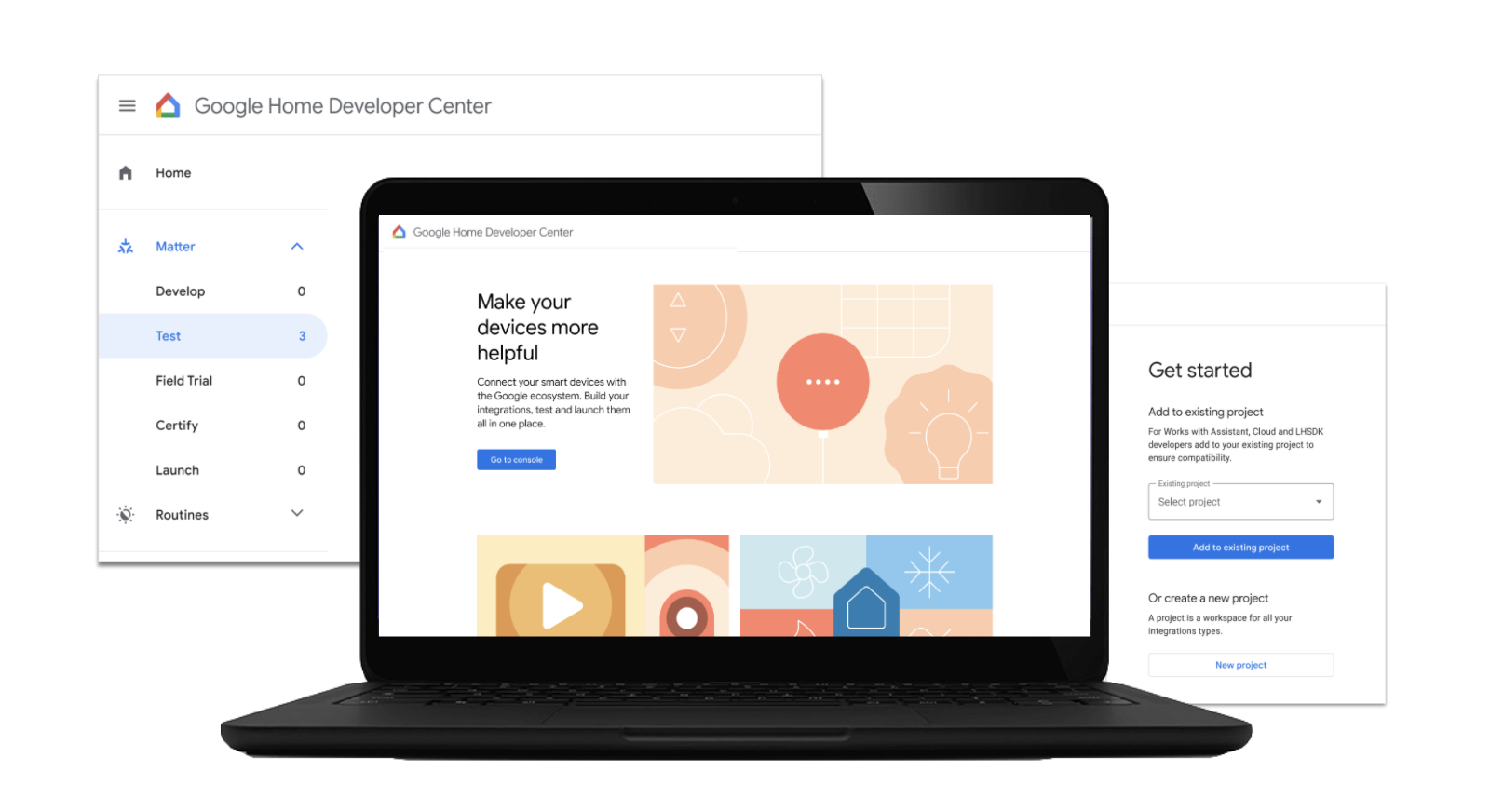
The dev center will include tools for building Matter devices and Android apps with Matter, customizing setup of devices in Android and via the Google Home app, creating automations and routines, analytics and performance monitoring, and even testing and certifying all of these before deploying them.
For those who aren’t aware, Matter is an open and universal smart home protocol that makes it easy to build, buy and set up smart home devices. Basically, it will make setting up new devices in your home much easier, requiring just a few clicks and less headache to integrate it with the Google Home app.
To make sure users are ready for your Matter devices, we’ll update Nest and Android devices with Matter support, following the launch of the new standards. That means when you build devices with Matter, they can be easily set up and controlled by millions of users everywhere they interact with Google, including Nest speakers and displays, the Google Assistant, and of course Android devices.
Google Developer Blog
There was a lot more announced at the summit, including a new smart home directory on the web and mobile, native Android support via Google Play Services, and a new Google Home Mobile SDK among other things.
If you’re not a developer though, the fact that devs will be able to create a more cohesive and unified experience for you as an end-user is exciting. As smart home technologies permeate our lives on a deeper level, having the tools and instruction to make sure these experiences are more thoughtful implemented will be vital to the future of how these devices evolve.
SUBSCRIBE TO UPSTREAM
Get Chrome Unboxed delivered straight to your inbox
Upstream is our flagship, curated newsletter with the top stories, most click-worthy deals, giveaways, and trending articles from Chrome Unboxed sent directly to your inbox a few times a week. Join 31,000+ subscribers.

