
• Skip to main content
  • Skip to primary sidebar
  • Deals
  • Features
  • Guides
  • Chromebooks
  • Videos
  • Podcast
  • More +
    • Reviews
    • Unboxing
    • Upcoming Devices
    • Chromebook Plus
    • Chrome
    • ChromeOS
    • Chrome OS Flex
  • Search
  • Sign Up
  • Log In
Chrome Unboxed – The Latest Chrome OS News

Chrome Unboxed - The Latest Chrome OS News

A Space for All Things Chrome, Google, and More!

  • Deals
  • Features
  • Guides
  • Chromebooks
  • Videos
  • Podcast
  • More +
    • Reviews
    • Unboxing
    • Upcoming Devices
    • Chromebook Plus
    • Chrome
    • ChromeOS
    • Chrome OS Flex
  • Search
  • Sign Up
  • Log In

Google Sheets improves creating and modifying Pivot Tables

November 28, 2022 By Johanna Romero View Comments

Google Sheets logo with Sheets in the background

Support our independent tech coverage. Chrome Unboxed is written by real people, for real people—not search algorithms. Join Chrome Unboxed Plus for just $2 a month to get an ad-free experience, access to our private Discord, and more. Learn more about membership here.
START FREE TRIAL (MONTHLY)START FREE TRIAL (ANNUAL)

A pivot table is a very popular type of statistical tool that may be used to produce reports that summarize and reorganize chosen columns and rows of data contained within a database or spreadsheet. The spreadsheet or database structure is not altered in any way by the tool but rather helps you visualize the connections between various data points.

The usage of pivot tables becomes extremely beneficial when dealing with enormous volumes of data, which would take too long or take too much effort to calculate manually. Even though this tool was made popular by Microsoft Excel, Google Sheets have included this functionality for years, which is invaluable to those who like to arrange their data in a way that is easy to understand and that attracts attention to the most important values. However, there was one request that Sheets users had been asking to be implemented into the feature – and Google has now granted it.

Xremove ads

We are referring to the ability to change the size of the side panel that serves as the editor for pivot tables. This side panel could become very large, limiting screen real estate and affecting those with smaller screens, such as those working out of a laptop. Now, when creating or modifying a pivot table, you will be able to adjust this panel, and thus excessively long columns and field names will not be an issue anymore.
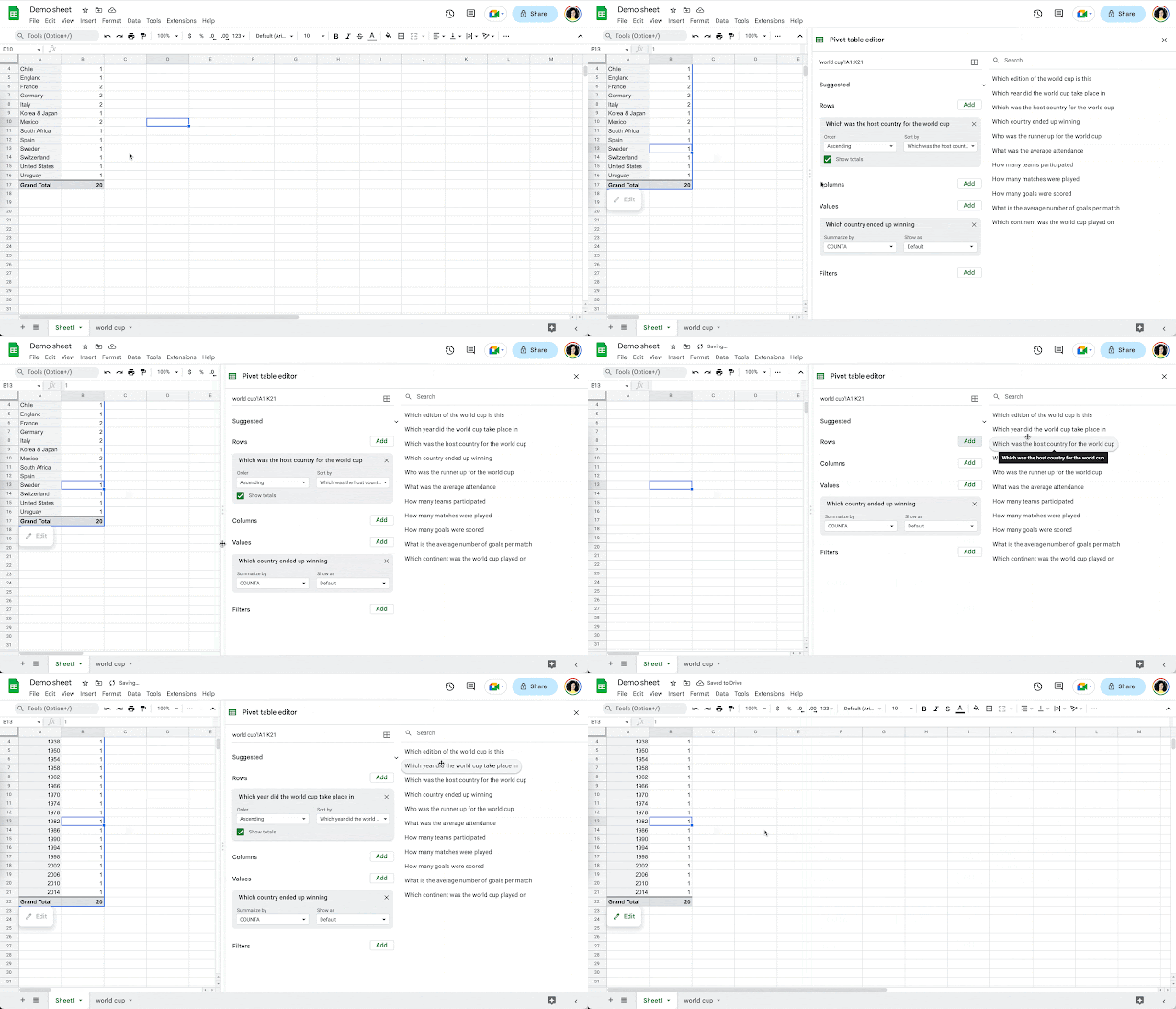
This update is part of Google Workspace’s weekly improvements to the productivity suite and its efforts to compete as a full-blown solution for both personal and corporate use. The use of complex Pivot Tables has long been a reason why some companies cannot migrate their Microsoft Excel users to Google Sheets, so I am happy to see Google adding more functionality and hopefully reaching feature parity.

Featured Videos

Xremove ads

SUBSCRIBE TO UPSTREAM

Get Chrome Unboxed delivered straight to your inbox

Upstream is our flagship, curated newsletter with the top stories, most click-worthy deals, giveaways, and trending articles from Chrome Unboxed sent directly to your inbox a few times a week. Join 31,000+ subscribers.

SUBSCRIBE HERE!

Filed Under: Workspace Tagged With: google sheets, google workspace, pivot tables

Primary Sidebar

Xremove ads

Deals

The best Chromebook deals today

By Robby Payne
May 5, 2026

Save $40 on the Google Pixel Watch 4 before the Spring Sale ends

By Joseph Humphrey
April 24, 2026

Deal Alert: the excellent Lenovo Chromebook Plus 2-in-1 returns to $429

By Robby Payne
April 20, 2026

Lenovo Legion Tab Gen 3 drops to $399, ahead of the much pricier Gen 5 release

By Joseph Humphrey
April 18, 2026

How to get 50% off YouTube Premium for a full year with Google One

By Robby Payne
April 16, 2026

More Deals

Xremove ads

Reviews

Lenovo Chromebook Plus 2-in-1 Review: pretty great in a vacuum

By Robby Payne
April 23, 2026

Acer Chromebook Plus Spin 514 Review: Kompanio Ultra power in a convertible

By Robby Payne
December 24, 2025

My review after 6 weeks with the Lenovo Chromebook Plus 14 [VIDEO]

By Robby Payne
August 11, 2025

One week with the best small Android tablet you can buy, and I’m sold

By Robby Payne
May 9, 2025

Best Chromebooks of 2024 [VIDEO]

By Robby Payne
November 28, 2024

More Reviews

Xremove ads

Guides

This Chromebook trackpad shortcut is definitely not new, but is blowing my mind

By Robby Payne
March 11, 2024

How to reduce broadcast delay on YouTube TV to stop live spoilers

By Robby Payne
December 8, 2023

Windows PC keyboard and Chromebook

How to use a Windows keyboard with a Chromebook

By Joseph Humphrey
December 8, 2023

How reset and revert your Chromebook to the previous version of Chrome OS

By Robby Payne
November 29, 2023

My Chromebook Plus features disappeared: here’s how I fixed it

By Robby Payne
November 24, 2023

More Guides

TWITTER · FACEBOOK · INSTAGRAM · YOUTUBE · EMAIL · ABOUT

Copyright © 2026 · Chrome Unboxed · Chrome is a registered trademark of Google Inc.
We are participants in various affiliate advertising programs designed to provide a means for us to earn fees by linking to affiliated sites.

PRIVACY POLICY