

Support our independent tech coverage. Chrome Unboxed is written by real people, for real people—not search algorithms. Join Chrome Unboxed Plus for just $2 a month to get an ad-free experience, access to our private Discord, and more. Learn more about membership here.
START FREE TRIAL (MONTHLY)START FREE TRIAL (ANNUAL)
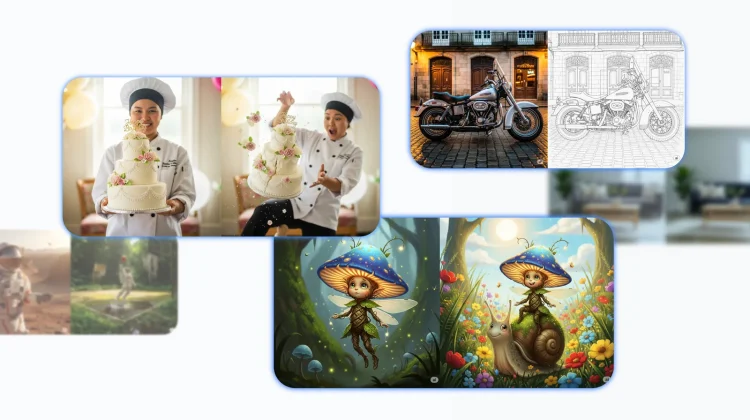
Earlier this week, Google rolled out a massive upgrade to the image generation and editing model in the Gemini app. The new model brings incredible advancements in character consistency, conversational editing, and the ability to blend photos together. Now that this powerful new tool is in our hands, Google has shared some fantastic tips and prompting techniques to help you unlock its full creative potential.
A quick look at the new capabilities
Before we dive into the specific tips, it’s helpful to understand what this new model is really good at. Google has highlighted five key areas where this update introduces significant advancements, which should give you a good idea of what to try:
- Consistent character design: You can now preserve a character or object’s appearance across multiple generations and edits.
- Creative composition: You can blend different elements, subjects, and styles from multiple concepts into a single, unified image.
- Local edits: You can make precise edits to specific parts of an image using simple, natural language.
- Design and appearance adaptation: You can apply a style, texture, or design from one concept to another (a.k.a. style transfer).
- Logic and reasoning: Gemini can now use its real-world understanding to generate complex scenes or even predict what might happen next in a sequence.
The 6 key ingredients of a great prompt
With those capabilities in mind, you can get much better results by building more descriptive prompts. While a simple sentence can work, for more nuanced creative control, Google recommends including these six elements in your prompt:
- Editing Instructions: For modifying an existing image, be direct and specific. (e.g., change the man’s tie to green, remove the car in the background).
- Subject: Who or what is in the image? Be specific. (e.g., a fluffy calico cat wearing a tiny wizard hat).
- Composition: How is the shot framed? (e.g., extreme close-up, wide shot, portrait).
- Action: What is happening in the scene? (e.g., casting a magical spell, running through a field).
- Location: Where does the scene take place? (e.g., a cluttered alchemist’s library, a futuristic cafe on Mars).
- Style: What is the overall aesthetic you’re after? (e.g., 3D animation, watercolor painting, photorealistic).
5 creative techniques to try right now
Beyond just building a better prompt, there are some specific techniques you can use to leverage the new model’s unique capabilities. Here are five you can try today.
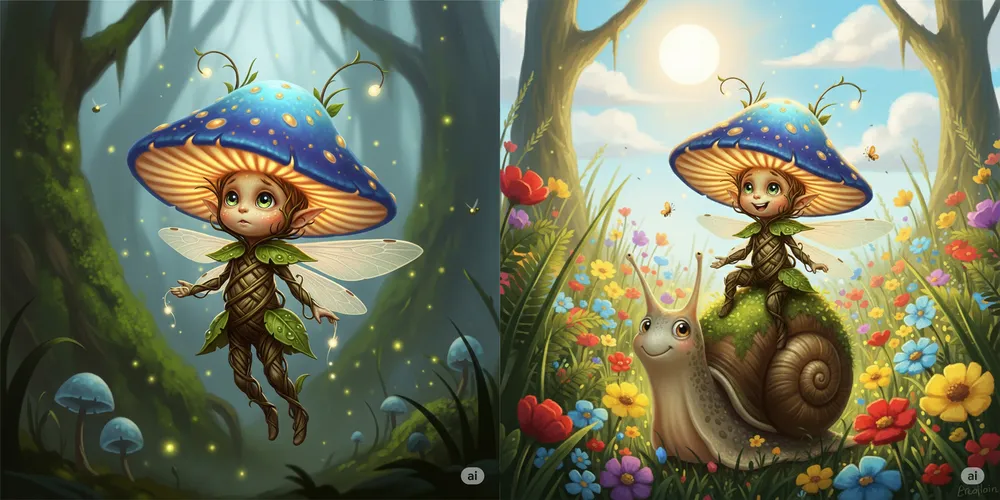
1. Create consistent characters: The new model is much better at maintaining a character’s appearance across multiple images. You can create a detailed character in your first prompt (like a “tiny, glowing mushroom sprite”) and then, in a follow-up prompt, place that same character in a completely new scene (like “riding on the back of a friendly, moss-covered snail”). Gemini will preserve the key features you established.
2. Use multi-turn, conversational editing: You can now edit images step-by-step, just like having a conversation. Start with a photo of a living room, then in a follow-up prompt, ask Gemini to “Change the sofa’s color to a deep navy blue.” Then, in the next prompt, you can say, “Now, add a stack of three books to the coffee table.” It’s a far more intuitive way to make precise edits.

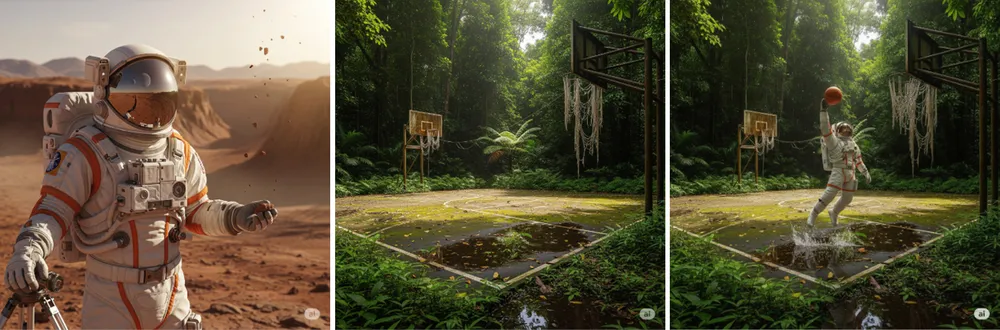
3. Blend concepts from multiple photos: This one is wild. You can now generate two separate images, then upload both and ask Gemini to fuse them together. For example, you can create a photo of an astronaut, then a photo of an overgrown basketball court in a rainforest, and in a third prompt, ask Gemini to “Show the astronaut dunking a basketball in this court.”
4. Adapt and apply new styles: This is a powerful style-transfer feature. You can take a photorealistic image, like a classic motorcycle, and in a follow-up prompt, ask Gemini to “Apply the style of an architectural drawing to this image.” The AI will re-render the subject in the new aesthetic while preserving its core form.

5. Use logic and reasoning: The model can now use its understanding of the real world to predict what comes next. You can generate an image of a person holding a three-tiered cake, and in the next prompt, ask it to “Generate an image showing what would happen if they tripped.” The AI can use its reasoning to simulate the plausible, messy consequences.

While Google notes there are still some limitations with things like text rendering and aspect ratios, this new model is an incredible creative leap forward. So get into the Gemini app and start experimenting with these new techniques!
SUBSCRIBE TO UPSTREAM
Get Chrome Unboxed delivered straight to your inbox
Upstream is our flagship, curated newsletter with the top stories, most click-worthy deals, giveaways, and trending articles from Chrome Unboxed sent directly to your inbox a few times a week. Join 31,000+ subscribers.

