


Support our independent tech coverage. Chrome Unboxed is written by real people, for real people—not search algorithms. Join Chrome Unboxed Plus for just $2 a month to get an ad-free experience, access to our private Discord, and more. Learn more about membership here.
START FREE TRIAL (MONTHLY)START FREE TRIAL (ANNUAL)
Just in time for the back-to-school season, Google is rolling out a host of powerful new features and capabilities for AI Mode in Search. These updates are designed to help students, parents, and educators explore complex questions and discover high-quality information in new, more interactive ways. From asking questions about your class notes to planning out a big project, AI Mode is becoming an even more capable learning assistant.
AI Mode can now read your PDFs and images on desktop
While you could already ask AI Mode questions about images in the Google app on mobile, that same capability is launching on desktop browsers this week. Even more exciting, in the coming weeks, Google is adding support for PDF uploads on desktop.
This means you could, for example, upload a PDF of your lecture slides and ask detailed follow-up questions to deepen your understanding beyond the primary course materials. AI Mode will analyze the file and cross-reference it with information from the web to provide a helpful response. Google also notes that in the months ahead, AI Mode will support additional file types, including files from your Google Drive.
Get organized with the new Canvas feature
For those big projects or study sessions, a new feature called Canvas is coming to AI Mode to help you stay organized. Canvas is a dynamic side panel where you can build plans and keep track of information over multiple sessions.
You can ask AI Mode to create a study plan for a test, and then tap the “Create Canvas” button to get started. From there, you can use follow-up questions to refine the plan until it’s exactly what you need. Soon, you’ll also be able to customize your Canvas projects with context from your own files, like a course syllabus. Canvas will begin rolling out in the coming weeks to U.S. users in the AI Mode Labs experiment on desktop.
‘Search Live’ with video is finally here
One of the most impressive demos from I/O is now becoming a reality. This week, Google is rolling out Search Live with video input. This brings advanced capabilities from Project Astra directly into AI Mode, letting you have a free-flowing, back-and-forth conversation with Search about what your camera is seeing in real-time. It’s like having an expert on speed dial who can see what you see. Search Live with video is rolling out this week on mobile in the U.S. for users enrolled in the AI Mode Labs experiment.
An easier way to search your screen in Chrome
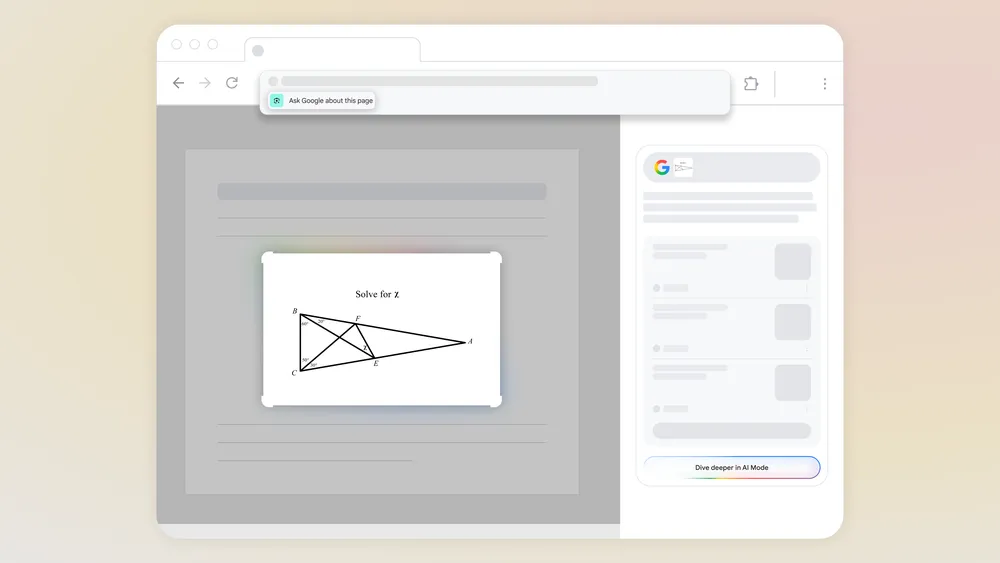
Finally, it’s getting even easier to use Lens in Chrome to learn about what’s on your screen. Soon, when you click on the Chrome address bar, you’ll see a new option to “Ask Google about this page” in the dropdown suggestions. Clicking this will let you select a part of the page, like a diagram, and get an AI Overview in the side panel. Starting this week, you’ll also be able to follow up with more questions through AI Mode directly from these on-page search results.
This is a powerful suite of updates that makes AI Mode a far more capable research and learning tool. If you’re an AI Mode Labs user, be on the lookout for these new features rolling out now.
SUBSCRIBE TO UPSTREAM
Get Chrome Unboxed delivered straight to your inbox
Upstream is our flagship, curated newsletter with the top stories, most click-worthy deals, giveaways, and trending articles from Chrome Unboxed sent directly to your inbox a few times a week. Join 31,000+ subscribers.

