


Support our independent tech coverage. Chrome Unboxed is written by real people, for real people—not search algorithms. Join Chrome Unboxed Plus for just $2 a month to get an ad-free experience, access to our private Discord, and more. Learn more about membership here.
START FREE TRIAL (MONTHLY)START FREE TRIAL (ANNUAL)
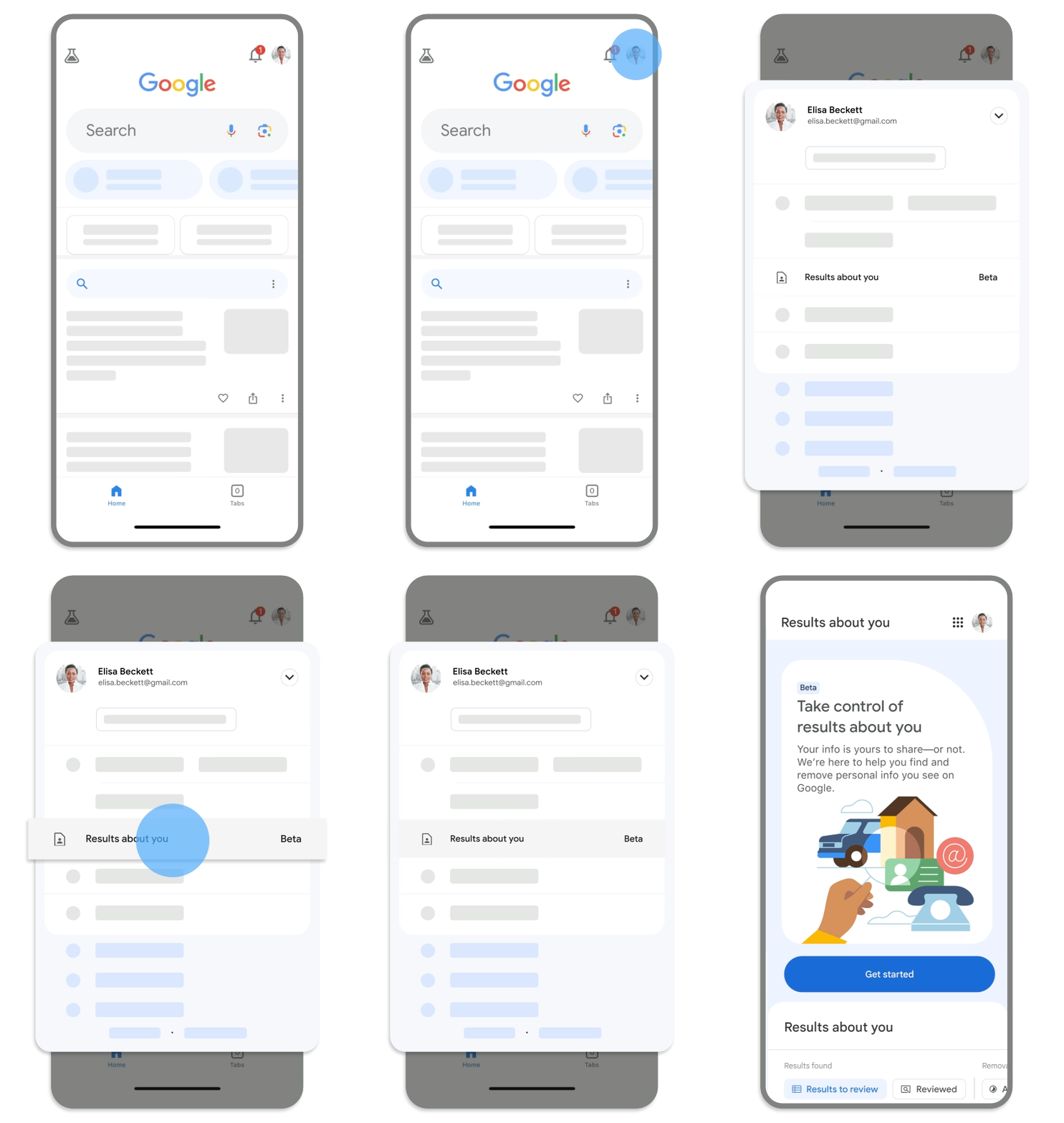
Google announced today in a Keyword blog post that it’s beefing up the ‘Results about you’ tool that we covered last year. This tool, which can be found by tapping on your profile image on the Google Search app on Android and iOS tracks if your phone number, home address or email is published somewhere on the web. Now, it’s being updated to also alert you when these things are found, and gives you a dashboard to view these results. The dashboard itself is rolling out over the next few days.
From this section, you’ll also be able to request the removal of these results from the web. You can also visit goo.gle/resultsaboutyou on the web to see the list of your data that’s been discovered. This will be available in the U.S. and in English to start (big surprise there) and new locations and languages will be added “soon”, according to Google.
On a related note, we wrote earlier this year that Google was also adding an auto-blur effect for risqué images on the web to help protect you and your family from seeing things that are inappropriate or disturbing. This was mentioned in today’s update, and should be more widely available. You can still tap to view images that are blurred, and you can toggle this in the app settings.
By typing in ‘Google Parental Controls’ or ‘Google Family Link’ into a search box, you’ll be taken immediately to those tools now instead of wondering where they are and how to access them. They should pop up at the top of the results, and be usable right away.

Lastly, Google is updating its policy on how you remove non-consensual explicit images of you from search. Now, you’ll be able to remove any lingering results that may have been published elsewhere, even if you already removed the source content. Obviously, this doesn’t apply to commercialized content. Oh, and the forms used to remove such content have been simplified, so there’s no confusion around how to accomplish this should you find something or regret publishing it to the web and want it removed!
SUBSCRIBE TO UPSTREAM
Get Chrome Unboxed delivered straight to your inbox
Upstream is our flagship, curated newsletter with the top stories, most click-worthy deals, giveaways, and trending articles from Chrome Unboxed sent directly to your inbox a few times a week. Join 31,000+ subscribers.

