


Support our independent tech coverage. Chrome Unboxed is written by real people, for real people—not search algorithms. Join Chrome Unboxed Plus for just $2 a month to get an ad-free experience, access to our private Discord, and more. Learn more about membership here.
START FREE TRIAL (MONTHLY)START FREE TRIAL (ANNUAL)
I’ve been using a Fitbit Versa 2 for a couple of years now after using a Fossil Q Venture HR (4th Gen) for a few years before that. I blamed my Fossil watch’s inability to stay charged throughout the day and my nightly workouts as the reason for moving to Fitbit. I had heard that Fitbit watches and trackers had great battery life, and thus my Fossil was relegated to the depths of my tech junk drawer, along with all the third-party bands I had purchased for it.
However, something flipped for me when I watched Google’s Rick Osterloh so excitedly reveal the Pixel Watch on his wrist. Leaks aside, watching the official announcement and the high-quality renders somehow made me even more excited for this device, even though I already knew it was coming and what it would look like. This made it more real, and I wanted it. I wanted it bad. So bad, in fact, that I fished my old Fossil watch out of my junk drawer, charged it, and started wearing it again. I wanted to remind myself what Wear OS looked like and what it was like to wear a more tightly integrated watch with my Pixel phone.
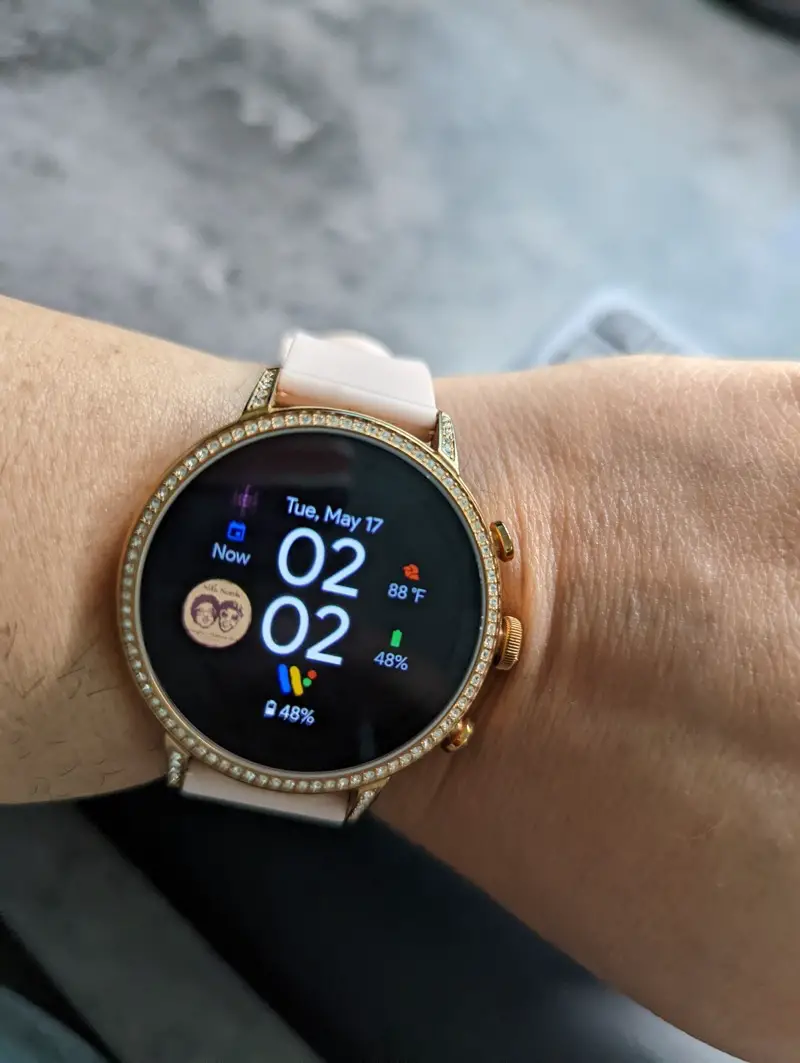
Then it happened. Along with remembering the good things about Wear OS, I remembered the bad stuff too. I remembered how slow it was, how quickly the battery drained, and mostly how lacking the ecosystem is of apps that make it worthwhile. Of course, my Fossil watch is almost four years old and running Wear OS version 2.36, so that would account for the slowness and battery issues, but what excuse exists for the lack of adequate apps? Sure, I understand that Developers may not be very motivated to create good apps for Wear OS – but what happens when that Developer is Google themselves, and they can’t be bothered to create Wear OS-compatible apps for their existing core apps?
Where are my podcasts?
At the moment, if YouTube Music is your main music streaming app, you need to use a separate app like Google Podcasts or others to listen to your podcasts. There is no podcast integration in YouTube Music the way there is on Spotify. The addition of listening controls to YouTube itself and the hiring of a Podcast Lead sparked rumors about YouTube absorbing Google Podcasts, but nothing has come of that yet as far as we can tell.
In the meantime, those that have chosen to go the Google Podcasts route have no way of listening to a podcast from a Wear OS watch. Not only is there no support for Google Podcasts on Wear OS v2.36, the version my old Fossil watch is on, but it is also lacking on newer watches running version 3.2, like the Samsung Galaxy Watch 4.

Current options for listening to podcasts on a Wear OS watch
Some solutions are available to listen to podcasts on Wear OS, all of which are third-party apps. The first of which is Spotify, which allows you to listen to both music and podcasts on their app, with the ability to save these to listen offline if desired. This is a good solution if you are already a Spotify premium subscriber and have given up on YouTube Music altogether. Otherwise, what is the point of paying for both services when only one of them gives you everything you need? I think the answer here is clear.
Another app I’ve found that works well is Wear Casts, which allows you to stream and download podcasts to your watch for offline listening. You do need to add the RSS feed for all your podcast subscriptions, and they do sync with its companion Android app. However, this would mean that this will now need to function as your main podcast app on your phone as well, so things are synced across the board.
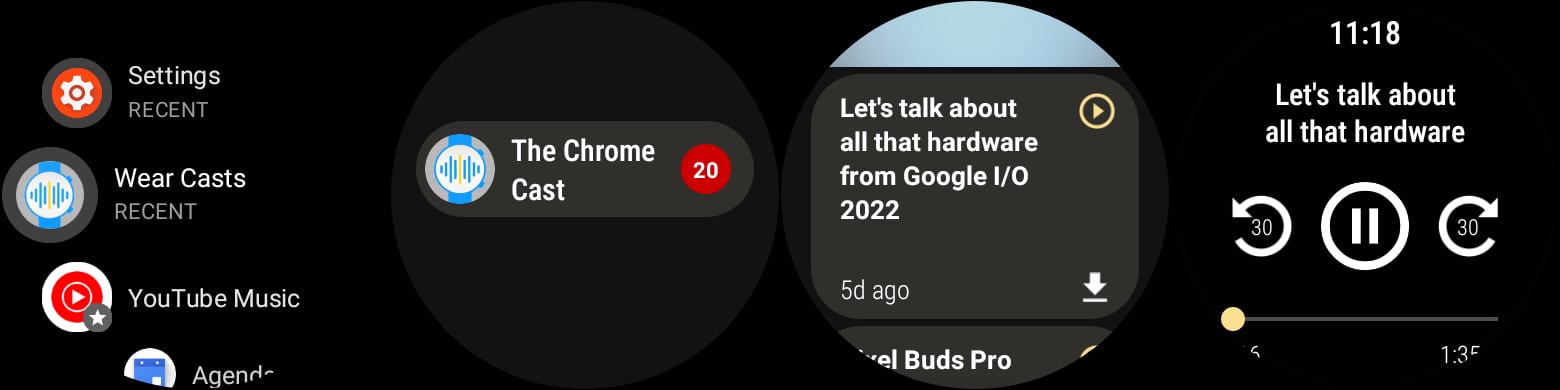
So what if I want to listen to podcasts both on my Android phone and my Wear OS watch?
This is my exact problem at the moment. I want a podcast app that I can use on all my devices, syncs my listening progress, and works offline so I won’t have to carry my phone. Currently, Google does not offer a solution for this since there is no native Google app that supports podcasts on Wear OS. That is the problem that needs to be solved by Google if they want users to remain in their ecosystem of apps. Otherwise, the only option is to abandon their apps and resort to third-party solutions.
YouTube Music Wear OS updates
Recently, Google updated its YouTube Wear OS app to finally support streaming via LTE and WiFi, along with a new “Recently Played” tile and Smart Downloads for their Premium users. This is encouraging, and it shows that Google is giving its Wear OS apps a second look, perhaps because of the Pixel Watch. If Google were to add podcasts to YouTube Music, this could be the one-app solution many users are looking for. I could finally listen to my podcasts using the same app across all my devices without jumping around between services. If not, at the very least, Google should make the Google Podcasts app compatible with Wear OS so that existing users don’t have to jump ship once they purchase the Pixel Watch.
The Pixel Watch is hands down the product I am most excited to get my hands on this year, and the consensus is that many others share in that excitement. However, if Google wants its hardware to be taken seriously, it will need to provide software that allows for the least amount of friction for the users. We have yet to see how the new version of Wear OS will work on this watch, but I am keeping my fingers crossed that the podcast experience is not overlooked the way it has been for years.
SUBSCRIBE TO UPSTREAM
Get Chrome Unboxed delivered straight to your inbox
Upstream is our flagship, curated newsletter with the top stories, most click-worthy deals, giveaways, and trending articles from Chrome Unboxed sent directly to your inbox a few times a week. Join 31,000+ subscribers.
