

Support our independent tech coverage. Chrome Unboxed is written by real people, for real people—not search algorithms. Join Chrome Unboxed Plus for just $2 a month to get an ad-free experience, access to our private Discord, and more. Learn more about membership here.
START FREE TRIAL (MONTHLY)START FREE TRIAL (ANNUAL)
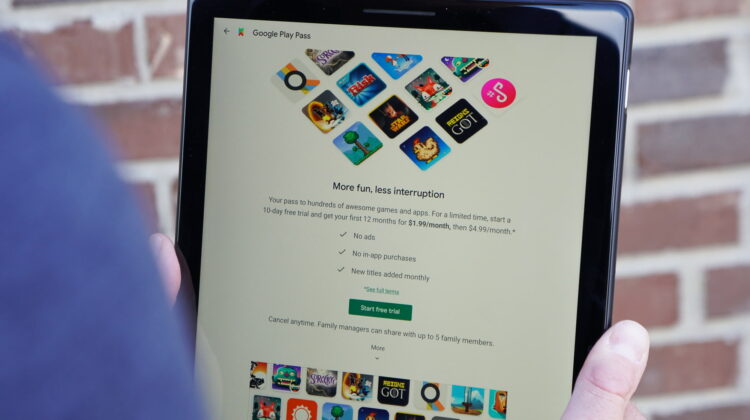
Our modern economy has fully embraced the subscription model. From video streaming apps to food delivered straight to your doorstep, this new means of content delivery continues to invade every possible space: even the apps on your phone. Google’s new app subscription service, dubbed Play Pass, wants to make it easier for you to enjoy apps. Play Pass has started rolling out this week and the subscription offers access to hundreds of apps and games that are completely unlocked, without ads or in-app purchases. Play Pass is compatible with Android devices and Chrome OS devices with the Play Store.
The basic premise is simple: pay a monthly subscription for access to a curated catalog of apps, with new apps and games added every month. A subscription to Play Pass will give you access to over 350 games and apps at the start, with well-know titles like Stardew Valley, Risk, Star Wars: Knights of the Old Republic, and one of my personal favorites, Monument Valley. Google also hopes that with Play Pass users will be more eager to discover new games and try out less familiar titles, like LIMBO, Mini Metro and Old Man’s Journey.
It’s not all about the games, though. Play Pass will also give you access to utilities like weather apps, photo editors, and other productivity apps for when you want to get some work done, which is a big win for Chromebook users. Developers who have an app or games experience that they think would be a good fit for Play Pass can learn more here. You can check out the full roster of games and apps over at Android Police.
Similar to the Google Family Library, Play Pass allows you to share the subscription with up to five other family members. Each family member can access their own set of apps without affecting others in the family, so you don’t have to worry about losing your progress in a particular game.
SUBSCRIBE TO UPSTREAM
Get Chrome Unboxed delivered straight to your inbox
Upstream is our flagship, curated newsletter with the top stories, most click-worthy deals, giveaways, and trending articles from Chrome Unboxed sent directly to your inbox a few times a week. Join 31,000+ subscribers.
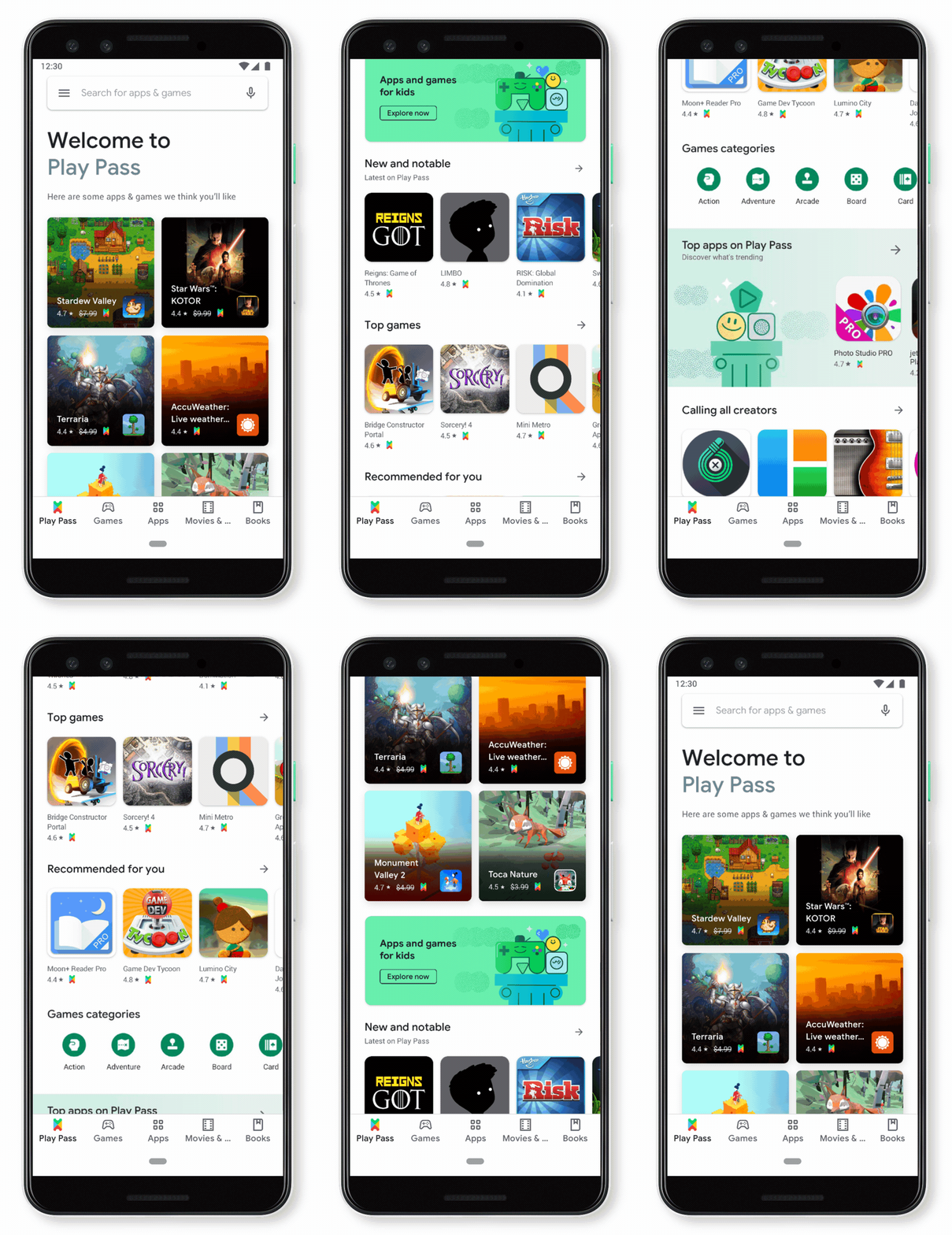
Once Play Pass is available on your device, a new Play Pass button will show up in the menu on the left side of the Play Store. From there, you can get started with a 10-day free trial or subscribe to Play Pass for $4.99/month. To make it easier to find the included apps, subscribers will see a new Play Pass tab on the bottom of the Play Store homepage. Other included apps can be found throughout the Play Store by looking for the Play Pass “ticket” icon.
If you are already sold and ready to subscribe, you can score Play Pass right now for only $1.99/month for your first twelve months but you need to act fast because this offer will end on October 10, 2019, at 11.59pm PT or while supplies last. Play Pass is currently only available for US users but Google says additional countries will be added soon.
Source: The Keyword

