

Support our independent tech coverage. Chrome Unboxed is written by real people, for real people—not search algorithms. Join Chrome Unboxed Plus for just $2 a month to get an ad-free experience, access to our private Discord, and more. Learn more about membership here.
START FREE TRIAL (MONTHLY)START FREE TRIAL (ANNUAL)
Play Pass is probably one of the best “undiscovered gems” among Google’s growing number of subscription-based services. Yes, I am a Stadia Pro subscriber but honestly, my kids get a lot more use out of my Founder’s Edition controller and Chromecast Ultra than I ever will. I have recently discovered that Google’s Play Pass offers a way more versatile storefront for applications and given our mobile-centric lifestyle, it’s worth every penny I pay for the monthly subscription.
What is Play Pass?
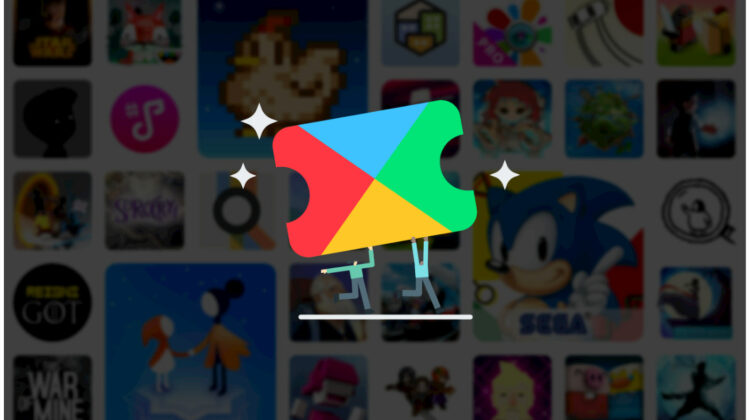
Play Pass is a monthly subscription service from Google that gives users access to hundreds of games that would normally cost up from or offer in-app purchases/ads. With the $4.99 monthly subscription, you get these games at no charge and you can share them with up to five people via Family Groups. When Play Pass first rolled out, I signed up because Google was running a promotion that scored me the subscription for only $1.99/month until October. However, it wasn’t until recently that I discovered that the Play Pass catalog is a treasure trove of great titles for me as well as my entire family. For example, my daughter is crazy about coloring and games that feature fashion design and what have you. Problem is, most of the “good” color and design apps in the Play Store are overrun with pop-up ads and in-app purchases. If you have kids, you know how quickly those little but frequent purchases can add up. Thanks to Play Pass, my daughter now has access to a variety of top-rated apps and she doesn’t have to deal with constant pop-ups and ad placements.
Play Pass has tons of kid-friendly games and educational tools but there’s a lot in the catalog for us “older” kids as well. If you’re a Sonic fan, you can grab the classic Sonic 1&2 from Sega. One of our personal favorites around the office is the haunting Monument Valley series and right now, both 1 and 2 are available from Play Pass. (Coincidentally, these two games are experiencing a temporary hiccup with the Play Store and aren’t currently listed. The developer is working on a fix as we speak.) Games aren’t the only apps available from Play Pass either. You can find password managers, photo editing tools, dictionaries and more. There are currently around 500 apps available from Play Pass and Google offers a 1-months free trial for users wanting to give it a try without the commitment. This week, Play Pass has announced some exciting updates that should open the doors to a much larger user base.
New on Play Pass
The biggest news from the Play Pass announcement, in my opinion, is the addition of an annual subscription option. If you got in on the promo like me, your annual cost is only $23.88 but once the promotion ends, we’ll be paying $4.99/month. That adds up to just shy of $60. While that’s still a value in my household, it’s still another subscription to add to the ever-growing list of monthly charges we pay for streaming content, gameplay, TV and everything else. Now, you can opt into a yearly subscription to Play Pass and save 50% off the monthly price. That gets you hundreds of games and apps for up to five users for only $29.99/year. If you’re already subscribed to the regularly $4.99/month plan, just open the Play Store and click the Play Pass tab. Scroll down and you should see the option to upgrade to the annual package. In addition to the annual subscription at a reduced price, Play Pass will now be available in more markets. This week, Play Pass will be rolling out in Australia, Canada, France, Germany, Ireland, Italy, New Zealand, Spain and the United Kingdom.
Google has also promised that many new titles will actually premier on Play Pass when they debut.
A series of new titles will premiere on Play Pass this year when they launch. You can get started with the newly-released The Almost Gone from Playdigious, and look out for exciting content like The Gardens Between and Kingdom Rush, and brand new releases like Bright Paw from Rogue and Line Weight from The Label coming later this year.
The Keyword
Google appears to be doing whatever it takes to get Play Pass off the ground and honestly, I think they’ve got something here. The fact they the Play Store is folding in premiering titles and including games with massive followings shows that Google is serious about getting users on board. This strategy feels very similar to what the company is attempting to do with Stadia but I feel that the mobile ecosystem will lend itself better to the subscription-based system. I’m sure that it’s easier to get developers on board with the already-established Play Store and massive Android user base. It is a formula that appears to be working well for Apple Arcade and I don’t think that Google needs to reinvent the wheel with this one. Play Pass is a killer value at $29.99 and so long as the app developers aren’t getting the short end of the stick, it’s a win-win for everyone involved. If you’re ready to give Play Pass a try, head to your Play Store app and find it in the menu under “notifications.” It’s free to try for a month and you can cancel anytime if you find it’s not for you.
Source: Google

