


Support our independent tech coverage. Chrome Unboxed is written by real people, for real people—not search algorithms. Join Chrome Unboxed Plus for just $2 a month to get an ad-free experience, access to our private Discord, and more. Learn more about membership here.
START FREE TRIAL (MONTHLY)START FREE TRIAL (ANNUAL)
During the Google For Games Developer Summit 2022 event today, Google announced several improvements and new tools for game developers who are interested in bringing their titles to larger displays. As you may already be aware, The Google Play Games for PC beta just began showing up for individuals in Hong Kong, South Korea, and Taiwan, but it’s now been officially announced as rolling out on a wider scale.
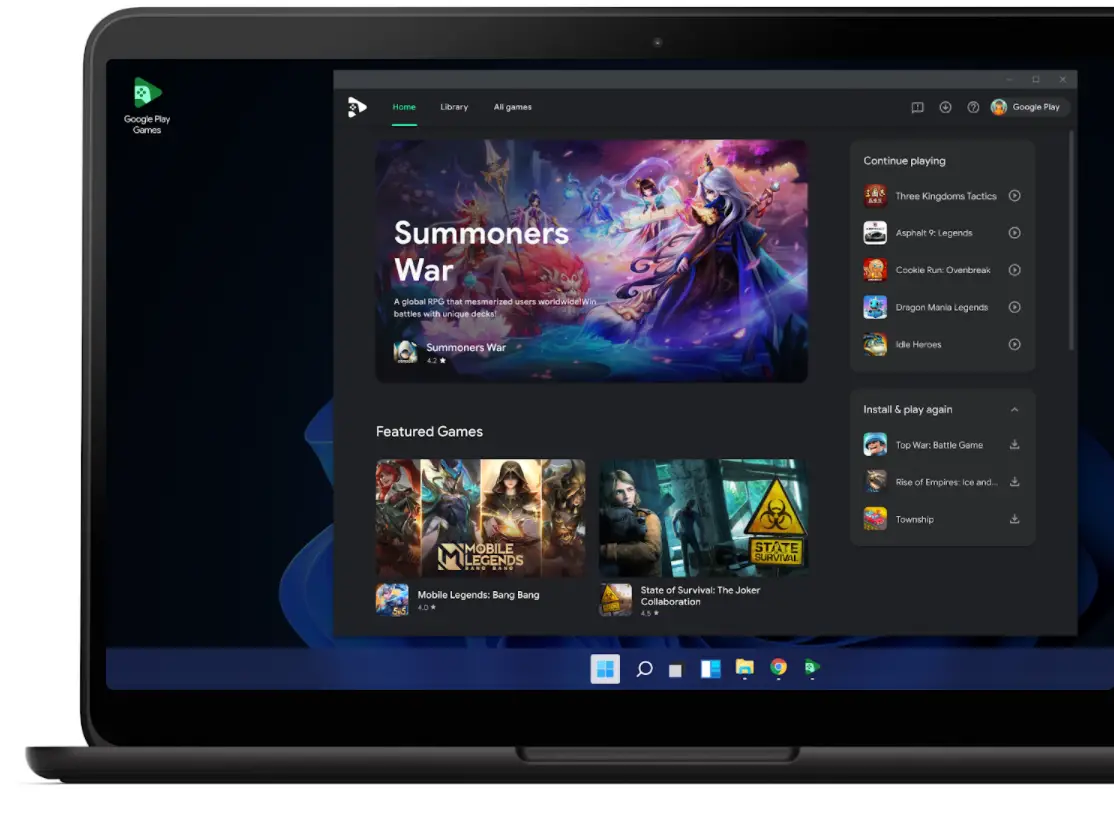
Additionally, the company has announced the Google Play Partner Program for Games, a “program that gives top game developers access to additional growth tools and premier services tailored to high-scale, high-performance needs”. Basically, it’s now catering to AAA developers (and smaller developers as well) and those with popular Play Store games with a unique set of tools that will help them manage their content in more meaningful and effective ways. All of this is and will be more necessary as Google seeks to get as many high-quality and interesting titles with mouse and keyboard or gamepad input working cross-device with the new Play Games for PC software.
Another interesting development during the Summit was that the “Play as you download” feature which allows users to play a game after it only downloads core packages from the Play Store, and to continue playing as the rest of the game installs in the background is now rolling out to more devices. It will effectively work on all Android 12 devices now – something it simply hadn’t done before.
Alongside giving developers more tools to manage and understand their audience, a new set of tools is being released which will help them build for the Play Store across devices. A new “Android Game Developer Extension” will help developers coding in Visual C++ port their games to Android by selecting it as a target.
You can use the Android Game Development Extension for Visual Studio to add Android as a target platform in your existing Visual C++ game projects. This allows you develop multiplatform games in C or C++ on Windows using Microsoft Visual Studio, and then deploy them to Android.
Android Developers
Other tools to pay attention to if you’re a mobile game developer are the new Memory Advice API (beta) which will let you understand memory consumption and the now fully launched Android GPU Inspector Fram Profiler which will help you understand bottlenecks on the GPU vs. CPU, thus allowing you and your team to achieve better frame rates and battery life.
If you’re the average joe (or Jane) who just likes the idea of playing more games across your phone, Chromebook and Windows PC, you should know that Google has committed itself to supporting developers with an interest in reaching more devices and users and it seems all in on the gaming front across Android, Stadia, the new Steam Alpha for Chromebooks and more, so the future is looking super bright for gamers!
SUBSCRIBE TO UPSTREAM
Get Chrome Unboxed delivered straight to your inbox
Upstream is our flagship, curated newsletter with the top stories, most click-worthy deals, giveaways, and trending articles from Chrome Unboxed sent directly to your inbox a few times a week. Join 31,000+ subscribers.

