

• Skip to main content
  • Skip to primary sidebar
  • Deals
  • Features
  • Guides
  • Chromebooks
  • Videos
  • Podcast
  • More +
    • Reviews
    • Unboxing
    • Upcoming Devices
    • Chromebook Plus
    • Chrome
    • ChromeOS
    • Chrome OS Flex
  • Search
  • Sign Up
  • Log In
Chrome Unboxed – The Latest Chrome OS News

Chrome Unboxed - The Latest Chrome OS News

A Space for All Things Chrome, Google, and More!

  • Deals
  • Features
  • Guides
  • Chromebooks
  • Videos
  • Podcast
  • More +
    • Reviews
    • Unboxing
    • Upcoming Devices
    • Chromebook Plus
    • Chrome
    • ChromeOS
    • Chrome OS Flex
  • Search
  • Sign Up
  • Log In

Google Photos is getting another visual design overhaul, features a pill-shaped nav drawer

July 22, 2023 By Michael Perrigo View Comments

Support our independent tech coverage. Chrome Unboxed is written by real people, for real people—not search algorithms. Join Chrome Unboxed Plus for just $2 a month to get an ad-free experience, access to our private Discord, and more. Learn more about membership here.
START FREE TRIAL (MONTHLY)START FREE TRIAL (ANNUAL)

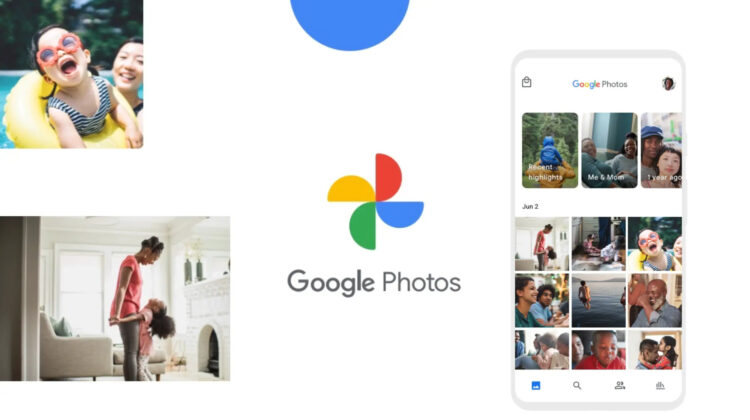
Google Photos appears to be testing a significant interface overhaul. As reported by @Nail_Sadykov, an editor for the Google News Telegram Channel, there’s a fresh Google Photos UI design making the rounds, and it seems to divert quite significantly from Google’s current design principles.

Most notably, it swaps out the usual bottom navigation bar, traditionally anchored to the edges of the screen, with a pill-shaped floating nav bar. This neat little design tweak situates your Photos, Memories, and Library into a cleaner focal point.

Xremove ads

Google Photos app is testing an updated navigation design.

The bottom navigation bar was replaced by a slider consisting of photo, memories, and library tabs, with a search button to the right of it. pic.twitter.com/MXbiAk4PRN

— Наиль Садыков (@Nail_Sadykov) July 21, 2023

There are a few other changes too – search has been relocated to the right of the new floating nav bar, in the form of a small circular button and the “Share” button, which now resides in the top right, only appears when an image or a set of images are pressed and held to be selected.

Lastly, the Google Photos logo, typically centered in the app header, has been shifted to the left. It’s a minor change, but one that transforms to the overall feel of the new interface design. Apart from these things, the rest of the app remains virtually unchanged.

Featured Videos

Xremove ads

However, these design decisions collectively give Google Photos with a fresh, modern touch that makes it stand out compared to Google’s other apps and completely diverge from the company’s current design theory. Could this be a hint of a more extensive overhaul for the rest of the ecosystem? I think so. Google may only be testing this, but when it commits to something, it goes all the way with it, even if it’s a bad decision.

For now, this new Google Photos UI layout is not yet live for everyone. Despite this, some users are already having it pop up for them. What about you? Do you have this slick, new look yet? Let me know in the comments section below!

SUBSCRIBE TO UPSTREAM

Get Chrome Unboxed delivered straight to your inbox

Upstream is our flagship, curated newsletter with the top stories, most click-worthy deals, giveaways, and trending articles from Chrome Unboxed sent directly to your inbox a few times a week. Join 31,000+ subscribers.

Xremove ads
SUBSCRIBE HERE!

Filed Under: Apps, New & Upcoming Features

About Michael Perrigo

Known as "Google Mike" to his customers, Michael worked at Best Buy as a Chromebook Expert who dedicated his time to understanding the user experience from a regular Chromebook owner's perspective. Having spent nearly 20 years meeting you face-to-face, he strives to help you understand your technology through carefully crafted guides and coverage, relentlessly seeking out the spark in what's new and exciting about ChromeOS.

Primary Sidebar

Googlebook

Why a leaked Samsung Android laptop on Geekbench likely isn’t a Googlebook

By Robby Payne
October 2, 2026

Henry Cavill is partnering with Google to build a video game on Googlebook

By Robby Payne
October 1, 2026

Googlebook is taking over Best Buy with an unprecedented in-store marketing push

By Robby Payne
September 30, 2026

‘Blanc’ is another new Intel Wildcat Lake-powered Googlebook already in the works

By Robby Payne
September 29, 2026

Google re-confirms ChromeOS will get regular updates through mid-2034

By Robby Payne
September 29, 2026

More Googlebook

Xremove ads

Deals

My favorite convertible Chromebook is $150 off right now and primed for Googlebook OS

By Robby Payne
September 29, 2026

Google Pixel Buds 2a in Hazel bundled with a new Googlebook laptop at Best Buy

Score a free $129 pair of Pixel Buds 2a with any Googlebook pre-order at Best Buy

By Robby Payne
September 28, 2026

The best Chromebook deals today

By Robby Payne
September 2, 2026

The best Chromebook ever made is $350 off at Best Buy right now

By Robby Payne
August 21, 2026

The excellent, powerful Acer Chromebook Plus Spin 514 is $150 off right now

By Robby Payne
August 12, 2026

More Deals

Xremove ads

Reviews

Acer Chromebook Plus Spin 514 Review: the best convertible you can buy [VIDEO]

By Robby Payne
July 1, 2026

Lenovo Chromebook Plus 2-in-1 Review: pretty great in a vacuum

By Robby Payne
April 23, 2026

My review after 6 weeks with the Lenovo Chromebook Plus 14 [VIDEO]

By Robby Payne
August 11, 2025

One week with the best small Android tablet you can buy, and I’m sold

By Robby Payne
May 9, 2025

Best Chromebooks of 2024 [VIDEO]

By Robby Payne
November 28, 2024

More Reviews

Xremove ads

TWITTER · FACEBOOK · INSTAGRAM · YOUTUBE · EMAIL · ABOUT

Copyright © 2026 · Chrome Unboxed · Chrome is a registered trademark of Google Inc.
We are participants in various affiliate advertising programs designed to provide a means for us to earn fees by linking to affiliated sites.

PRIVACY POLICY