


Support our independent tech coverage. Chrome Unboxed is written by real people, for real people—not search algorithms. Join Chrome Unboxed Plus for just $2 a month to get an ad-free experience, access to our private Discord, and more. Learn more about membership here.
START FREE TRIAL (MONTHLY)START FREE TRIAL (ANNUAL)
For the longest time, we Chromebook users have been hopeful for an official merging of the ChromeOS Files App and Google Photos. After all, on a Pixel Phone, Google Photos is the de facto gallery and editing app and it serves as a great tool to deliver up just the right image when needed for any app you want to use. Instead of finding, downloading, relocating and uploading an image I took a few days ago to Instagram, I can simply choose to add a new photo, select from Google Photos as one of my storage options, and pick the image I’d like to share. It’s neat, easy, clean, and we’ve really wanted this on Chromebooks for quite some time now.
To be fair, there are a few tie-ins that currently exist for this sort of behavior on a Chromebook, but they don’t work across the board and they aren’t intended for web-based activities at all. If you install the Google Photos Android app, you’ll have a Google Photos section in your Files App, but it unfortunately disappears the minute you need to use it as a file picker for a web-based task. If the app you are using to pull up your file picker is Android-based, however, you will have the option to choose from your Google Photos library.
To make this clearer, let me show you a scenario. If I open up instagram.com and choose to add a new post, when the Files App pops up as my file picker, there’s no Google Photos to choose from in the sidebar. If I do the same exact task with the Instagram Android app, you’ll notice the Files App now surfaces Google Photos as a location I can select from.
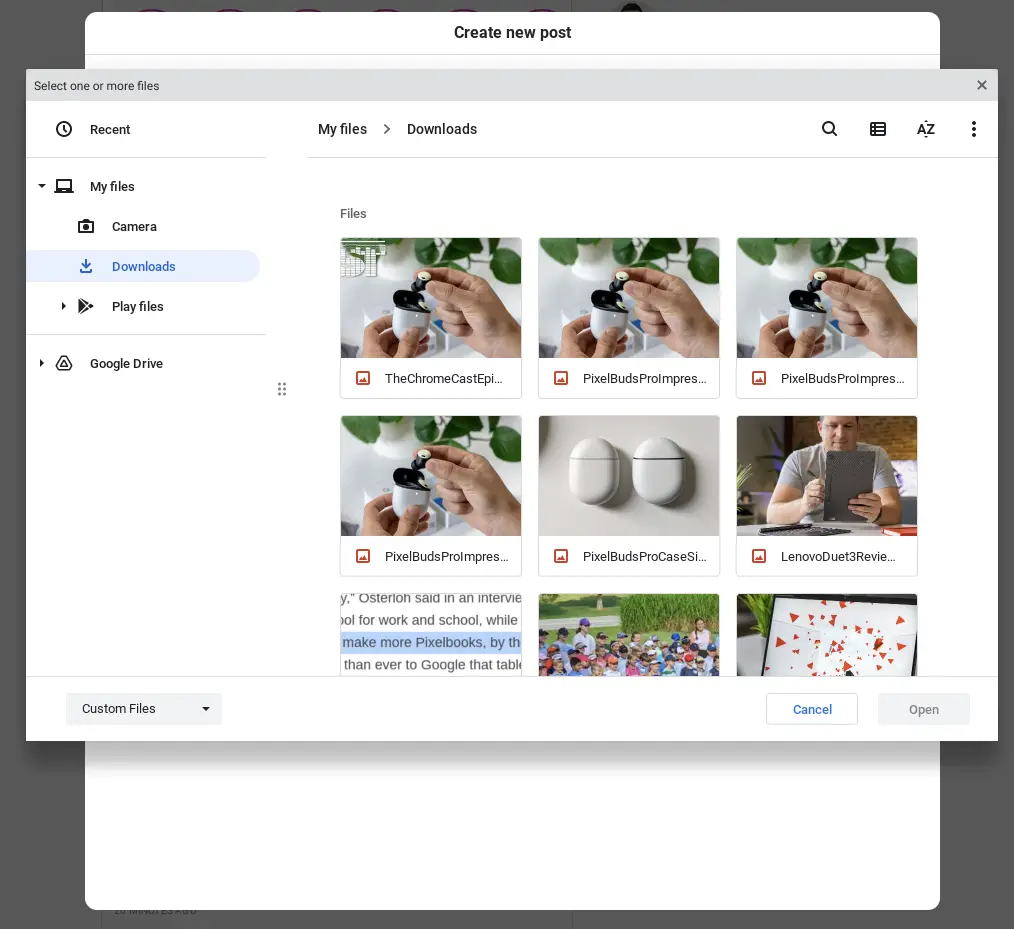
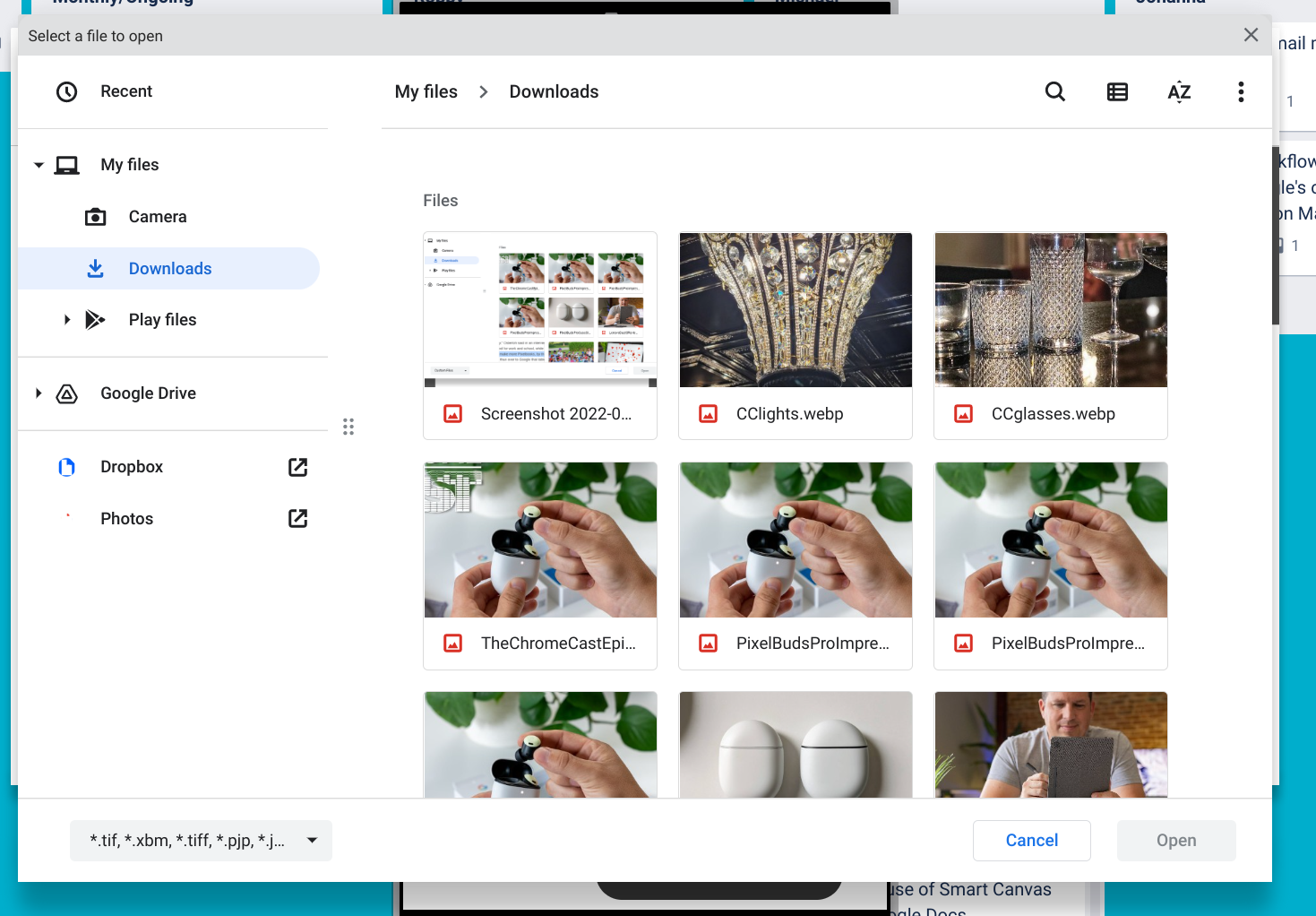
Google Photos and the Files App
This is obviously a half measure, and one I hope to see rectified in a future update. Google Photos is both a powerful search/editing tool and a sortable place to access all your images and videos, so it would only make sense to see it arrive in the ChromeOS Files App at some point. While its been a bit unclear how they would go about doing this if they ever chose to, I think we can look to another part of the OS to see exactly how Google Photos could integrate into the Files App in the future. The answer, I believe, lies in the updated wallpaper picker in the Personalization settings of ChromeOS.
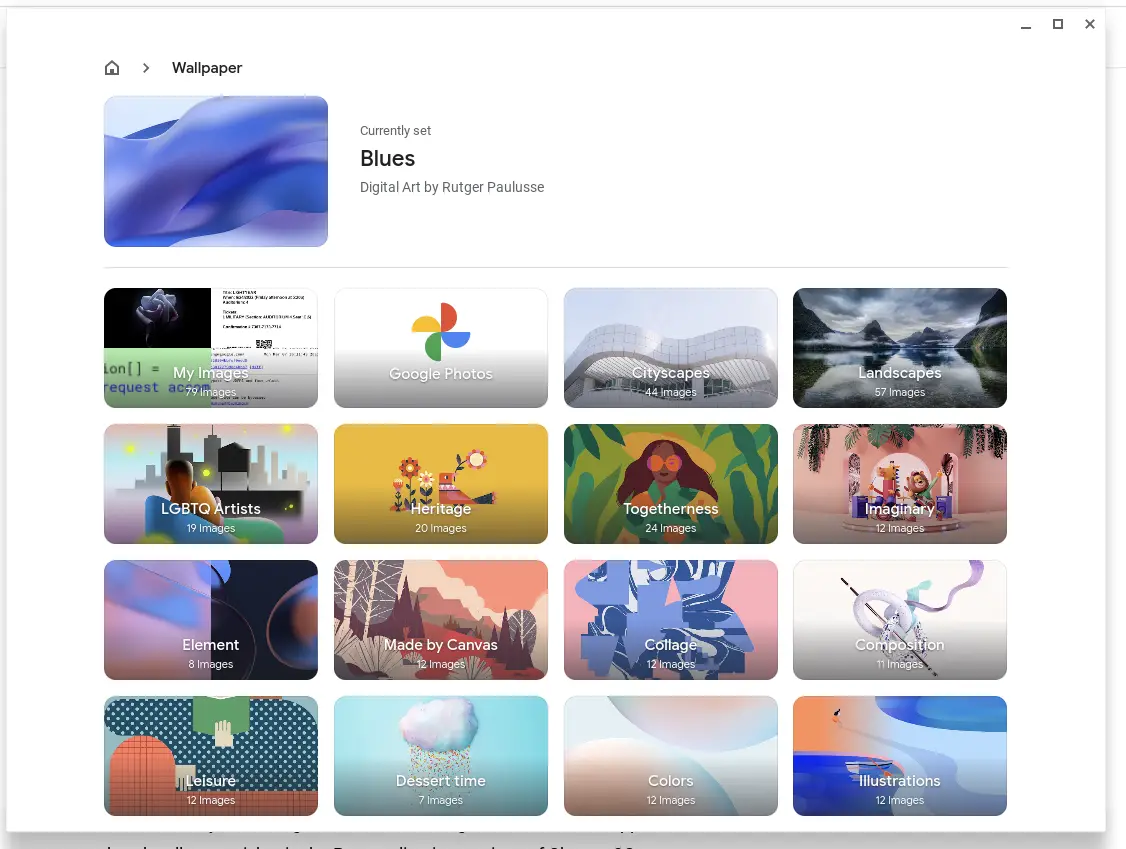
Up there in the top row, you might notice a new option for selecting your wallpaper: Google Photos. I wasn’t sure how well this would work at first, but it has been awesome and implements just like you’d expect it to. When you click the Google Photos button, you are taken to the same timeline view you get in the app or on the web, and you can also choose to pull from albums you’ve created as well.
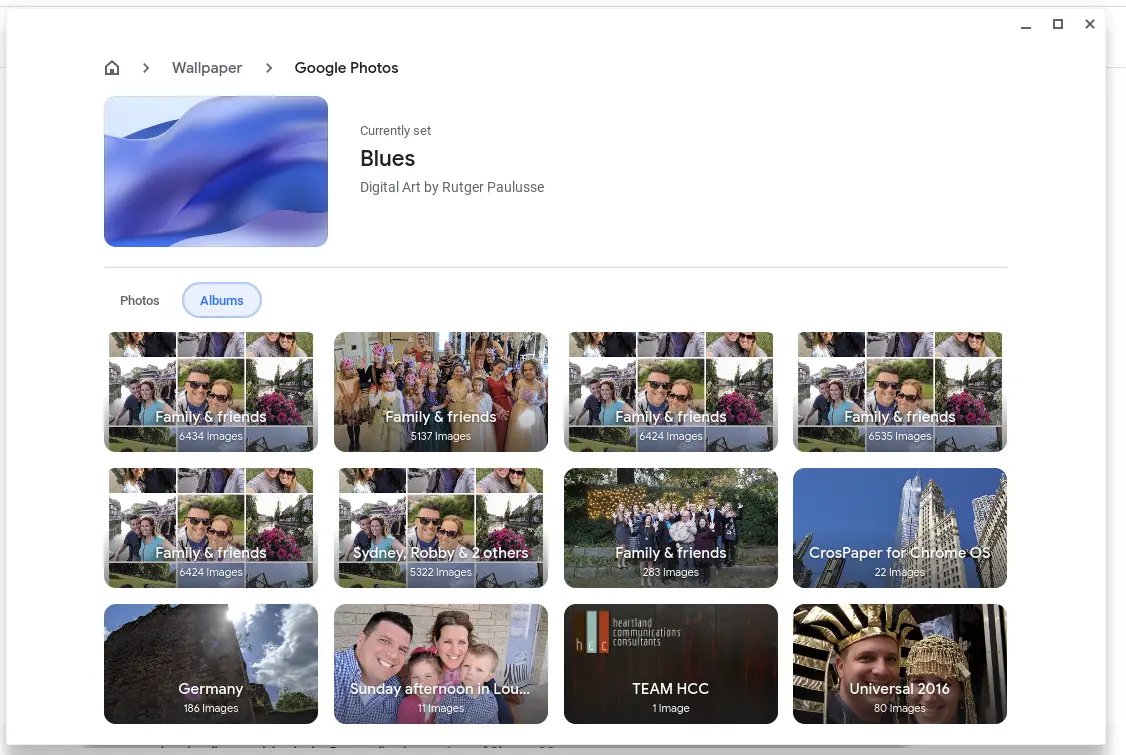
From there, you can choose a single image for a wallpaper or choose the entire album and have it refresh automatically in the background. It’s a great option that will allow users to not only easily update wallpapers with their own images, but keep those choices easily synced between devices without any need for additional file management at all.
It’s well done and well executed, but the wallpaper picker is only a shadow of what could come via the Files App if Google chooses to migrate what they’ve done, here. Imagine Google Photos being an option right under Google Drive as a mounted file option, allowing literally the exact same interface as Google has already delivered in the wallpaper picker. The Personalization Hub and Files App are both system web apps, so there’s really no reason this all couldn’t be basically copied from one to the other.
If that was the case, you can then imagine a future where you go to choose a photo to upload to a web app or Android app and as one of your options, you simply click Google Photos in the left sidebar, look through your photo collection, and choose the image you need. Perhaps down the road, a simple Google Photos search could be included as well, but for now the same implementation we have in the wallpaper picker would be perfectly fine as a starting point.
Will Google make this move? We don’t know for sure, but there’s no reason for them not to at this point. There are even some changes in the Chromium Gerrit pointing to it. The integration they’ve built into the wallpaper picker is evidence enough to me that this addition is not only possible, but capable of being done in a simple, usable way right now. If this isn’t on the very-near roadmap, I sure hope this post sways someone at Google to consider putting it on there. It would be one of my absolute favorite additions to ChromeOS, and I think that would be true for many out there as well.
SUBSCRIBE TO UPSTREAM
Get Chrome Unboxed delivered straight to your inbox
Upstream is our flagship, curated newsletter with the top stories, most click-worthy deals, giveaways, and trending articles from Chrome Unboxed sent directly to your inbox a few times a week. Join 31,000+ subscribers.

