


Support our independent tech coverage. Chrome Unboxed is written by real people, for real people—not search algorithms. Join Chrome Unboxed Plus for just $2 a month to get an ad-free experience, access to our private Discord, and more. Learn more about membership here.
START FREE TRIAL (MONTHLY)START FREE TRIAL (ANNUAL)
Google Photos is one of the apps on my phone that I honestly use more often than I realize. It stores all my photos without clogging up my phone, let’s me easily edit those photos, and then seamlessly share them with friends and family. So a couple of weeks ago when Google said that a redesigned Google Photos app was going to start rolling out to Android and iOS users, I was pretty excited. My Pixel 3 XL received the update not long after the announcement and I have been exploring the new layout ever since. Let’s take a look at what’s new.
One quick note before we get into the redesign: you might have noticed the app also received a refreshed icon. The new icon retains the pinwheel shape but has taken a more material design approach this time around and is now just four rounded half circles. Google says they intended to “simplify” the icon to reflect the new, simplified experience of the app.
What’s new in Google Photos?
The redesigned Google Photos app has reduced the basic navigation down to a three-tab structure and gives more prominence to your photos and videos. The tabs at the bottom of the app are now Photos, Search, and Library. The top of the app has a chat icon for your shared conversations, a Chromecast button, and a user avatar for your settings. The ‘Photos’ tab in the bottom left is still the default when you open the app but the layout has changed. It features larger thumbnails, auto-playing videos, and a condensed layout with less white space between the photos.
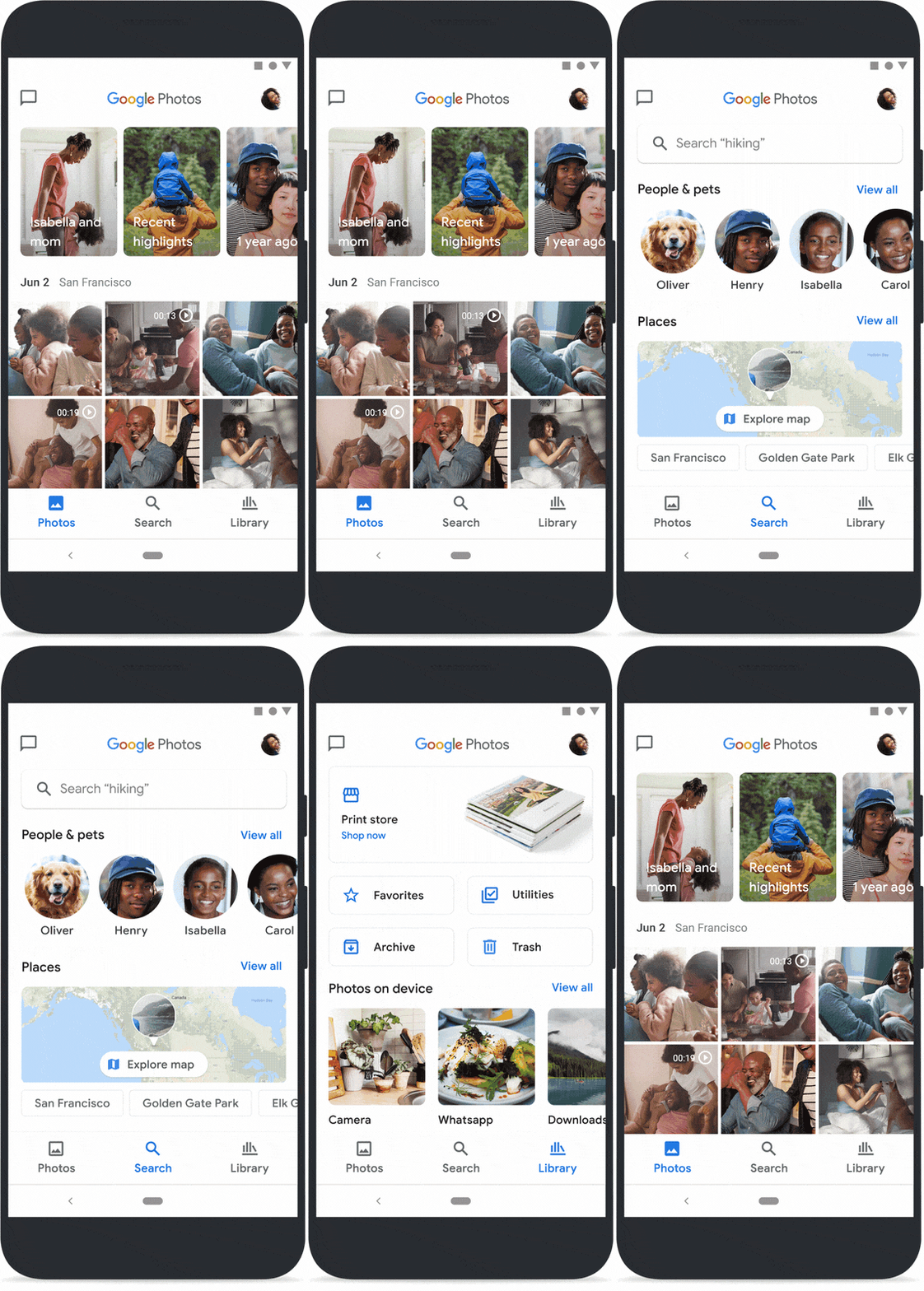
Additionally, the ‘Photos’ tab now features a larger, portrait-style layout of the Memories carousel above the main photo grid. Along with this more prominent placement, Google has added more types of Memories, like pictures of you and a close friend, trips you have taken over the years, and highlights from photos you took just last week. Additionally, all your automatic creations have moved into Memories since the slightly confusing “For you” tab is now gone.
Google Photos Gets A Map View, Finally!
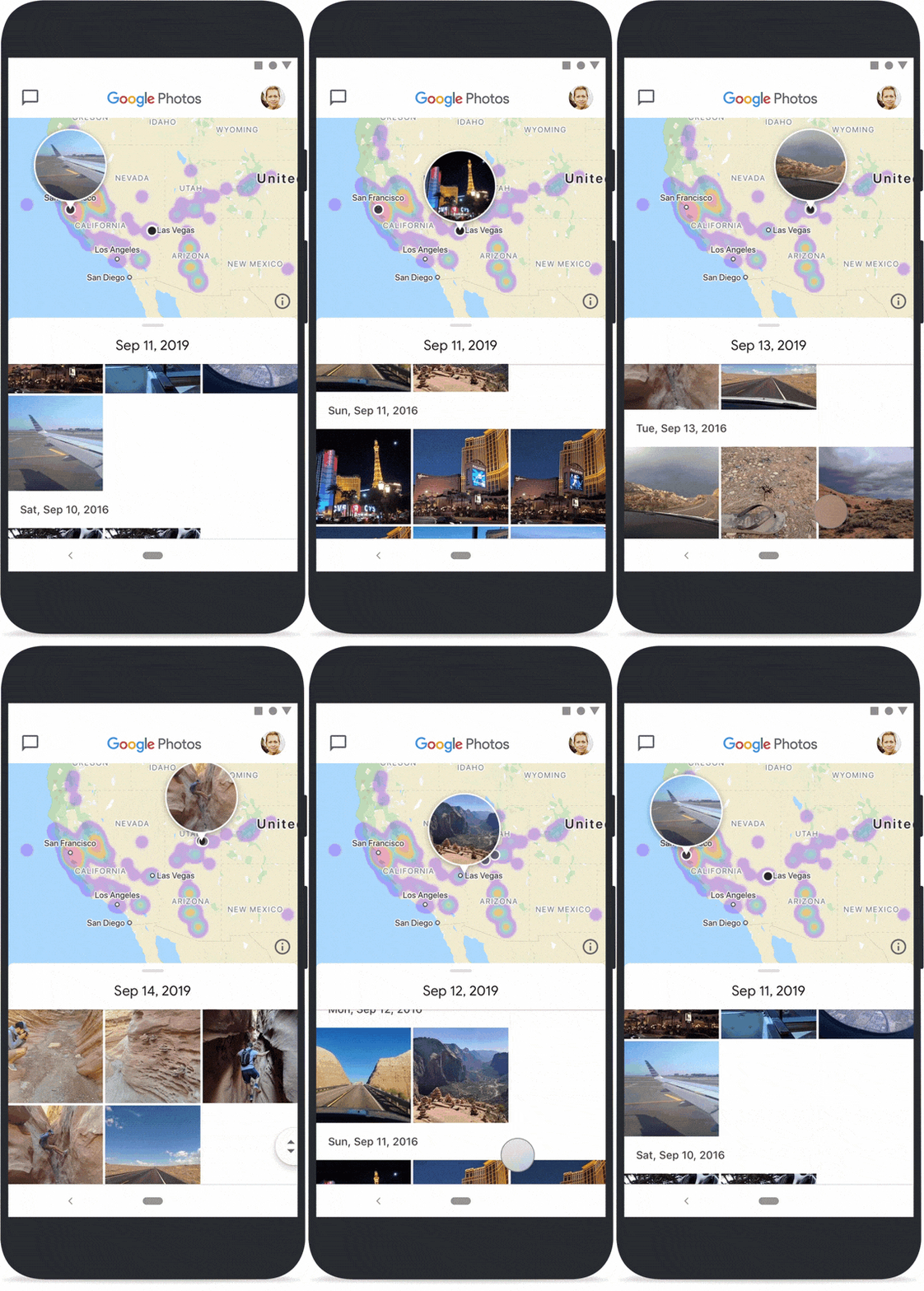
The ‘Search’ tab now has multiple sections – like People & Pets, Places, and Things – so you can easily find the photos. But more importantly, the Places section includes an interactive map that is by far my favorite addition to the redesigned app. In the map view, you can pinch and zoom around the globe to see where you have taken pictures and then click on a particular location to see all the photos from that area, organized by date. Google renders each location with a heatmap so you can easily see where you have taken the most photos. It’s a fun and easy way to explore old photos and remember the places you have been.
The last tab along the bottom is the ‘Library’ – a place for the more utilitarian features of the Google Photos app, like favorites, trash, archive, the print store, albums and more. Instead of being organized in a menu, these items are now more visually appealing, with clickable buttons and a carousel layout for the ‘Photos on device’.
Overall, Google has done a great job of simplifying the experience and making thoughtful updates to the app without taking away from the core functionality that we all love. The new app should be rolled out to all users at this point for most users so, if you haven’t already, I would definitely recommend that you take a moment to explore the app, especially the new Memories and the interactive map.
Shop The Best Chromebooks Of 2020 at Chrome Shop
Source: The Keyword

