

Support our independent tech coverage. Chrome Unboxed is written by real people, for real people—not search algorithms. Join Chrome Unboxed Plus for just $2 a month to get an ad-free experience, access to our private Discord, and more. Learn more about membership here.
START FREE TRIAL (MONTHLY)START FREE TRIAL (ANNUAL)
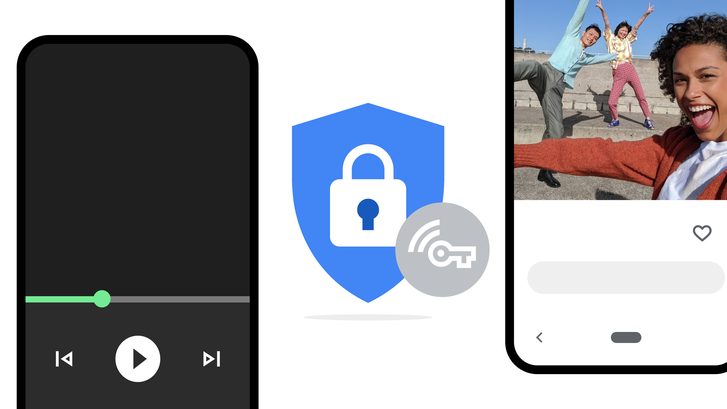
To add an extra layer of online protection for your data against hackers, Google One will soon offer a Virtual Private Network or VPN on Android to users who subscribe to their 2TB and higher plans. Within the coming weeks, subscribers will be able to toggle the VPN on from within the app as seen below. While Google has already built advanced security into all of its products, a VPN extends that security to encrypt all of your phone’s online traffic, no matter what app or browser you’re using.
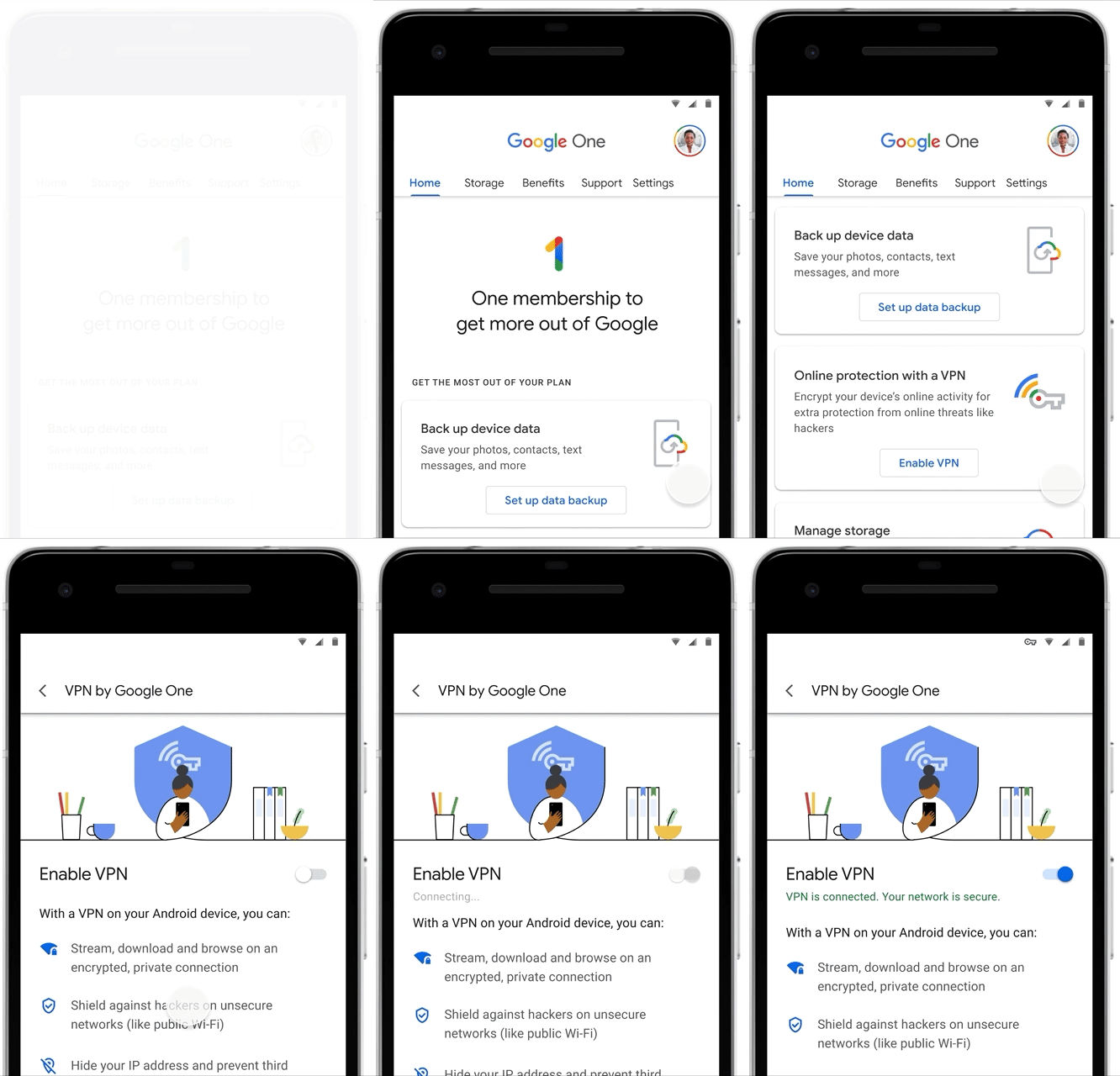
Your browser and your apps can communicate sensitive information online frequently. Some sites and apps use outdated, weak or no encryption at all. While in transit, unsecured data can be intercepted or modified by hackers, which compromises your privacy and overall security. When you enable a VPN, your online data is protected by traveling through a strongly encrypted tunnel. The VPN tunnel is operated by Google through our secure global servers.Learn more about what makes the VPN by Google One different from other VPNs and how to set it up.
How does a VPN work – Google One
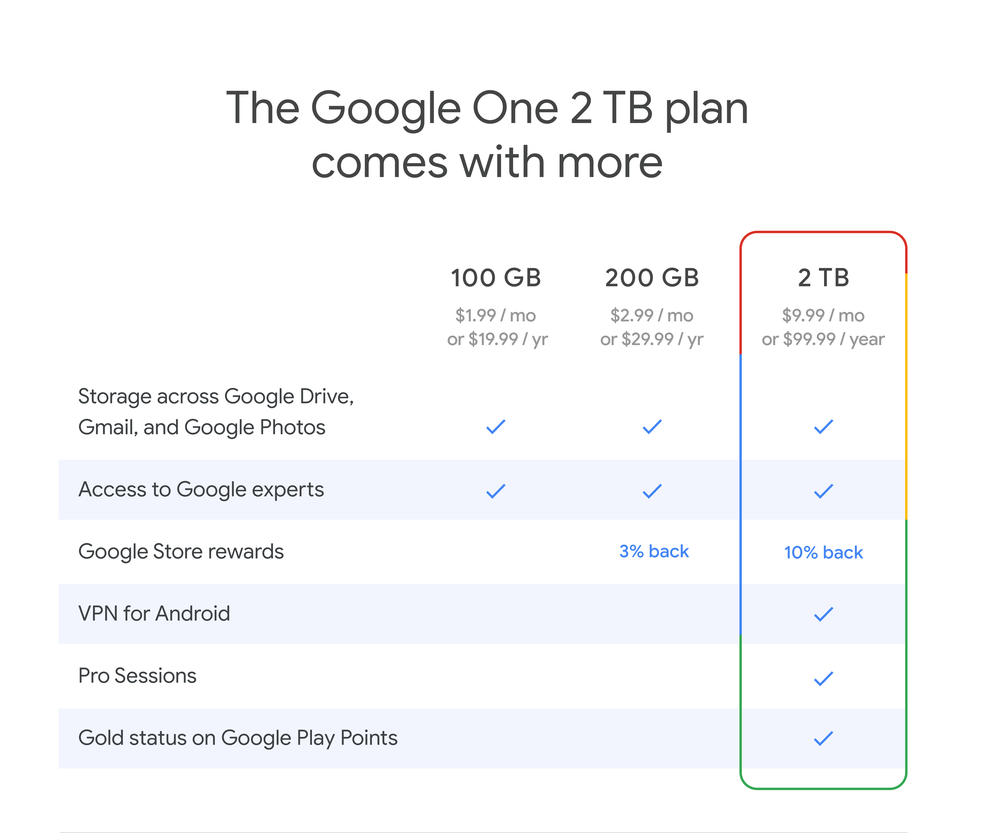
In addition, Google One Pro Sessions will also be accessible soon (US, U.K., Canada only). These one-on-one sessions with a Google expert will allow you to learn more about the VPN and ask any questions you may have about online safety or taking measures to protect your data. For those of you who already subscribe to the 2TB plan or above, you will have the VPN added into your existing plan at no extra cost and can turn it on when it rolls out. Something to keep in mind is that if you’ve shared your 2TB+ plan with your Google Family Group, they will be able to utilize the VPN on their devices without spending any extra money!
Google also published a new white paper that explains their VPN in detail. In it, they mention that while it will not be available for Chromebooks at launch, they plan to bring them in the loop sooner rather than later. As a part of the paper, Google states that some minimum logging is performed to ensure quality of service and that your network traffic or IP associated with the VPN is never logged. To gain user trust, they have open-sourced the code that runs on a user’s device and they will soon open-source the server-side user authentication mechanism, in addition to providing the results of a third-party audit of the service that will take place prior to its launch.

I love that Google One is finally becoming more useful. I was seconds away from writing about how One benefits have largely been neglected since launch before seeing that the VPN was being added into the mix. If you already pay $2.99 per month for the 200GB Google One plan, you may not find yourself upgrading to the $9.99 per month plan just to get the VPN – especially if you don’t need the extra storage. I know I certainly won’t be. Sadly, I don’t see Google offering the VPN to those of us with the lower end plans any time soon as they need to recoup the cost it takes to run their servers for VPN users and our three bucks just ain’t gonna cut it.
SUBSCRIBE TO UPSTREAM
Get Chrome Unboxed delivered straight to your inbox
Upstream is our flagship, curated newsletter with the top stories, most click-worthy deals, giveaways, and trending articles from Chrome Unboxed sent directly to your inbox a few times a week. Join 31,000+ subscribers.

