


Support our independent tech coverage. Chrome Unboxed is written by real people, for real people—not search algorithms. Join Chrome Unboxed Plus for just $2 a month to get an ad-free experience, access to our private Discord, and more. Learn more about membership here.
START FREE TRIAL (MONTHLY)START FREE TRIAL (ANNUAL)
We recently discovered an early preview of the revamped Google News Material You redesign for the web, and it’s gorgeous! It features an entirely new layout, brighter colors, and more horizontal reading space. Now, in an official Keyword blog post marking the 20th anniversary of the service, Google reveals that it’s rolling this all out to everyone, and I couldn’t be more excited.
If you visit the Google News web app, You should see this new toast notification at the top that says “The new Google News has a fresh look, brand-new briefing, & customized topics. Try it out”. Clicking that will redirect you to the new layout, with a pop-up that says the same. Click the blue “Got it” button, and you’re ready to start exploring!

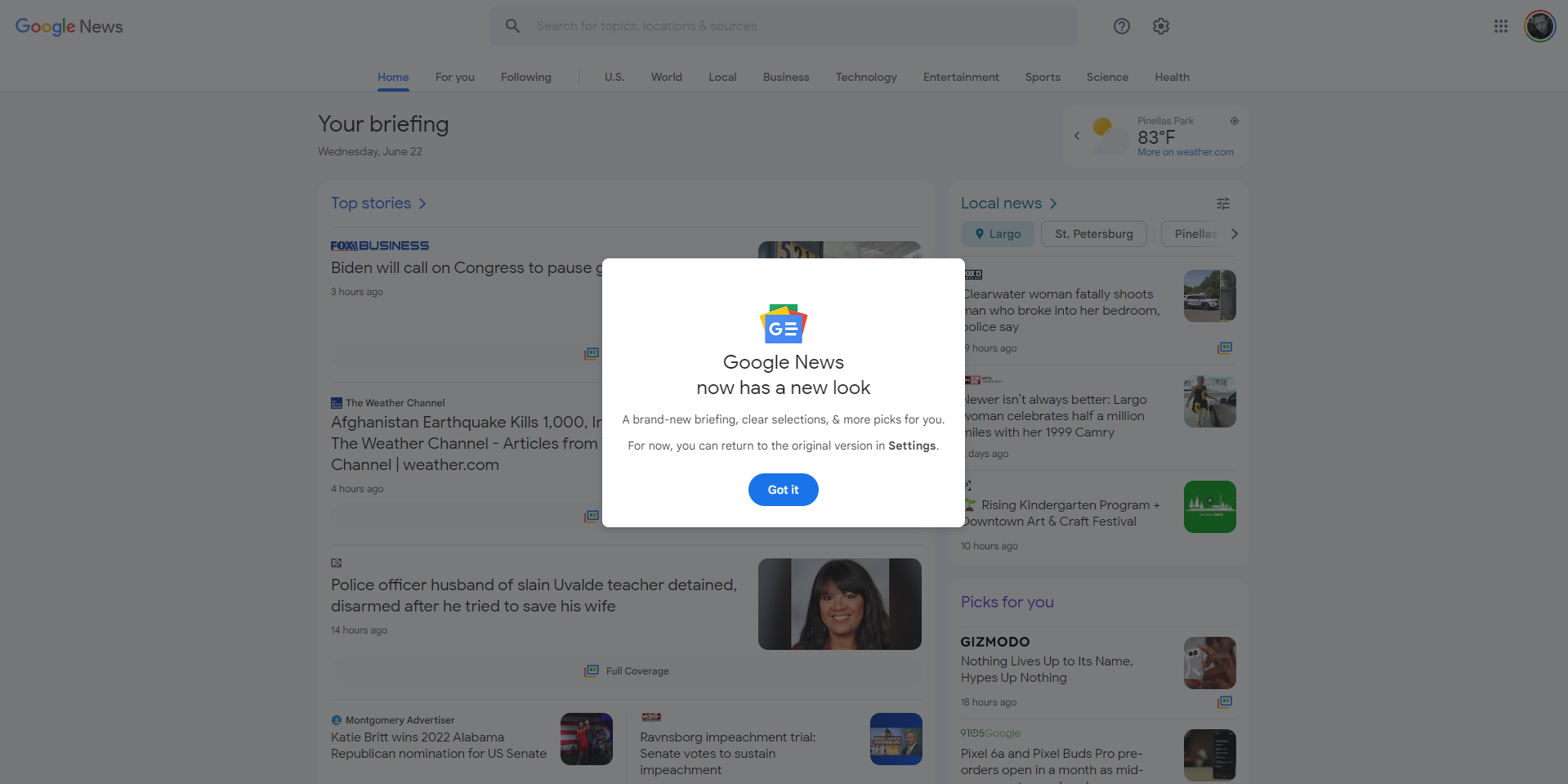
With News being available in over 125 countries and 40 languages, this new approach is more than just a lick of paint. People search through News results and click through to publisher websites (even ours) over 24 billion times each month, so with that, Google has decided to make it more accessible, more customizable, and even easier to navigate than ever before.
In the past, the website has been fairly utilitarian, but now, it’s joining the rest of the company’s apps with a new approach to the user experience. The local news is placed on the top at the right side instead of down in the feed a little way, and even has a new filter button for each location you’re following. The weather is easier to identify and slides out with a cute animation showing the next few days. The whole thing is just fun to look at (until you see the latest #FloridaMan news).
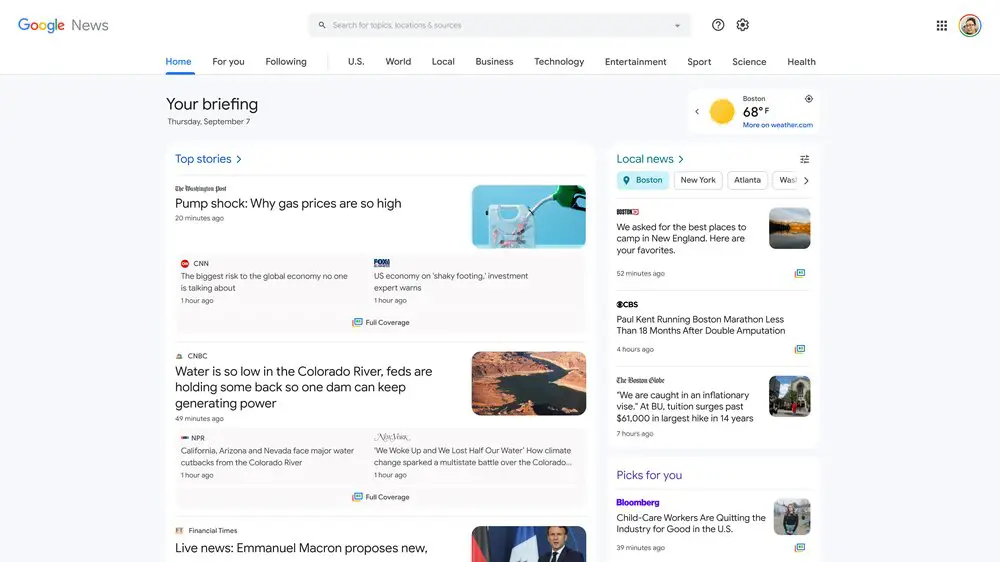
Most importantly – and this is huge – Google is making it possible to customize the topics that appear for each user, making the entire thing more personal to you. Scrolling through and clicking what you’re interested in will now no longer be hindered by a bunch of crap you didn’t ask for, assuming you go and set this up!
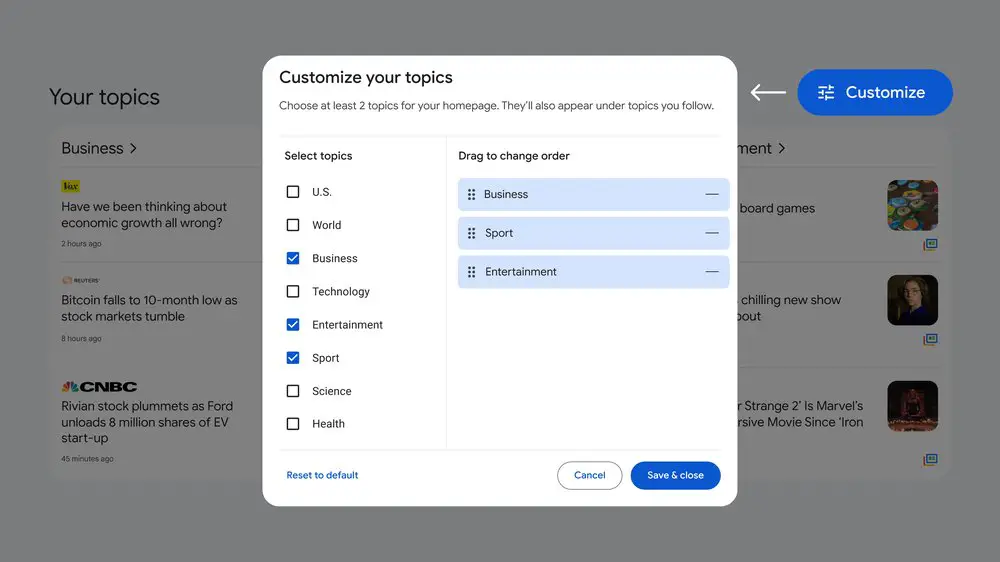
Gone is the left-hand sidebar too. Instead, you’ll scroll down to “Your Topics”, and tap the blue “Customize” button to begin adding, removing, and reordering topics. Additionally, the mobile app’s “Fact Check” section is now available on desktop so that you can gain more context on any given article you come across. Instead of taking someone at face value, click through the original claim and compare it to fact-checked assessments from independent organizations.
After eight years, Google News is returning to Spain thanks to a new copyright law that’s been put in place, so more will now have access to the service – exciting! If you’re not interested in this redesign, you can temporarily opt out via the settings on the Google News for the web, but in time, this is going to be the default experience. That’s alright, in my opinion, because it brings a lot of improvements and great tools to the table.
SUBSCRIBE TO UPSTREAM
Get Chrome Unboxed delivered straight to your inbox
Upstream is our flagship, curated newsletter with the top stories, most click-worthy deals, giveaways, and trending articles from Chrome Unboxed sent directly to your inbox a few times a week. Join 31,000+ subscribers.

