


Support our independent tech coverage. Chrome Unboxed is written by real people, for real people—not search algorithms. Join Chrome Unboxed Plus for just $2 a month to get an ad-free experience, access to our private Discord, and more. Learn more about membership here.
START FREE TRIAL (MONTHLY)START FREE TRIAL (ANNUAL)
It wasn’t that long ago that Google Hangouts Meet became simply Google Meet. We talked about that transition and what it likely means for the remains of Hangouts across the board already, so we’re not here to talk about that. Instead, the news of the day is that Google is making its G Suite Enterprise and Education video chat service – Google Meet – available for the general public over the next couple weeks. For free. For everyone.
Up to this point, Google Meet has been a product that was built for Enterprise and Education users, giving them a secure, flexible video meeting platform that flat-out delivers. We’ve internally used Google Meet for quite some time and I’ve even transitioned most group meetings I’ve had in quarantine over to Google Meet. As long as I have a G Suite account, I can invite and admit whoever I choose, with or without them having a Google account. The stability and security of this platform has been great and there has been no time limit on calls, so it has worked far better for my needs than competitors like Zoom.
Google is now rolling out the ability for any Google user to spin up a Meet call with all the same security and stability that G Suite users currently enjoy. This means calls of up to 100 users can last as long as needed on a platform that requires no downloads, no extensions, and can run completely in the browser. Google touts this as a far more secure approach to video conferencing, and the sheer number of users flocking to the service evidence that. They are reporting a 30X growth in peak daily usage since January, hosting a staggering 3 billion minutes of video calls per day. Oh, and they are adding a cool 3 million new users a day, too.
Seeing this growth and knowing they have a superior product that has been built out over time in a controlled environment, it seems Google is ready to finally get this superlative service out to the masses. As more and more of us are moving to video chats for everyday things, Google needs to move quickly on this. Zoom has captured the collective public mind share for video chats, but as we’ve highlighted prior, its just not the best platform for it. Up until now, Google didn’t really offer an alternative. Duo is great, but it is for small groups and really tailored to one-on-one calls like Facetime.
While Zoom has its flaws and is working hard to fix them, they left the door open for Microsoft and Google both to respond, and both are doing so. While Microsoft can leverage its Office Suite muscle to push users to Teams, Google is now doing the same with its Gmail dominance, making Google Meet a baked-in part of the Gmail and Google Calendar experience as this all rolls out. Users ready to start or schedule a meeting will be able to do so from inside Google’s already-existing products and this will help adoption happen even faster.
If you’ve not used Google Meet before, here’s a quick rundown on how it will work. Google will require the initiator of the meeting to have a Google account; that much is not going to change. All the other participants won’t be required to, but there has to be one Google account to get things started. You’ll be able to schedule a Google Meet in Gmail or in the Calendar and then either send out invites to other users or simply send the URL for the meeting. For those who are explicitly invited, they can simply enter once the meeting starts. For those who have the link, they will need to be granted access by default. No ‘Zoombombing’ here. Inside the meeting you can chat, present your screen, and change layout preferences. Newly added is the ability to see a Zoom-like grid as well.
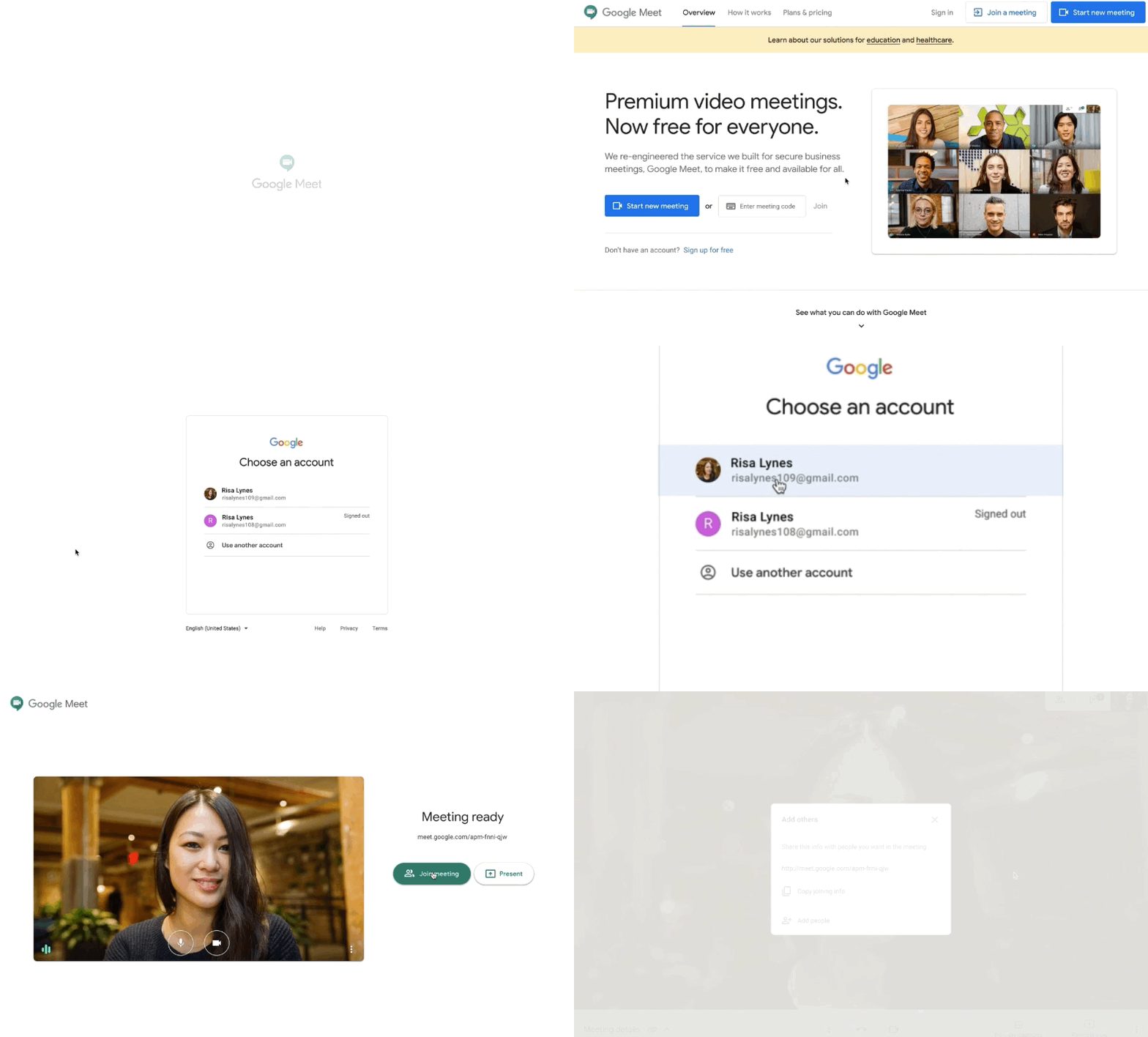
What’s been probably the most impressive part of Google Meet, however, is the stability and usability of the platform. With nothing to install or download, it is easily the best quality video chat we’ve used. Now that it is free for everyone to leverage, I imagine it will really skyrocket in its use. From our time with it up to now, that is only a good thing. Look for Google Meet to begin showing up in your account over the next few weeks and, when it does, give it a spin. You’ll love it.
SOURCE: The Keyword
Shop All The Latest Chromebook Deals
SUBSCRIBE TO UPSTREAM
Get Chrome Unboxed delivered straight to your inbox
Upstream is our flagship, curated newsletter with the top stories, most click-worthy deals, giveaways, and trending articles from Chrome Unboxed sent directly to your inbox a few times a week. Join 31,000+ subscribers.

