


Support our independent tech coverage. Chrome Unboxed is written by real people, for real people—not search algorithms. Join Chrome Unboxed Plus for just $2 a month to get an ad-free experience, access to our private Discord, and more. Learn more about membership here.
START FREE TRIAL (MONTHLY)START FREE TRIAL (ANNUAL)
We’ve all been in meetings that have gone off the rails, run way over time, or been dominated by a single topic. Keeping an online meeting focused and on schedule can be a real challenge. In a simple but very useful new update, Google is rolling out a tool to help with this: a built-in timer for Google Meet on the web.
How the new timer works
This new feature is designed to be a simple, shared tool for better time management. You can find the new “Timer” option in the “Activities” panel in the Google Meet sidebar.
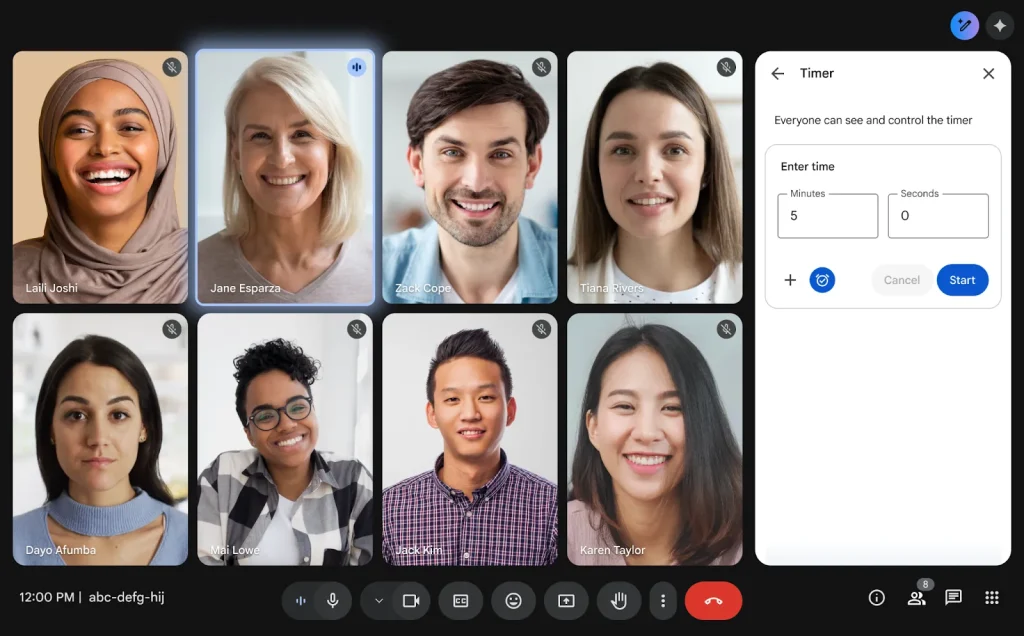

Once a host (or any participant, if host controls are turned off) sets and starts the timer, it becomes visible to everyone in the call. This creates a shared sense of time, making it easy to keep track of how long you have left for a specific agenda item or for the meeting as a whole. The timer can also be paused or canceled at any time.
This is a fantastic tool for a variety of use cases, from time-boxing specific discussion topics to ensuring everyone gets an equitable amount of time to speak during a brainstorming session.
The best part about this update is its availability. The new timer feature is rolling out now and will be available to all Google Workspace customers, Workspace Individual subscribers, and users with personal Google accounts. It’s a simple, effective new tool for running more productive meetings, and it should be available for everyone in the next few days.
SUBSCRIBE TO UPSTREAM
Get Chrome Unboxed delivered straight to your inbox
Upstream is our flagship, curated newsletter with the top stories, most click-worthy deals, giveaways, and trending articles from Chrome Unboxed sent directly to your inbox a few times a week. Join 31,000+ subscribers.

