

Support our independent tech coverage. Chrome Unboxed is written by real people, for real people—not search algorithms. Join Chrome Unboxed Plus for just $2 a month to get an ad-free experience, access to our private Discord, and more. Learn more about membership here.
START FREE TRIAL (MONTHLY)START FREE TRIAL (ANNUAL)
Google Maps has some pretty stiff competition as of late with apps like HERE, but in light of that, the development team has truly gone the extra mile and been forward-thinking in its innovations as of late in order to define the next generation of navigation technology. In a blog post today, the company dedicated to bringing over 100 AI-powered improvements to Google Maps to help users get the most accurate, up-to-date information about the world, exactly when needed. Let’s take a look at a few of these incredible new features that are sure to pave the path to the future.
Indoor navigation with Live View
Live View is relatively new to Maps and was added in for outdoor navigation only this past year. It allows you to point your phone camera around at the real world and get an augmented reality overlay of digital elements that help direct you toward your destination. Now, that same technology is being added to indoor maps so that you can more easily navigate things like airports, train stations, and malls. It uses a technology called global localization, which scans tens of billions of Street View images with AI in order to understand your physical orientation. New altitude and object placement advancements allow Maps to bring this same tech to life inside of buildings – just mind-blowing!
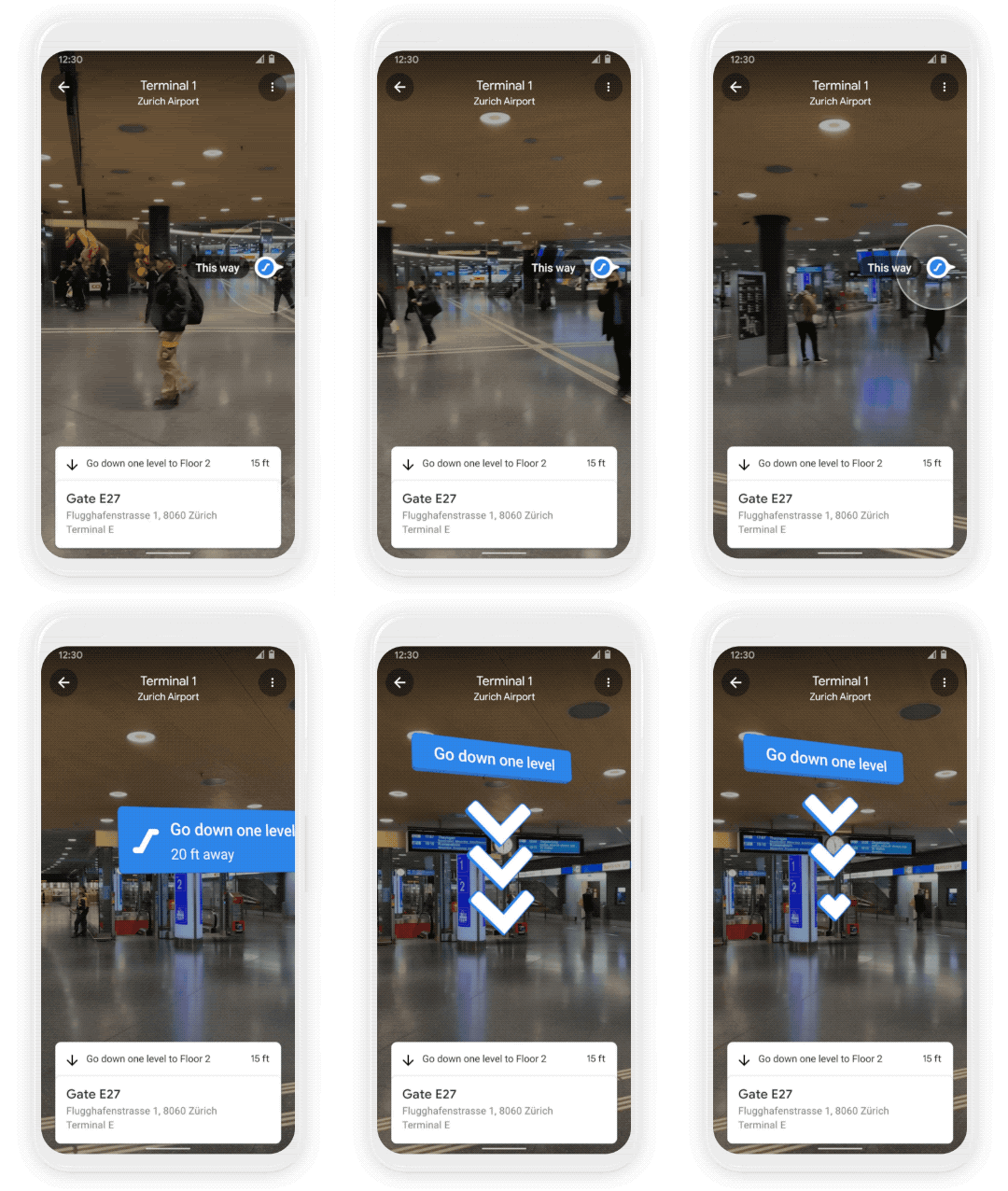
As you can see from the image above, Live View can point you to the nearest elevator, or escalator, your gate, platform, baggage claim, check-in counter, ticket office, restroom, ATM, and more with arrows and other GUI elements. It’s already being rolled out for a number of malls in Chicago, Long Island, L.A., Newark, San Francisco, San Jose, and Seattle for both Android and iOS devices, and will be available in select airports, malls, and transit stations in Tokyo, Zurich, and other cities over the next few months. I imagine this feature will take at least a year or two to become available everywhere – the world is a big place, and global localization sounds like a ton of work!
Weather and air quality indicators
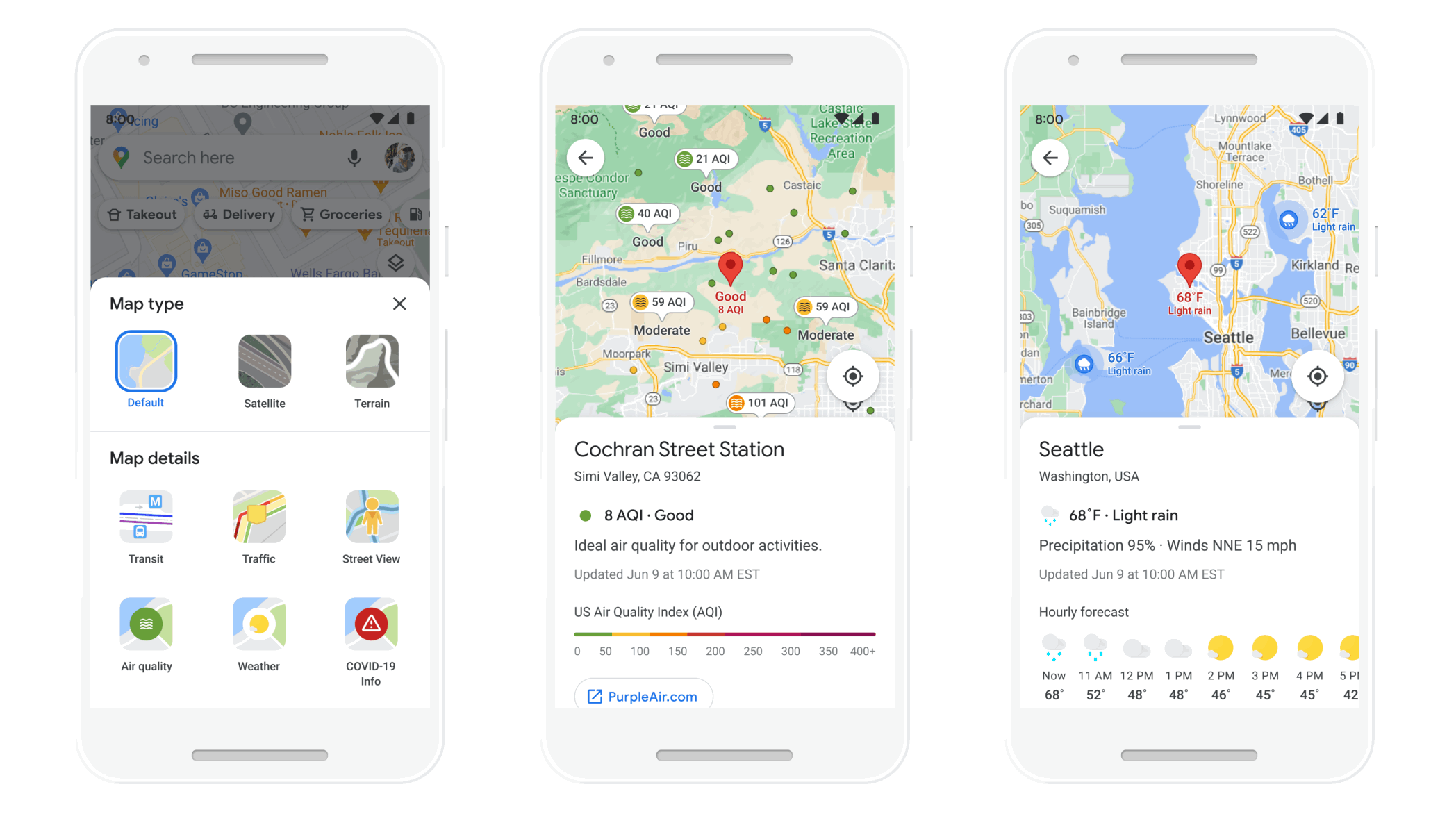
A new weather layer in Maps will show you the current and forecasted temperature and weather conditions in a selected area so that you can plan ahead while traveling – even if it’s just a local trip. Not only that, but air quality indicators will show you how healthy or unhealthy the air is around you – wow. When I traveled for the first time just a few years ago, I went to Portland, Oregon, and immediately realized how much cleaner it was to breathe the air there rather than here in Florida, so I can only imagine how low-quality Maps will tell me the air is that I’ve been breathing for the past 30 years.
This new indicator can help those who have allergies or are in smoggy or fire-prone areas. The data comes from partners like The Weather Company, AirNow.gov, and the Central Pollution Board. Air quality indicators should be rolling out on Android and iOS over the next few months as well and will launch in India, Australia, and the U.S. with more countries to come.
Eco-Friendly transportation and environmental awareness
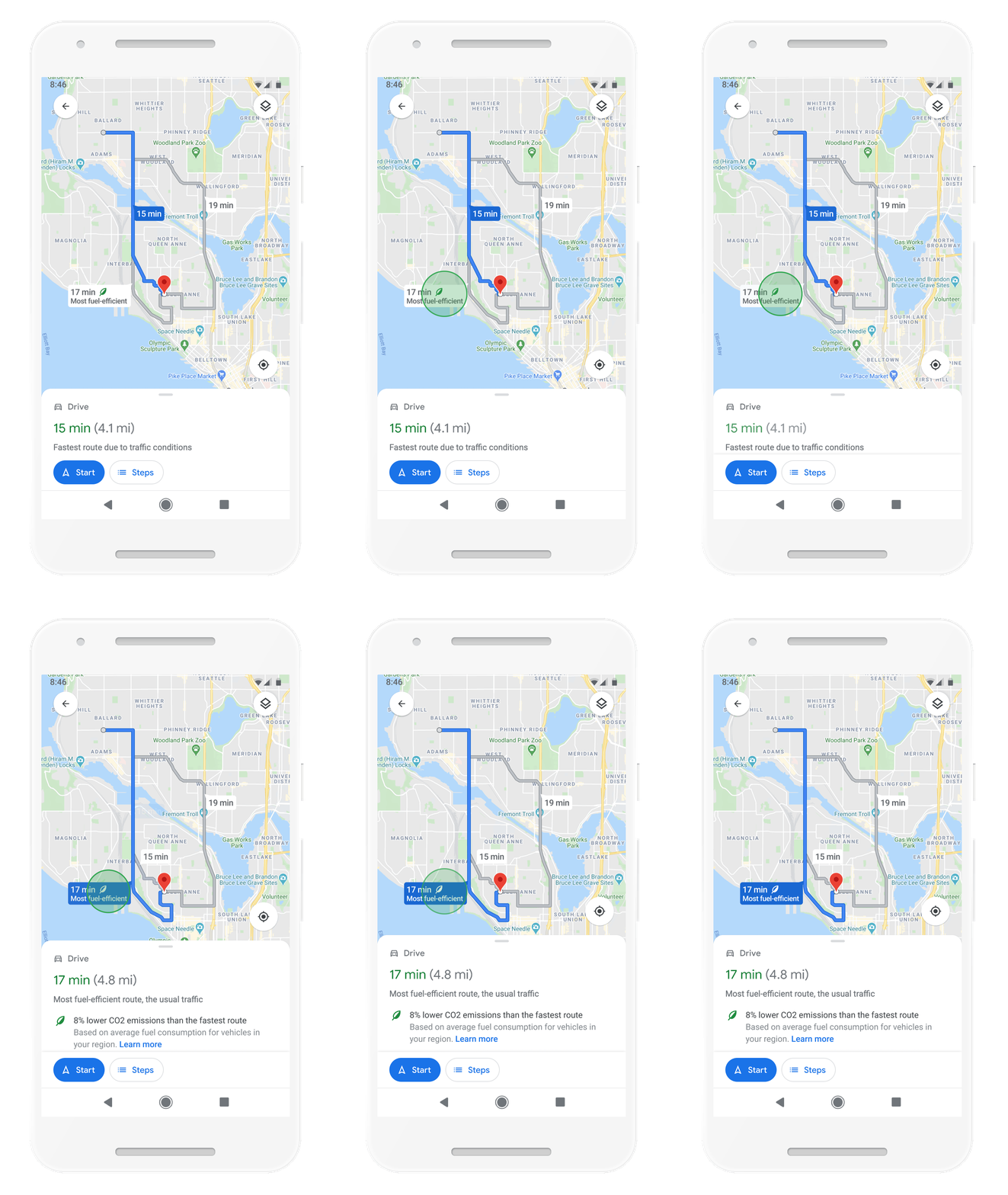
Sundar Pichai, Google’s CEO is very, very interested and involved with the company’s future and current impact on the environment. Another one of the new AI-powered Maps features is the ability to see a more eco-friendly route that uses less fuel consumption based on factors like road incline and traffic congestion. It utilizes insights from the U.S. Department of Energy and its National Renewable Energy Lab. Helping users reduce their carbon footprint is top of mind for Google, and these new tools ought to assist while you take a route with a similar ETA to your destination. This feature is launching later this year and can be adjusted post-launch in the settings if you just care about the fastest route too. Oh, and you’ll also be able to compare different routes and modes of transportation and see when low emission zones are on your route with the new directions experience as well.
Grocery Pickup and Delivery Built-in
Last, but certainly not least for this roundup of initial feature launches, Google is building in the ability to order groceries for curbside pickup or even delivery directly into relevant store listings! Let’s say, for example, that you’re interested in ordering from Safeway – instead of going to the Chrome browser, typing in Safeway’s website or Google Searching it, and then navigating its website to find the delivery or pickup options, you’ll instead just tap on its map listing, touch the ‘Order pickup & delivery option as shown below, and continue from there. Maps will automatically redirect you to the appropriate website or installed application so that you can complete your order and be on with your day. This reminds me of how you can order takeout directly from Google Pay – it’s innovative, and I feel a necessary add during the pandemic and the new normal.

You’ll also be able to start a pickup or delivery directly from Google Search if you’d like as well, just by navigating the store’s Knowledge Graph card on the right side of the page. Google hopes that by adding grocery services directly into Maps and Search, it can help minimize contact and increase convenience. These delivery and pickup options will also show delivery windows, fees, and order minimums. Rollout begins with Albertsons Cos. and Instacart in the U.S. and will expand to include more providers (like Fred Meyer in Portland, Oregon, yay!) and countries from there.
With all of these incredible advancements, it’s hard to see how other apps and services like HERE will even compete. They may provide a solid navigation experience, and even many of the same features as Google’s Waze, but what we’re seeing – even at the beginning of Google’s plans to apply AI and machine learning to Maps in order to benefit users and change lives for the better – is just insane. What do you feel could be added to Maps, and which of these features are you likely to even use? Let’s continue this conversation down in the comments section!
SUBSCRIBE TO UPSTREAM
Get Chrome Unboxed delivered straight to your inbox
Upstream is our flagship, curated newsletter with the top stories, most click-worthy deals, giveaways, and trending articles from Chrome Unboxed sent directly to your inbox a few times a week. Join 31,000+ subscribers.

