
• Skip to main content
  • Skip to primary sidebar
  • Deals
  • Features
  • Guides
  • Chromebooks
  • Videos
  • Podcast
  • More +
    • Reviews
    • Unboxing
    • Upcoming Devices
    • Chromebook Plus
    • Chrome
    • ChromeOS
    • Chrome OS Flex
  • Search
  • Sign Up
  • Log In
Chrome Unboxed – The Latest Chrome OS News

Chrome Unboxed - The Latest Chrome OS News

A Space for All Things Chrome, Google, and More!

  • Deals
  • Features
  • Guides
  • Chromebooks
  • Videos
  • Podcast
  • More +
    • Reviews
    • Unboxing
    • Upcoming Devices
    • Chromebook Plus
    • Chrome
    • ChromeOS
    • Chrome OS Flex
  • Search
  • Sign Up
  • Log In

Google Lens will soon work with Bard, will also be able to identify skin conditions like rashes

June 14, 2023 By Michael Perrigo View Comments

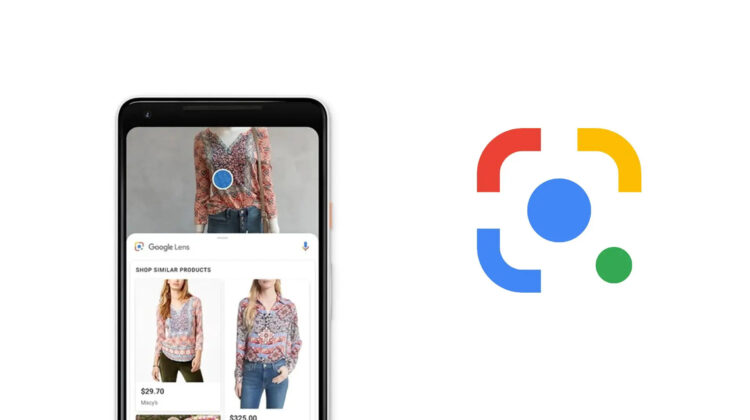
Google Lens is a powerful visual search tool available in the Google app, on the web and via the search bar on your phone’s home screen (if you have an Android, of course). It allows you to search what you see in the world around you with your camera and helps simplify everyday tasks like shopping by identifying clothes and translating signs and text in foreign languages as you travel the world among other things.

In a Keyword blog post today, Google announced two new features for Lens. One is the ability to identify a range of skin conditions, such as moles, rashes, lip bumps, toenail lines, and hair loss to name a few. While that all sounds pretty gross, especially when I list it in quick succession, it can be important and helpful for anyone experiencing such dermatological issues.

Xremove ads
The Keyword

By uploading a photo of the condition, Lens will give you more information, allowing you to make more informed decisions about treatment or home remedies. It’s obviously not meant to replace a real medical professional, but hopefully that would have gone without saying.

Unfortunately, Lens does save your activity in the cloud by default, so most will likely not use this feature since it ties to their potential medical history. If you don’t want your Google Lens activity saved to your Google Account, turn it off in the “Web & App Activity” section of your account settings before giving it a go.

Featured Videos

Xremove ads

Next, Lens is coming to Google Bard. That means you’ll be able to use it to quickly identify anything you’d like in the world around you for use in the company’s generative AI chatbot. This will give it greater context to answer your questions and discuss things with you more accurately (supposedly). This is rolling out in the next few weeks. Google gives the example of showing Bard a new pair of shoes you’ve been wanting to buy for an upcoming vacation and letting it tell you what they’re called.

The Keyword

From there, you can ask it to complete an outfit suggestion based on the shoes alone and tap “Google it” to be brought to a web search where you can buy the full ensemble. That sounds pretty cool, I guess, but Bard still has a long way to go before it wins me back.

To date, it’s the worst AI chatbot on the market, even after its supposed PaLM2 upgrades. I know I say that a lot, but I won’t let up until it improves. Let me know in the comments if you’ll use these new Lens features or if you’re going to avoid them for their implications.

Xremove ads

Join Chrome Unboxed Plus

Introducing Chrome Unboxed Plus – our revamped membership community. Join today at just $2 / month to get access to our private Discord, exclusive giveaways, AMAs, an ad-free website, ad-free podcast experience and more.

Plus Monthly

$2/mo. after 7-day free trial

Pay monthly to support our independent coverage and get access to exclusive benefits.

Xremove ads
Start free trial

Plus Annual

$20/yr. after 7-day free trial

Pay yearly to support our independent coverage and get access to exclusive benefits.

Start free trial

Our newsletters are also a great way to get connected. Subscribe here!

Click here to learn more and for membership FAQ

Xremove ads

Filed Under: Apps, New & Upcoming Features

About Michael Perrigo

Known as "Google Mike" to his customers, Michael worked at Best Buy as a Chromebook Expert who dedicated his time to understanding the user experience from a regular Chromebook owner's perspective. Having spent nearly 20 years meeting you face-to-face, he strives to help you understand your technology through carefully crafted guides and coverage, relentlessly seeking out the spark in what's new and exciting about ChromeOS.

Primary Sidebar

Xremove ads

Deals

The best Chromebook deals today

By Robby Payne
December 15, 2025

Save $220 on the powerful, versatile Acer Chromebook Plus Spin 714

By Robby Payne
December 10, 2025

The Google Pixel 9a just hit its lowest price ever at $150 off

By Joseph Humphrey
December 8, 2025

At $349, this Lenovo Chromebook Plus is one of the best value laptops you can buy

By Joseph Humphrey
December 3, 2025

The elusive 8GB Lenovo Chromebook Duet 11 is finally back in stock and down to $279

By Robby Payne
December 2, 2025

More Deals

Xremove ads

Reviews

My review after 6 weeks with the Lenovo Chromebook Plus 14 [VIDEO]

By Robby Payne
August 11, 2025

One week with the best small Android tablet you can buy, and I’m sold

By Robby Payne
May 9, 2025

Best Chromebooks of 2024 [VIDEO]

By Robby Payne
November 28, 2024

Samsung Galaxy Chromebook Plus Review: Samsung is back! [VIDEO]

By Robby Payne
October 28, 2024

Lenovo Chromebook Duet 11″ Review [VIDEO]

By Robby Payne
October 19, 2024

More Reviews

Xremove ads

Guides

This Chromebook trackpad shortcut is definitely not new, but is blowing my mind

By Robby Payne
March 11, 2024

How to reduce broadcast delay on YouTube TV to stop live spoilers

By Robby Payne
December 8, 2023

Windows PC keyboard and Chromebook

How to use a Windows keyboard with a Chromebook

By Joseph Humphrey
December 8, 2023

How reset and revert your Chromebook to the previous version of Chrome OS

By Robby Payne
November 29, 2023

My Chromebook Plus features disappeared: here’s how I fixed it

By Robby Payne
November 24, 2023

More Guides

TWITTER · FACEBOOK · INSTAGRAM · YOUTUBE · EMAIL · ABOUT

Copyright © 2025 · Chrome Unboxed · Chrome is a registered trademark of Google Inc.
We are participants in various affiliate advertising programs designed to provide a means for us to earn fees by linking to affiliated sites.

PRIVACY POLICY