• Skip to main content
  • Skip to primary sidebar
  • Deals
  • Features
  • Guides
  • Chromebooks
  • Videos
  • Podcast
  • More +
    • Reviews
    • Unboxing
    • Upcoming Devices
    • Chromebook Plus
    • Chrome
    • ChromeOS
    • Chrome OS Flex
  • Search
  • Sign Up
  • Log In
Chrome Unboxed – The Latest Chrome OS News

Chrome Unboxed - The Latest Chrome OS News

A Space for All Things Chrome, Google, and More!

  • Deals
  • Features
  • Guides
  • Chromebooks
  • Videos
  • Podcast
  • More +
    • Reviews
    • Unboxing
    • Upcoming Devices
    • Chromebook Plus
    • Chrome
    • ChromeOS
    • Chrome OS Flex
  • Search
  • Sign Up
  • Log In

Google launches ‘Preferred Sources’ globally to let you pick your favorite news sites

December 16, 2025 By Joseph Humphrey View Comments

Support our independent tech coverage. Chrome Unboxed is written by real people, for real people—not search algorithms. Join Chrome Unboxed Plus for just $2 a month to get an ad-free experience, access to our private Discord, and more. Learn more about membership here.
START FREE TRIAL (MONTHLY)START FREE TRIAL (ANNUAL)

Google announced today that it is globally rolling out “Preferred Sources,” a new feature that gives users direct control over which publishers appear in the “Top Stories” section of Search. Previously available only in limited testing, the feature is now launching for all English-language users worldwide, with support for more languages coming early next year.

The update addresses a long-standing user complaint by allowing searchers to manually “star” publications they trust, ensuring those sites appear more prominently during breaking news events. According to Google, the pilot program showed that users are twice as likely to click on a story when it comes from a source they have manually selected.

Xremove ads

How to set it up (and add Chrome Unboxed)

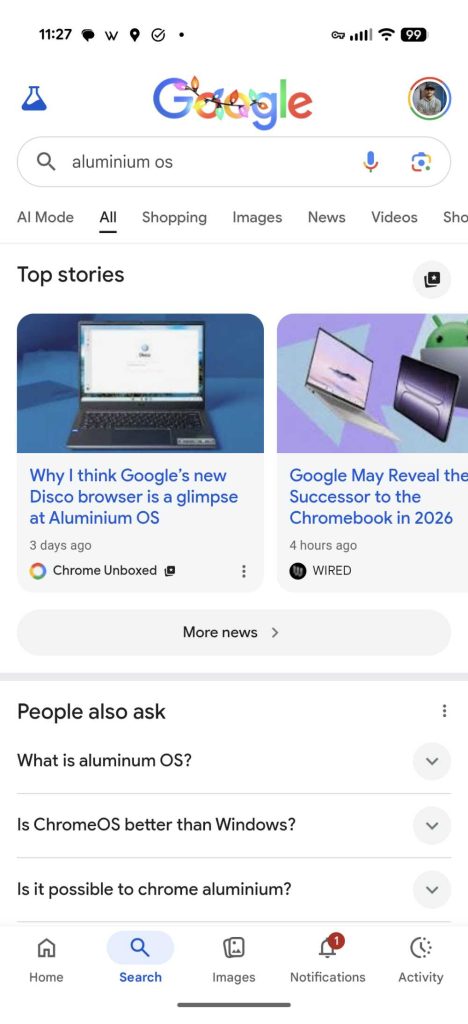
The feature is integrated directly into the Search results page. To access it:

  1. Search for a newsy topic (like “Aluminium OS”) on Google
  2. Locate the “Top Stories” carousel
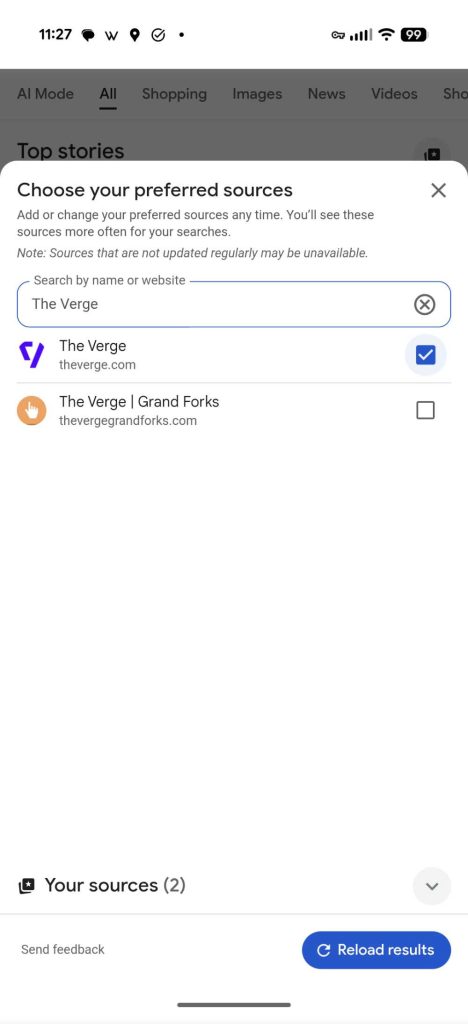
  3. Click the Star Icon or “Settings” button next to the header
  4. Search for your favorite sites and select them
You can also bypass the search results and add sites directly. If you’d like to prioritize our coverage, you can click here to add Chrome Unboxed as a Preferred Source. Just hit the checkmark next to our name to add us to your list.

Featured Videos

Xremove ads
the 7 best chromebooks of 2025

Subscription highlighting and AI updates

Alongside Preferred Sources, Google introduced two other updates focused on connecting users to trusted content. The company will soon begin highlighting links from news outlets you subscribe to (like The Washington Post or The Guardian) in a dedicated carousel, launching first in the Gemini app with AI Overviews and AI Mode to follow.

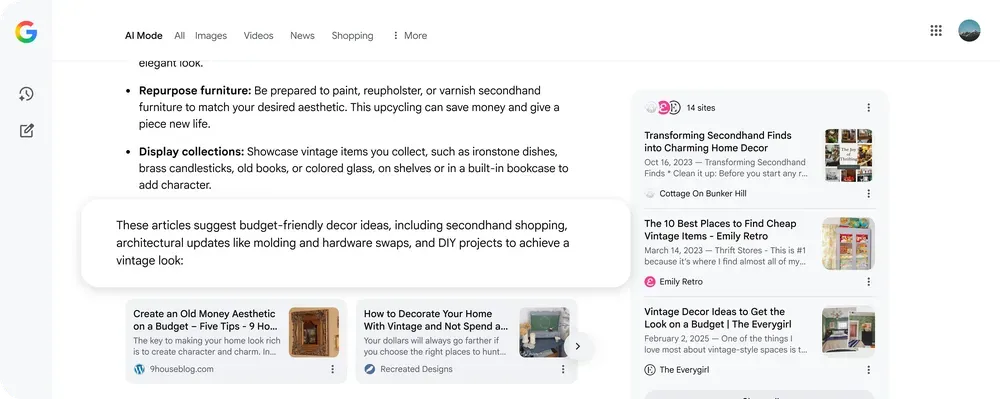
Additionally, Google is improving its “AI Mode” responses by increasing the number of inline links and adding “contextual introductions” that explain exactly why a specific source was cited, addressing ongoing concerns about attribution in AI-generated answers.
The “Preferred Sources” rollout begins today. If you don’t see the star icon yet, it should appear on your device within the coming days.

Xremove ads

SUBSCRIBE TO UPSTREAM

Get Chrome Unboxed delivered straight to your inbox

Upstream is our flagship, curated newsletter with the top stories, most click-worthy deals, giveaways, and trending articles from Chrome Unboxed sent directly to your inbox a few times a week. Join 31,000+ subscribers.

SUBSCRIBE HERE!

Filed Under: Google Search, News

About Joseph Humphrey

Joe has been a part of Chrome Unboxed since 2016 when he started helping Robby produce YouTube videos. Although normally behind the scenes, Joe has spent countless hours editing reviews and unboxings of many, many Chromebooks. Now a Partner in Unboxed Media, Joe is constantly thinking strategically about the Chromebook industry and how Chrome Unboxed can continue to innovate in the space.

Primary Sidebar

Xremove ads

Deals

Save $40 on the Google Pixel Watch 4 before the Spring Sale ends

By Joseph Humphrey
April 24, 2026

The best Chromebook deals today

By Robby Payne
April 20, 2026

Deal Alert: the excellent Lenovo Chromebook Plus 2-in-1 returns to $429

By Robby Payne
April 20, 2026

Lenovo Legion Tab Gen 3 drops to $399, ahead of the much pricier Gen 5 release

By Joseph Humphrey
April 18, 2026

How to get 50% off YouTube Premium for a full year with Google One

By Robby Payne
April 16, 2026

More Deals

Xremove ads

Reviews

Lenovo Chromebook Plus 2-in-1 Review: pretty great in a vacuum

By Robby Payne
April 23, 2026

Acer Chromebook Plus Spin 514 Review: Kompanio Ultra power in a convertible

By Robby Payne
December 24, 2025

My review after 6 weeks with the Lenovo Chromebook Plus 14 [VIDEO]

By Robby Payne
August 11, 2025

One week with the best small Android tablet you can buy, and I’m sold

By Robby Payne
May 9, 2025

Best Chromebooks of 2024 [VIDEO]

By Robby Payne
November 28, 2024

More Reviews

Xremove ads

Guides

This Chromebook trackpad shortcut is definitely not new, but is blowing my mind

By Robby Payne
March 11, 2024

How to reduce broadcast delay on YouTube TV to stop live spoilers

By Robby Payne
December 8, 2023

Windows PC keyboard and Chromebook

How to use a Windows keyboard with a Chromebook

By Joseph Humphrey
December 8, 2023

How reset and revert your Chromebook to the previous version of Chrome OS

By Robby Payne
November 29, 2023

My Chromebook Plus features disappeared: here’s how I fixed it

By Robby Payne
November 24, 2023

More Guides

TWITTER · FACEBOOK · INSTAGRAM · YOUTUBE · EMAIL · ABOUT

Copyright © 2026 · Chrome Unboxed · Chrome is a registered trademark of Google Inc.
We are participants in various affiliate advertising programs designed to provide a means for us to earn fees by linking to affiliated sites.

PRIVACY POLICY