
• Skip to main content
  • Skip to primary sidebar
  • Deals
  • Features
  • Guides
  • Chromebooks
  • Videos
  • Podcast
  • More +
    • Reviews
    • Unboxing
    • Upcoming Devices
    • Chromebook Plus
    • Chrome
    • ChromeOS
    • Chrome OS Flex
  • Search
  • Sign Up
  • Log In
Chrome Unboxed – The Latest Chrome OS News

Chrome Unboxed - The Latest Chrome OS News

A Space for All Things Chrome, Google, and More!

  • Deals
  • Features
  • Guides
  • Chromebooks
  • Videos
  • Podcast
  • More +
    • Reviews
    • Unboxing
    • Upcoming Devices
    • Chromebook Plus
    • Chrome
    • ChromeOS
    • Chrome OS Flex
  • Search
  • Sign Up
  • Log In

You can now cloud stream Resident Evil Village on Capcom’s website thanks to Google Stadia

June 10, 2022 By Michael Perrigo View Comments

Support our independent tech coverage. Chrome Unboxed is written by real people, for real people—not search algorithms. Join Chrome Unboxed Plus for just $2 a month to get an ad-free experience, access to our private Discord, and more. Learn more about membership here.
START FREE TRIAL (MONTHLY)START FREE TRIAL (ANNUAL)

“Immersive Stream for Games” – Google’s white-label version of its cloud streaming tech that literally runs Stadia is now in full swing powering third-party website experiences. Last year, it leaked out that Google was putting way more time toward it than the consumer-facing Stadia platform, and that made a lot of people mad.

It all began with a Batman game demo on AT&T’s website that didn’t list Stadia’s logo or name anywhere. It was later confirmed that this was, in fact, Stadia running the show, and the company revealed that it had plans to continue with these types of partnerships. In fact, it’s now stating that this was the plan all along and the way people are reading this is that Stadia itself was a stepping stone to its B2B efforts.

Xremove ads
https://twitter.com/ReidoBaggins/status/1534929006872731650

This could be interpreted as a backup plan in case the platform failed to directly appeal to gamers, but Google is directly saying that it’s always been aiming for a multi-faceted approach to the platform and its tools.

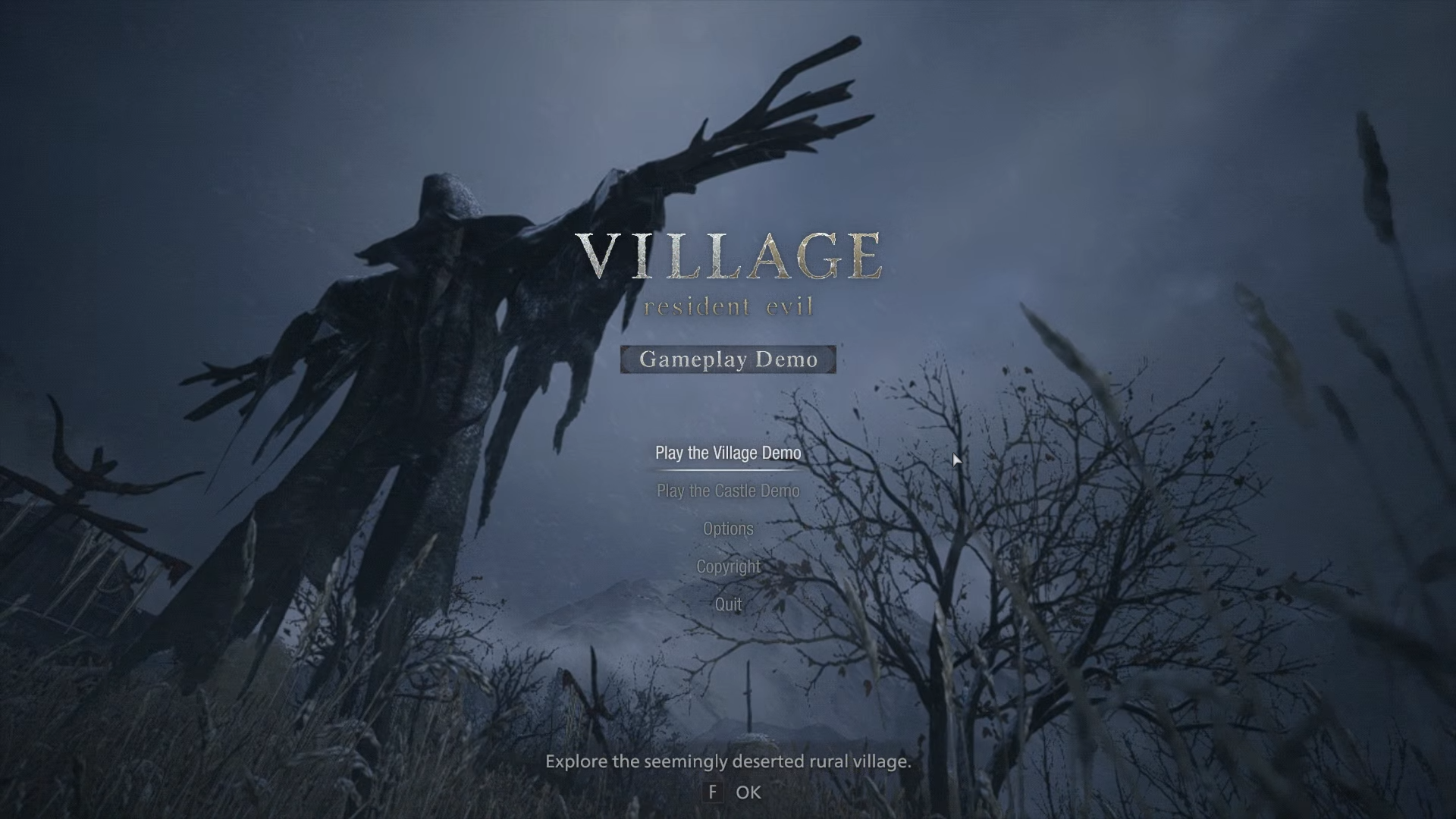
In a Keyword blog post, Google has teamed up with Capcom to bring gamers a Resident Evil Village gameplay demo with one-click streaming with no sign-up or commitment necessary. In it, you can explore the village and the castle. Before doing so, you’re met with a message reminding you that there is no save or load function in the demo – obviously. The goal of this is to reduce the barrier of entry for new users, excite more people about the game, and ultimately, convert visitors into sales.
Featured Videos

Xremove ads
PLAY NOW!

Experience survival horror like never before in the eighth major installment in the storied Resident Evil franchise – Resident Evil Village.

Set a few years after the horrifying events in the critically acclaimed Resident Evil 7 biohazard, the all-new storyline begins with Ethan Winters and his wife Mia living peacefully in a new location, free from their past nightmares. Just as they are building their new life together, tragedy befalls them once again.

Stadia Store

In the end, I’m just excited to see a future with one-click gameplay on any developer or publisher website I visit. I believe that the future of Stadia is bright regardless of which path it takes, and the fanbase loyal to the consumer end that get upset when they see Immersive Stream moving forward are missing the big picture – Stadia’s tech is here to stay in one shape or another.

Who cares how you play games so long as you play them? Now, if Google one day turned around and said that all of the games you’ve paid for are disappearing and you’ll have to go re-purchase them on the publisher’s website with Immersive Stream, then we’d have a problem! So in one sense, I understand fully the frustration when Google fails to tell everyone what exactly it’s planning, but on the other, I’m not too concerned, especially at this stage!

SUBSCRIBE TO UPSTREAM

Get Chrome Unboxed delivered straight to your inbox

Upstream is our flagship, curated newsletter with the top stories, most click-worthy deals, giveaways, and trending articles from Chrome Unboxed sent directly to your inbox a few times a week. Join 31,000+ subscribers.

Xremove ads
SUBSCRIBE HERE!

Filed Under: Gaming, New & Upcoming Features, News, Stadia, Updates

About Michael Perrigo

Known as "Google Mike" to his customers, Michael worked at Best Buy as a Chromebook Expert who dedicated his time to understanding the user experience from a regular Chromebook owner's perspective. Having spent nearly 20 years meeting you face-to-face, he strives to help you understand your technology through carefully crafted guides and coverage, relentlessly seeking out the spark in what's new and exciting about ChromeOS.

Primary Sidebar

Xremove ads

Deals

Massive Deal Alert: The Acer Chromebook Plus Spin 714 just hit an all-time low $499

By Robby Payne
April 1, 2026

The best Chromebook deals today

By Robby Payne
March 30, 2026

The Acer Chromebook Plus Spin 714 hits a new all-time low at $270 off

By Robby Payne
March 25, 2026

You can score $40 off Google’s battery-powered Nest Doorbell right now

By Joseph Humphrey
March 20, 2026

The touchscreen Lenovo Chromebook Slim 3 is a steal at under $200

By Robby Payne
March 16, 2026

More Deals

Xremove ads

Reviews

Acer Chromebook Plus Spin 514 Review: Kompanio Ultra power in a convertible

By Robby Payne
December 24, 2025

My review after 6 weeks with the Lenovo Chromebook Plus 14 [VIDEO]

By Robby Payne
August 11, 2025

One week with the best small Android tablet you can buy, and I’m sold

By Robby Payne
May 9, 2025

Best Chromebooks of 2024 [VIDEO]

By Robby Payne
November 28, 2024

Samsung Galaxy Chromebook Plus Review: Samsung is back! [VIDEO]

By Robby Payne
October 28, 2024

More Reviews

Xremove ads

Guides

This Chromebook trackpad shortcut is definitely not new, but is blowing my mind

By Robby Payne
March 11, 2024

How to reduce broadcast delay on YouTube TV to stop live spoilers

By Robby Payne
December 8, 2023

Windows PC keyboard and Chromebook

How to use a Windows keyboard with a Chromebook

By Joseph Humphrey
December 8, 2023

How reset and revert your Chromebook to the previous version of Chrome OS

By Robby Payne
November 29, 2023

My Chromebook Plus features disappeared: here’s how I fixed it

By Robby Payne
November 24, 2023

More Guides

TWITTER · FACEBOOK · INSTAGRAM · YOUTUBE · EMAIL · ABOUT

Copyright © 2026 · Chrome Unboxed · Chrome is a registered trademark of Google Inc.
We are participants in various affiliate advertising programs designed to provide a means for us to earn fees by linking to affiliated sites.

PRIVACY POLICY