


Support our independent tech coverage. Chrome Unboxed is written by real people, for real people—not search algorithms. Join Chrome Unboxed Plus for just $2 a month to get an ad-free experience, access to our private Discord, and more. Learn more about membership here.
START FREE TRIAL (MONTHLY)START FREE TRIAL (ANNUAL)
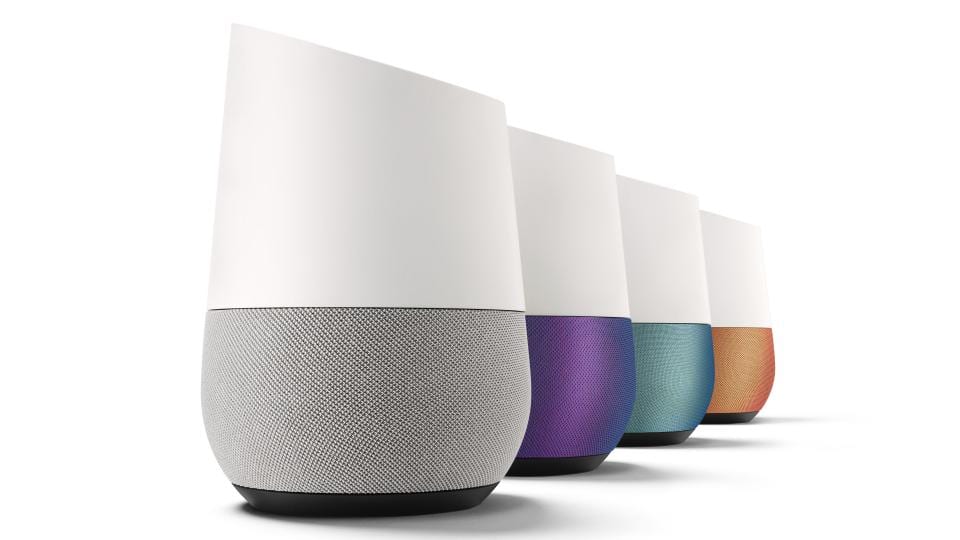 I bought a Google Home the day it came out, knowing full-well I was making what amounted to a Beta purchase. As time has passed, Google Home has become better at many things.
But, out of the blue a few weeks ago, it simply stopped responding to questions and commands.
The first instance was when I was out of town at CES. My wife said that she and my daughter would both ask Google Home varied questions, and instead of a response, the lights up top would simply spin and go out. Normally, if Google can’t come up with a response, it at least says so.
This was different. This was a complete lack of any response at all.
In my mind, I figured a hard reset might be needed and didn’t give it much more thought.
No Response
Once home, I was cooking something and asked Google to set a timer and…nothing. I asked a second time.
Again, no response.
So, I set a manual timer (1st world problems, right?) and went to check on the Google Home unit. Standing right over the device, I issued another simple request: how’s the weather?




Once again, the lights spun for a second, stopped and went dark. A factory reset was surely in order.
So, I held the mic button on the back for about 15 seconds. Google Home warns you that a full reset is about to happen and then reboots.
After going through the full setup process again via the Google Home app, I was confident everything would be back to normal.
Wrong. Even after a full factory reset, the same behavior was occurring.
So, I did what I do when I need to figure something out. I Googled it.
Crazy, But It Works
After about 30 minutes of searching, I came across a thread that claimed this issue wasn’t really software related at all.
You see, Google Home’s microphones are on the top. Apparently they can collect dust over time and block the device’s ability to clearly hear.
The post suggested going to https://myactivity.google.com/myactivity and finding your last Google Home entry. Be warned: this site keeps up with ALL of your Google activity. In the event you weren’t aware of how much data Google is keeping tabs on, you’ll see it all here.
Anyway, the idea is, if the audio from any Google Home interaction sounds broken or garbled, you have your culprit.
I started to dig through my activity and it was ridiculously long. It’s cool that you have the ability to delete all of it, but I had little interest in digging back far enough to hear my last request.
Instead, I just followed the advice for the fix: blow in the microphone holes.
Yep, you read that right. Just like an old Nintendo, I picked up the device and blew a few times in each mic hole and tried my commands again.
And you know what? Our Google Home has worked flawlessly ever since.
It’s the simple things sometimes, right? Hope this helps some of you!

