

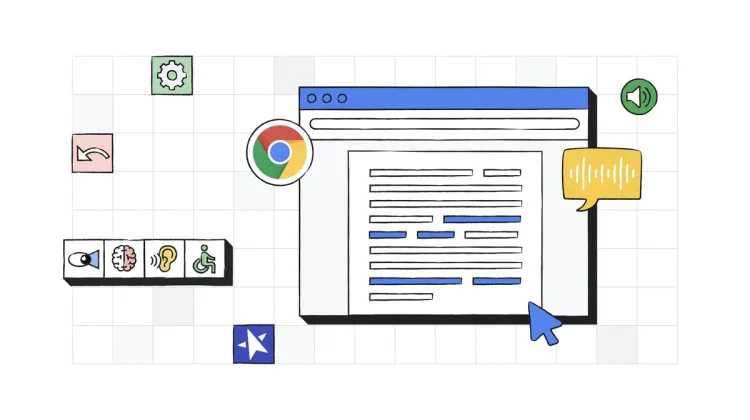
Global Accessibility Awareness Day (GAAD) is an important reminder of the ongoing work needed to make technology accessible and empowering for everyone. This year, Google is taking the opportunity to shine a spotlight on a range of valuable accessibility features built right into Chromebooks and the Chrome browser. These tools, often already at users’ fingertips, play a crucial role in creating more inclusive digital environments, especially in education.
With that in mind, Google’s posts have been less about a flood of brand new things and more about highlighting the robust suite of existing capabilities that make ChromeOS and the Chrome browser a great platform for users with diverse needs. Let’s take a look at some of the key features Google is emphasizing.
Visual clarity and navigation
Making screen content easier to see and interact with is fundamental, and Chromebooks offer several built-in options:
- A core feature is the Magnifier, which allows users to zoom in on their screen to see content more easily. This system-level tool can make a big difference for those who need elements enlarged for better visibility.
- Within the Chrome browser itself, Google is highlighting updated Page Zoom settings. These controls make it simpler for users to save and manage their preferred zoom levels for different websites, helping to customize the viewing experience for text and other content without necessarily disrupting the site’s layout. This is particularly helpful for users with low vision.
- Color Correction tools are also available, enabling users to adjust screen colors or switch to grayscale. This can significantly improve content clarity for individuals with various types of color vision deficiencies.
Enhancing reading and document access
For text-heavy content and documents, Chrome and ChromeOS provide support to make information more accessible:
- Reading Mode in Chrome is designed to offer a customizable reading experience. As Google notes, it includes a text-to-speech feature called “read aloud” that uses natural-sounding voices, allowing users to simultaneously read and listen to web content. This is especially valuable for students with reading differences or anyone who benefits from auditory reinforcement.
- Accessing information within PDFs is also getting attention. The Chrome browser on desktop (which forms the basis of the Chromebook experience) includes an image-to-text capability (OCR). This allows Chrome to extract text from scanned PDFs that might otherwise be inaccessible. Users can then highlight, copy, and search this text, and importantly, screen readers can read these documents aloud.
Support for auditory needs and alternative inputs
Beyond visual and reading aids, ChromeOS includes features for different ways of interacting and understanding:
- Live Captions provide real-time captions for any audio playing on the Chromebook. This is an invaluable tool for users who are deaf or hard of hearing, or for anyone trying to follow along in a noisy environment.
- For alternative navigation, Google has recently introduced Face Control on Chromebooks, which allows users to navigate their device using facial gestures. This kind of hands-free control can be a game-changer for individuals with motor impairments.
Broader accessibility innovations
While not a current built-in ChromeOS feature, Google also used GAAD to highlight that Project Gameface – its initiative for controlling a computer cursor with head movements and facial gestures – is now open source. This move aims to foster wider innovation in alternative input methods, which could certainly benefit the broader accessibility ecosystem that Chromebooks are a part of.
The great thing about these tools is that they are integrated into ChromeOS and the Chrome browser, readily available in the Accessibility settings. Google’s focus this GAAD seems to be on ensuring users are aware of and can leverage these powerful, often existing, features to tailor their Chromebook experience to their specific needs. It’s a good reminder that thoughtful accessibility design benefits everyone, and it’s encouraging to see Google continue to emphasize these essential tools that make Chromebooks a more versatile and inclusive platform.
Join Chrome Unboxed Plus
Introducing Chrome Unboxed Plus – our revamped membership community. Join today at just $2 / month to get access to our private Discord, exclusive giveaways, AMAs, an ad-free website, ad-free podcast experience and more.
Plus Monthly
$2/mo. after 7-day free trial
Pay monthly to support our independent coverage and get access to exclusive benefits.
Plus Annual
$20/yr. after 7-day free trial
Pay yearly to support our independent coverage and get access to exclusive benefits.
Our newsletters are also a great way to get connected. Subscribe here!
Click here to learn more and for membership FAQ

