


Support our independent tech coverage. Chrome Unboxed is written by real people, for real people—not search algorithms. Join Chrome Unboxed Plus for just $2 a month to get an ad-free experience, access to our private Discord, and more. Learn more about membership here.
START FREE TRIAL (MONTHLY)START FREE TRIAL (ANNUAL)
In recent memory, Google Docs gave you a bunch of extra control over formatting by letting you view non-printing characters, toggle page numbers and default styles, indent headers based on levels and more. Now, it’s adding numbers for every line of the document (which can be toggled as well) to help you and your collaborators better reference what specific line needs to be brought to attention for edits.
Obviously, using the editing mode instead of ‘viewing’ and leaving comments all help with this, but on lengthy and complex content, sometimes saying “Hey, go fix that issue on line 36 before we submit this!” can go a long way to cutting out the extra work of scanning the page for something highly specific.
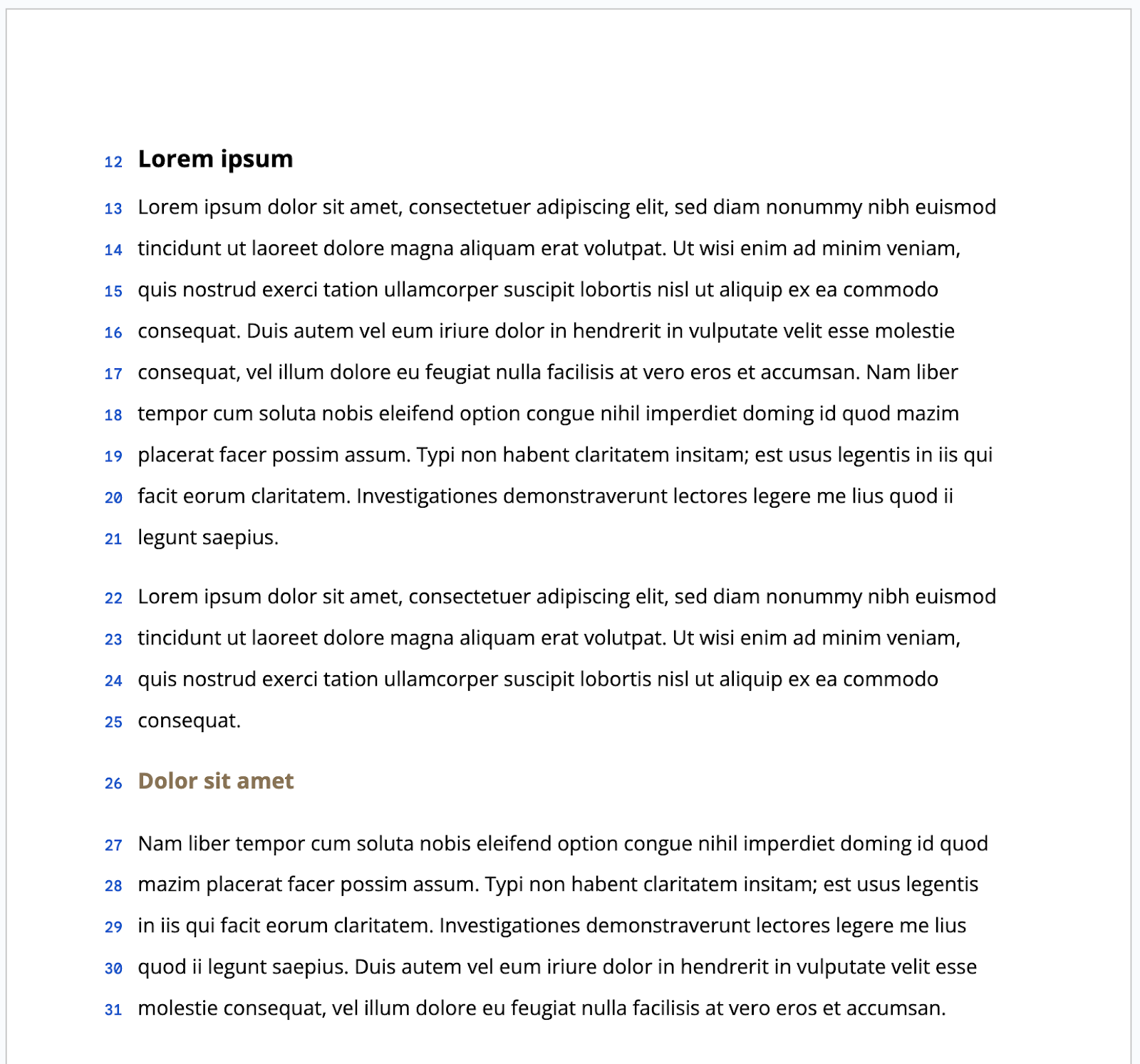
Google says the numbers are automatically calculated next to each line of the document, and can be set up for the entire document or a specific page or section only. They’re also preserved if you send them to the printer, which is a nice addition. To enable line numbers, just go to the “Tools” section of the top navigation in a document and then go to “Line numbers” and click “Show line numbers”.
Anyone with a Rapid Release domain can use this starting today, and a full rollout will occur over the next few weeks. As usual, anyone with a Scheduled Release domain will see the new feature within the two weeks following August 7, 2023. I’m happy to report that this is yet another feature that Google is giving absolutely everyone, regardless of their Workspace license or if they have a free account!
SUBSCRIBE TO UPSTREAM
Get Chrome Unboxed delivered straight to your inbox
Upstream is our flagship, curated newsletter with the top stories, most click-worthy deals, giveaways, and trending articles from Chrome Unboxed sent directly to your inbox a few times a week. Join 31,000+ subscribers.

