


Support our independent tech coverage. Chrome Unboxed is written by real people, for real people—not search algorithms. Join Chrome Unboxed Plus for just $2 a month to get an ad-free experience, access to our private Discord, and more. Learn more about membership here.
START FREE TRIAL (MONTHLY)START FREE TRIAL (ANNUAL)
If you’re familiar with the Google Docs editing experience on Android either on your phone or tablet, you’ll know that it’s kind of annoying. Instead of tapping a document to open it and begin editing, you’re forced to open it and then to tap a pencil icon at the bottom right in order to start editing.
Worse still, the editing cursor will start up wherever you tapped while in preview mode. It’s super weird and makes no sense at all, but it’s been the case since the FAB (Floating Action Button) was introduced. However, according to a new Google Workspace Update blog post, this entire step is being cut out to help you get to your editing a bit quicker. That’s right, you’ll be placed directly into editing mode for now on!
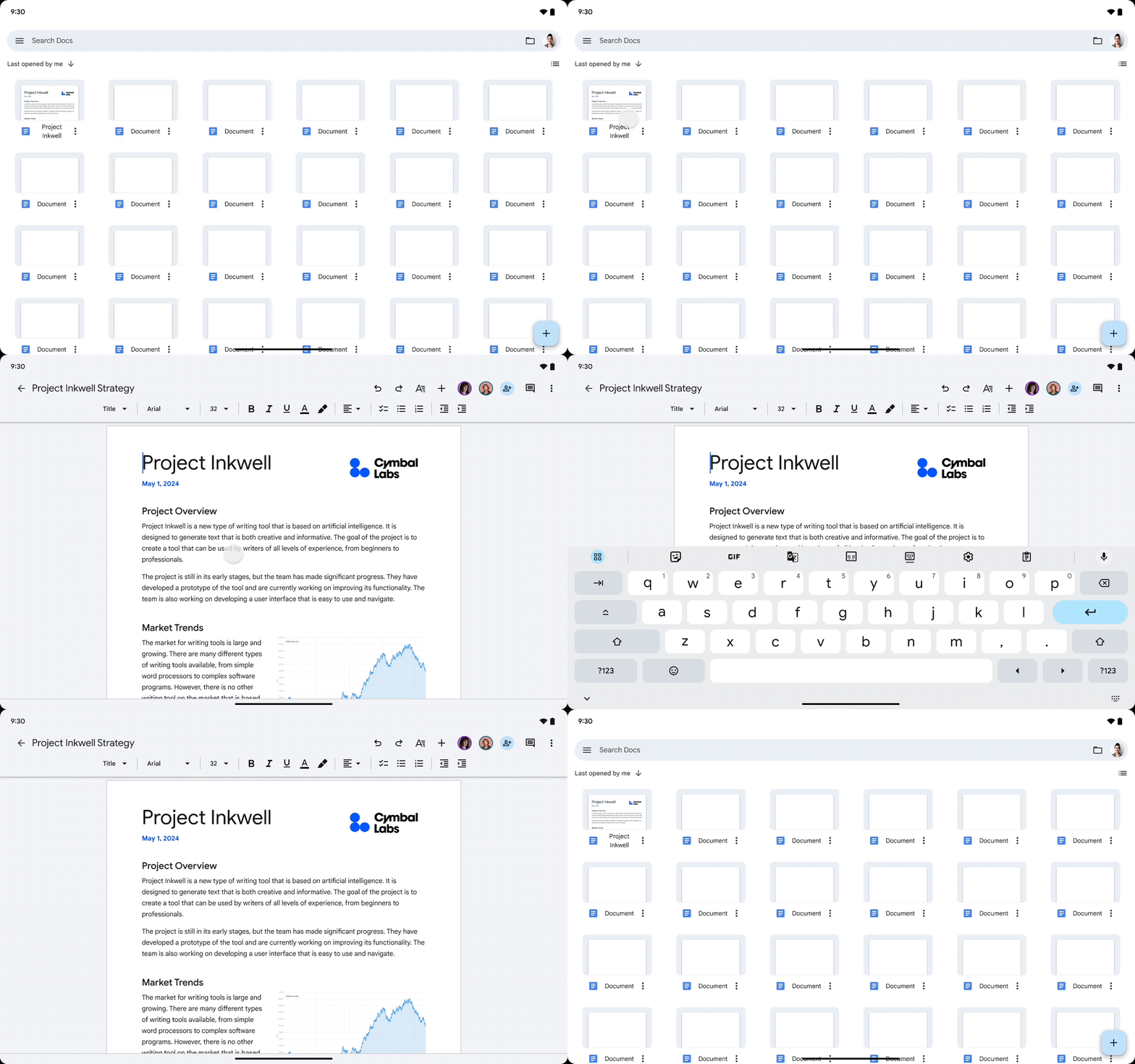
Additionally, the editing toolbar (the ‘Ribbon’ for you Microsoft Office alumni) will show more prominently and tapping the screen, which has an immediately visible I-Beam cursor, will pop open your on screen keyboard without hassle.
It’s a simple fix, but quite honestly, it makes all the difference in the world when it comes to rapidly jumping in and out of Docs to make quick edits. This very same update was brought straight to Google Sheets and Slides just a week prior, so now at least the three core editing tools have an improved workflow.
SUBSCRIBE TO UPSTREAM
Get Chrome Unboxed delivered straight to your inbox
Upstream is our flagship, curated newsletter with the top stories, most click-worthy deals, giveaways, and trending articles from Chrome Unboxed sent directly to your inbox a few times a week. Join 31,000+ subscribers.

