

• Skip to main content
  • Skip to primary sidebar
  • Deals
  • Features
  • Guides
  • Chromebooks
  • Videos
  • Podcast
  • More +
    • Reviews
    • Unboxing
    • Upcoming Devices
    • Chromebook Plus
    • Chrome
    • ChromeOS
    • Chrome OS Flex
  • Search
  • Sign Up
  • Log In
Chrome Unboxed – The Latest Chrome OS News

Chrome Unboxed - The Latest Chrome OS News

A Space for All Things Chrome, Google, and More!

  • Deals
  • Features
  • Guides
  • Chromebooks
  • Videos
  • Podcast
  • More +
    • Reviews
    • Unboxing
    • Upcoming Devices
    • Chromebook Plus
    • Chrome
    • ChromeOS
    • Chrome OS Flex
  • Search
  • Sign Up
  • Log In

Google Docs adds support for inline Emojis

August 31, 2022 By Johanna Romero View Comments

Image of a google doc with inline emoji being inserted

Support our independent tech coverage. Chrome Unboxed is written by real people, for real people—not search algorithms. Join Chrome Unboxed Plus for just $2 a month to get an ad-free experience, access to our private Discord, and more. Learn more about membership here.
START FREE TRIAL (MONTHLY)START FREE TRIAL (ANNUAL)

This year Google has been on a mission to incorporate emojis in all their applications. From figuring out a workaround to show iPhone message reactions as emojis on Android to adding Emoji reactions to apps like Google Meet and Google Docs, Google has made its position known on whether emojis should be part of our everyday conversation and writing style.

The company is once again emojifying one of its apps by adding support for inline emojis in Google Docs. This feature builds upon the emoji reaction feature, where you could express your opinions about a document’s content in the doc comments, except now it will actually be part of the document. It will work by either directly allowing you to define the emoji you want to use or letting you search for it and select it from a dropdown list.
Xremove ads
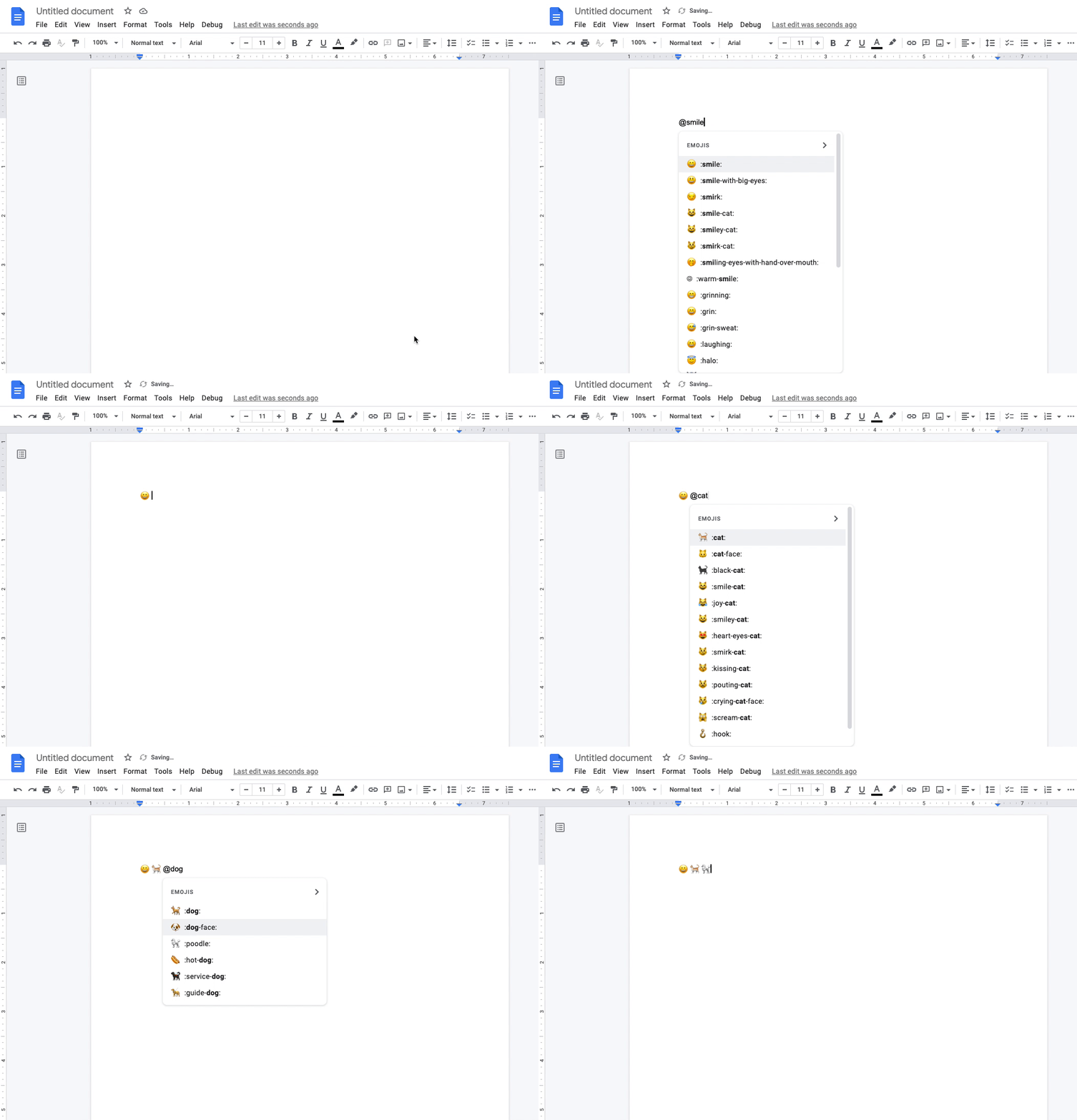
Animated GIF demonstrating how to directly insert an emoji in Google Docs
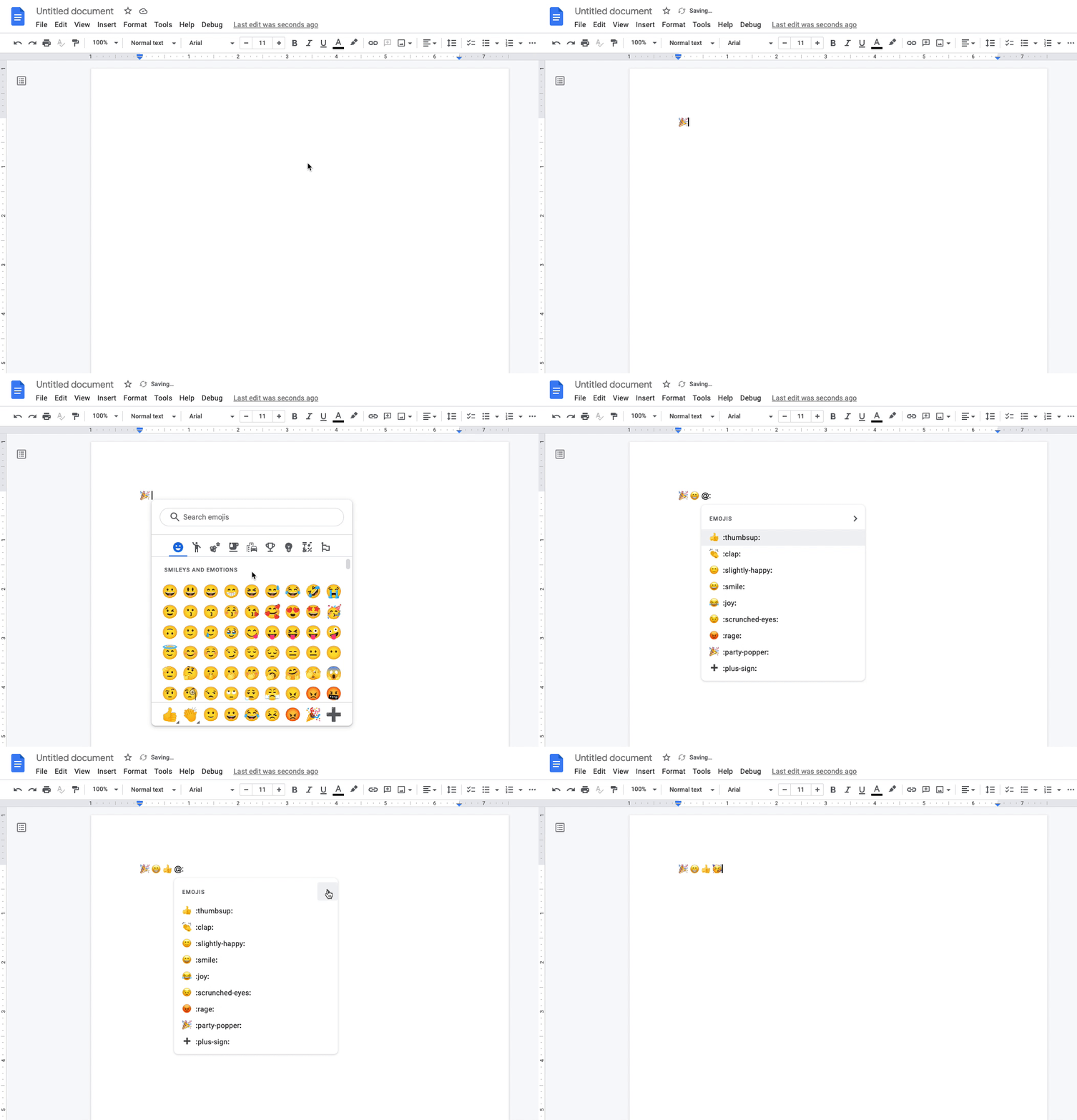
Animated GIF demonstrating how to search an emoji in Google Docs and selecting it from the drop-down

You can add an emoji in Google Docs by typing “@” followed by the emoji’s name or by following it with a “:” to see a dropdown list of emojis to choose from. Inline emojis will be available to all Google Workspace customers and users with personal Google Accounts and began rolling out on August 29th to Rapid Release domains. Scheduled Release domains will start to see this feature on September 12th. However, both release tracks will have a two-week gradual rollout period.

This feature was launched as part of the planned releases Google has for its applications this year, some of which are still in development. It’s good to see Google Apps evolving and implementing new features that align with users’ wants. In the case of emojis, it’s apparent that they have become a very important part of how we communicate, especially in this age of hybrid work where you may not get to see your co-workers or loved ones’ faces and a smiley face in a document may be the best way to show that you are wishing someone a nice day.

Featured Videos

Xremove ads

SUBSCRIBE TO UPSTREAM

Get Chrome Unboxed delivered straight to your inbox

Upstream is our flagship, curated newsletter with the top stories, most click-worthy deals, giveaways, and trending articles from Chrome Unboxed sent directly to your inbox a few times a week. Join 31,000+ subscribers.

SUBSCRIBE HERE!

Filed Under: Workspace Tagged With: google docs, google workspace

Primary Sidebar

Googlebook

Fresh Lenovo Googlebook Duet m leak shows detached Bluetooth keyboard switch

By Robby Payne
September 25, 2026

Google’s classic ‘Text’ app is now an Android app for Googlebook on the Play Store

By Robby Payne
September 24, 2026

Why we can now rule out hardware or software bugs for the missing Lenovo Duet m

By Robby Payne
September 24, 2026

Best Buy is giving away free Pixel Buds 2a with any Googlebook pre-order

By Robby Payne
September 23, 2026

Every new Googlebook includes nearly $600 in free software perks

By Robby Payne
September 23, 2026

More Googlebook

Xremove ads

Deals

The best Chromebook deals today

By Robby Payne
September 2, 2026

The best Chromebook ever made is $350 off at Best Buy right now

By Robby Payne
August 21, 2026

The excellent, powerful Acer Chromebook Plus Spin 514 is $150 off right now

By Robby Payne
August 12, 2026

Acer’s new Chromebook 315 is wildly affordable and points to the real future of Chromebooks

By Robby Payne
August 11, 2026

You can score the massively upgraded ASUS CX54 Chromebook Plus for just $599 right now

By Joseph Humphrey
July 28, 2026

More Deals

Xremove ads

Reviews

Acer Chromebook Plus Spin 514 Review: the best convertible you can buy [VIDEO]

By Robby Payne
July 1, 2026

Lenovo Chromebook Plus 2-in-1 Review: pretty great in a vacuum

By Robby Payne
April 23, 2026

My review after 6 weeks with the Lenovo Chromebook Plus 14 [VIDEO]

By Robby Payne
August 11, 2025

One week with the best small Android tablet you can buy, and I’m sold

By Robby Payne
May 9, 2025

Best Chromebooks of 2024 [VIDEO]

By Robby Payne
November 28, 2024

More Reviews

Xremove ads

TWITTER · FACEBOOK · INSTAGRAM · YOUTUBE · EMAIL · ABOUT

Copyright © 2026 · Chrome Unboxed · Chrome is a registered trademark of Google Inc.
We are participants in various affiliate advertising programs designed to provide a means for us to earn fees by linking to affiliated sites.

PRIVACY POLICY