

Support our independent tech coverage. Chrome Unboxed is written by real people, for real people—not search algorithms. Join Chrome Unboxed Plus for just $2 a month to get an ad-free experience, access to our private Discord, and more. Learn more about membership here.
START FREE TRIAL (MONTHLY)START FREE TRIAL (ANNUAL)
Samsung officially kicked off its summer Galaxy Unpacked event in London today, unveiling its latest flagship foldables—the Galaxy Z Fold8 Ultra, Fold8, and Flip8—alongside new wearables. While hardware always takes center stage, Google took the opportunity to highlight how deeply integrated Gemini Intelligence is becoming across the broader Android ecosystem.
According to a new post on News from Google, Google detailed three major software and AI milestones coming to Samsung’s newest lineup and beyond.
Expanded task automation powered by Gemini
Back in February, Google introduced a beta feature allowing users to delegate simple tasks to Gemini. Today, Google is significantly ramping up those capabilities by expanding support from a small test group to over 40 popular third-party apps.
Users can now hand off multi-step “life admin” chores like ordering food delivery, booking travel, securing event tickets, or making dinner reservations and let Gemini do the heavy lifting in the background. On the new Galaxy Z Flip8, you can even trigger task automation directly from the outer Flex Window by long-pressing the power button.
Additionally, Gemini can now use advanced reasoning to analyze what is on your screen or parse complex images as prompts (like extracting items from a hand-written shopping list photo). While Gemini works through the steps, you can track its progress live, multitask in other apps, or fold your device shut. Gemini will notify you when everything is staged and ready for your final review and confirmation.
Gemini Notebook comes preinstalled on new foldables
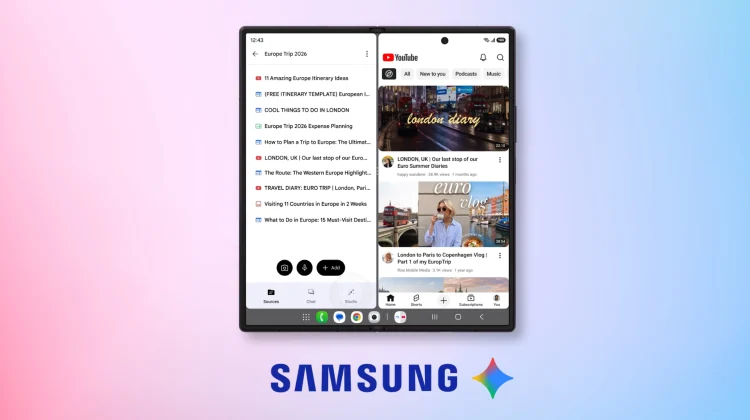
Google just recently announced the rebranding of its popular research tool, NotebookLM, to Gemini Notebook. As part of that new branding, the app will come preinstalled directly on Samsung’s new Galaxy Z Fold8 series.
Designed to take full advantage of the Fold8’s expansive inner display, Gemini Notebook allows users to drag and drop photos, documents, whiteboard snapshots, and voice recordings into a side-by-side workspace. From there, you can ask questions about your sources or instantly convert your research into custom slide decks, study flashcards, quizzes, or Audio Overviews.
To sweeten the deal, Google is bundling a six-month trial of Google AI Pro with every Galaxy Z Fold8 Ultra, Fold8, and Flip8 purchase, unlocking full access to advanced multimodal tools.
Gemini expands to watches and smart glasses
Beyond phones, Google is pushing Gemini into new wearable form factors. On the new Galaxy Watch 9, users can now activate Gemini simply by raising their wrist – no wake word required.
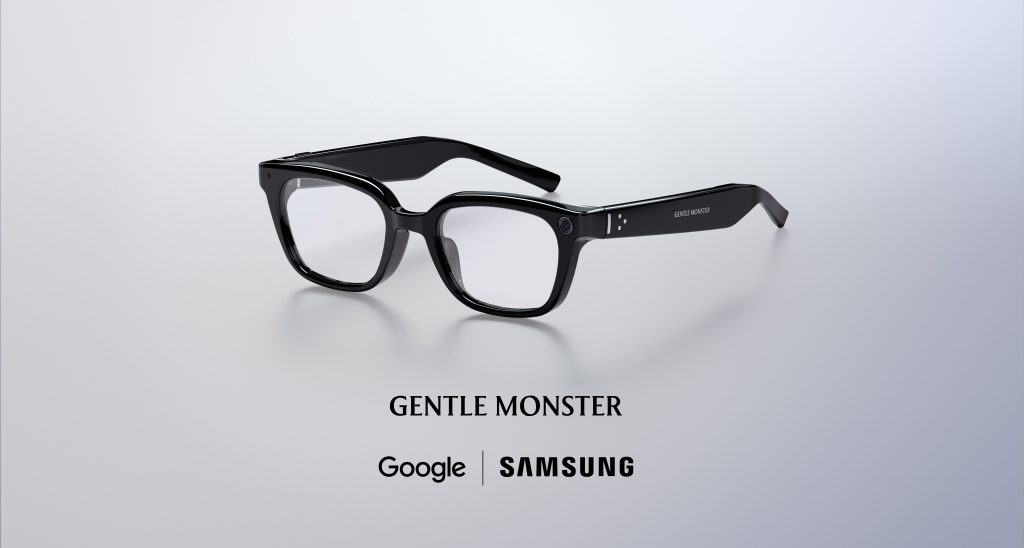

Google also shared a fresh update on its upcoming smart glasses ecosystem created in partnership with Samsung. Following the initial teasers at Google I/O 2026, Google revealed new frame designs from Gentle Monster and Warby Parker, set to launch this fall. Interestingly, Google demonstrated that users wearing a compatible Wear OS watch will even be able to control their Gemini-powered smart glasses using simple hand gestures.
SUBSCRIBE TO UPSTREAM
Get Chrome Unboxed delivered straight to your inbox
Upstream is our flagship, curated newsletter with the top stories, most click-worthy deals, giveaways, and trending articles from Chrome Unboxed sent directly to your inbox a few times a week. Join 31,000+ subscribers.

