


Support our independent tech coverage. Chrome Unboxed is written by real people, for real people—not search algorithms. Join Chrome Unboxed Plus for just $2 a month to get an ad-free experience, access to our private Discord, and more. Learn more about membership here.
START FREE TRIAL (MONTHLY)START FREE TRIAL (ANNUAL)
Not everyone views or uses data the same way. For instance, many simply consume the things they come across. Others consume it, process that data, and then create something from it by combining many pieces of information as fuel for their imagination. Others still – those seen as “librarians” of knowledge love to collect and organize it in order to maximize its usefulness.
You’ll see services like Deepstash cater to these types of individuals for quotes, articles, videos, and more. While Google does have Collections for this very reason, it’s not all-encompassing or useful for the to-do items, calendar events, relationships, and more in your life. Instead, it’s strictly confined to those things you consume or collect in order to be inspired.
Building a second brain
That’s why I’ve been so excited about Google’s work on “Assistant Memory“. The unreleased service seems to combine Collections, Google Assistant, Chrome’s Reading list, and more into one place where you can build a second brain using the company’s services as a core.
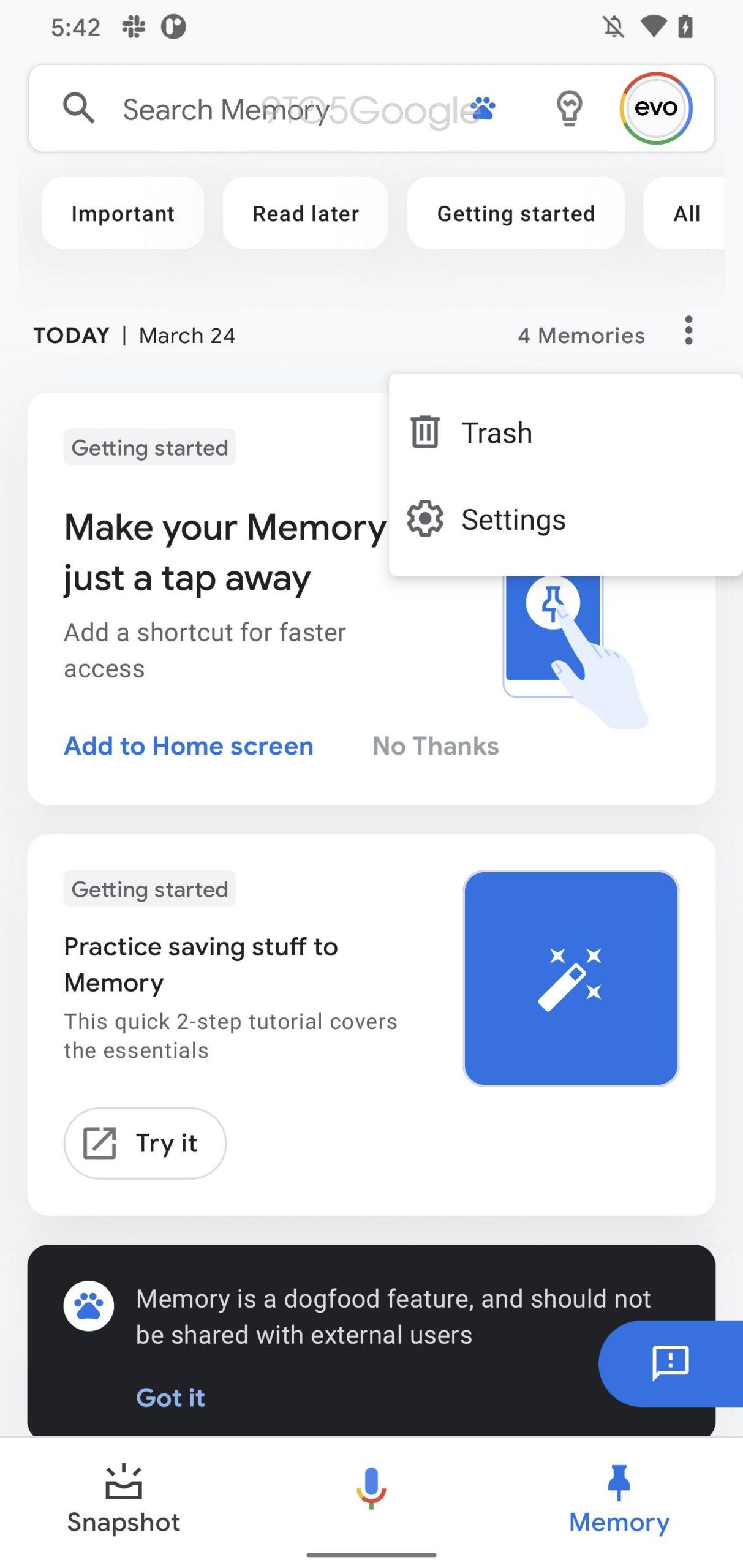

With Google laying off thousands of employees, slowing the development of Google Assistant, and even giving it fewer resources, as well as its shut down of Assistant location reminder settings, I’ve been worried about Memory’s development. Earlier this week, I happened upon an article from 9to5Google that was posted many months ago regarding the service’s lack of development, and was horrified.
This had flown under my radar, but the news itself was more devastating. While we’ve yet to see what Assistant Memory is fully capable of or whether or not it would be a success, I think that should its development stall end up being true, users will have suffered a major blow to the power of the company’s productivity suite.
Assistant Memory is more important than you’d think
You see, Assistant Memory was filling in a major gap in Google’s grand plan to make all of its tools useful and interconnected. In much the same way that Google+ sought to be the social spine for many of its services, I believe that Assistant Memory could be the glue that binds Assistant, Collections, Chrome, and more.
Many of these tools make sense as standalone features, but by interweaving them and bearing the burden of remembering and recalling pertinent information when relevant, Google would be directly responsible for leveling up its user’s brains and potential like never before. I’ve already spoken about how Google Assistant itself is a whole lot less intelligent than I once thought, but this really puts a nail in that coffin.
The company takes plenty of opportunities across the board to remind you of what you need to do and when, but much of it quickly becomes an overwhelming white noise. Assistant Memory could be the one centralized location where drinking from the firehose of information across Calendar, Gmail, Chrome, Keep, YouTube, and pretty much everything else becomes manageable. Truly, technology can become so “useful” that it ends up being paralyzing, so condensing this all down and spoon-feeding it to users makes more sense than you’d probably think.
The future is a mystery
If Assistant Memory is, in fact, dead, I’m going to pour one out for the one thing I was excited about going into 2023. My hope is that with the shift in strategy and the resource management choices Google has had to make to compensate for the many layoffs being so drastic, that development was only temporarily halted in order to make sense of the madness that was the end of 2022.
Google app version 13.25, which is currently in the beta channel, deletes the vast majority of strings related to Memory, which was codenamed “stash.” Such a removal is usually a sign that Google has abandoned a feature.
9to5Google
We’ve already lost useful services like Schemer, Assistant Snapshot, and more, and Memory looked to be an effort to carry on the spirit of those efforts past. According to 9to5Google, much of the code related to your account “stash” or Assistant Memory itself has been deleted as of version 13.25 of the Google app (this past July), which could point to things taking a turn for the worst.
Luckily, this could also mean that Memory is moving its code base to a more dedicated experience, or that the development team is trying to throw us off of their scent. Either way, I hope that we see more of this tool in 2023, and I hope that by expressing my interest, Google realizes how valuable and important such a feature or app can be to the overall user experience.
SUBSCRIBE TO UPSTREAM
Get Chrome Unboxed delivered straight to your inbox
Upstream is our flagship, curated newsletter with the top stories, most click-worthy deals, giveaways, and trending articles from Chrome Unboxed sent directly to your inbox a few times a week. Join 31,000+ subscribers.

