

Support our independent tech coverage. Chrome Unboxed is written by real people, for real people—not search algorithms. Join Chrome Unboxed Plus for just $2 a month to get an ad-free experience, access to our private Discord, and more. Learn more about membership here.
START FREE TRIAL (MONTHLY)START FREE TRIAL (ANNUAL)
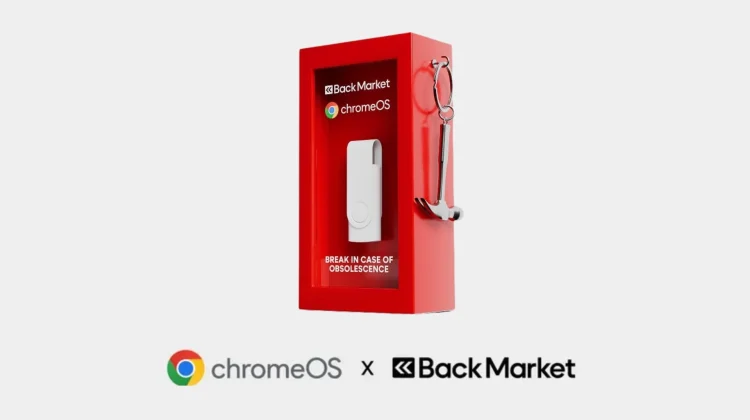
I recently covered Google’s partnership with Back Market to produce $3 ChromeOS Flex USB kits that sold out instantly and then just came back in stock. On the surface, these simple physical drives just provide a straightforward path to install ChromeOS Flex on aging hardware, particularly for users with machines left vulnerable by the end of Windows 10 support. But I think there’s more to the story here. Beyond the environmental and practical benefits here, I think this partnership sends a distinct message about the broader ChromeOS ecosystem.
With the recent introduction of Googlebook—a new category of premium laptops—there has been some understandable uncertainty regarding the future of traditional Chromebooks. However, by producing and distributing these $3 USB kits, I think it shows that Google is actively investing in the expansion and accessibility of ChromeOS. And this hardware initiative aligns directly with Google’s recent commitment to providing 10 years of automatic updates for Chromebooks, ensuring that current devices will remain secure, functional, and supported.
And to be clear, this isn’t just speculation, either. Bryan Lee, VP of ChromeOS Enterprise Go-to-Market, explicitly reaffirmed this long-term strategy, stating:
Chromebooks have become an invaluable tool for educational institutions, businesses, and consumers throughout the globe, bringing powerful features, security, and simple-to-use management tools for commercial users. We absolutely intend to continue investing in those experiences and supporting those users. We’re excited for the upcoming Chromebooks in the pipeline. And of course, all Chromebooks will continue to receive support through their device’s existing date commitment, and many Chromebooks will be eligible to transition to the new experience. We’ll share more details closer to launch.
The broader takeaway here is that while the arrival of the Googlebook marks an exciting premium shift for Google’s computing ecosystem, it represents an expansion rather than an exit strategy. The existing hardware on shelves and in users’ hands isn’t suddenly entering a forced obsolescence phase. I think Google is essentially playing a dual strategy here: pushing boundaries at the high end with new Gemini-infused experiences, while still safeguarding the value of standard ChromeOS hardware.
By distributing these ChromeOS Flex kits in partnership with Back Market, Google is actively lowering the barrier to entry and continuing to grow the platform’s user base across education, enterprise, and standard consumer sectors. It’s become clear to me that the evolution into the Googlebook era represents an expansion of what Google’s computing hardware can achieve, rather than a pure replacement of the foundational ChromeOS experience that millions of users rely on today.
SUBSCRIBE TO UPSTREAM
Get Chrome Unboxed delivered straight to your inbox
Upstream is our flagship, curated newsletter with the top stories, most click-worthy deals, giveaways, and trending articles from Chrome Unboxed sent directly to your inbox a few times a week. Join 31,000+ subscribers.

