


Support our independent tech coverage. Chrome Unboxed is written by real people, for real people—not search algorithms. Join Chrome Unboxed Plus for just $2 a month to get an ad-free experience, access to our private Discord, and more. Learn more about membership here.
START FREE TRIAL (MONTHLY)START FREE TRIAL (ANNUAL)
Google is now bringing its awesome Calendar Scheduling feature to everyone, making it easier than ever to set up one-off meetings or grab coffee with a friend. This update builds on the appointment scheduling functionality that was initially announced in 2021 for Google Workspace Individual subscribers.
Appointment Scheduling has let businesses create shareable booking pages integrated with their Google Calendar so that their customers or clients could book time with them while taking into account their existing schedule. Think ‘Calendly’, but from Google, basically. The feature automatically checks the availability of the business, letting people only book appointments on open schedule slots. It also offers options to add buffers or set a maximum number of appointments per day, helping to manage time effectively.
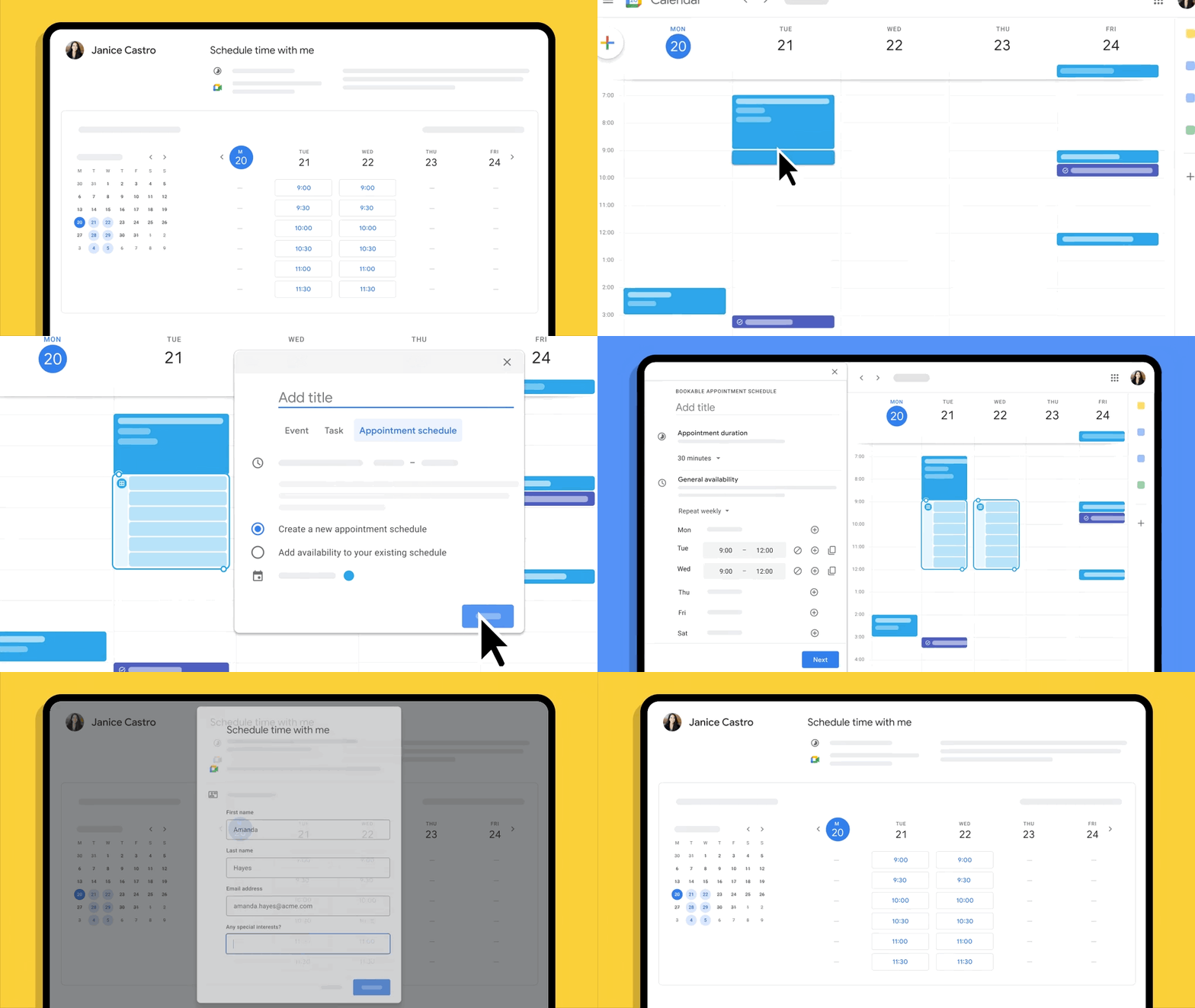
Now that this is expanding to personal Google account users as well, it means that you can create your own booking page (one per individual) so you can accept bookings for consultations, appointments, or meetings with customers, partners, friends, and even family, if you’re so inclined. I personally just think it’s pretty cool that it’s now a tool that goes beyond the workplace, letting make yourself available (or unavailable) in your personal or professional life.
You should see this roll out at some point in the next few weeks, but let me know in the comments how you’ll make use of it. If you run a small businesses and need a few extra features like unlimited booking pages, automated email reminders for bookers, checking multiple calendars for availability instead of just the one, and verifying booker emails, you should still look into paying for a Workspace license. Luckily, the aforementioned premium features will also be accessible through Google One Premium plans for personal use, starting today.
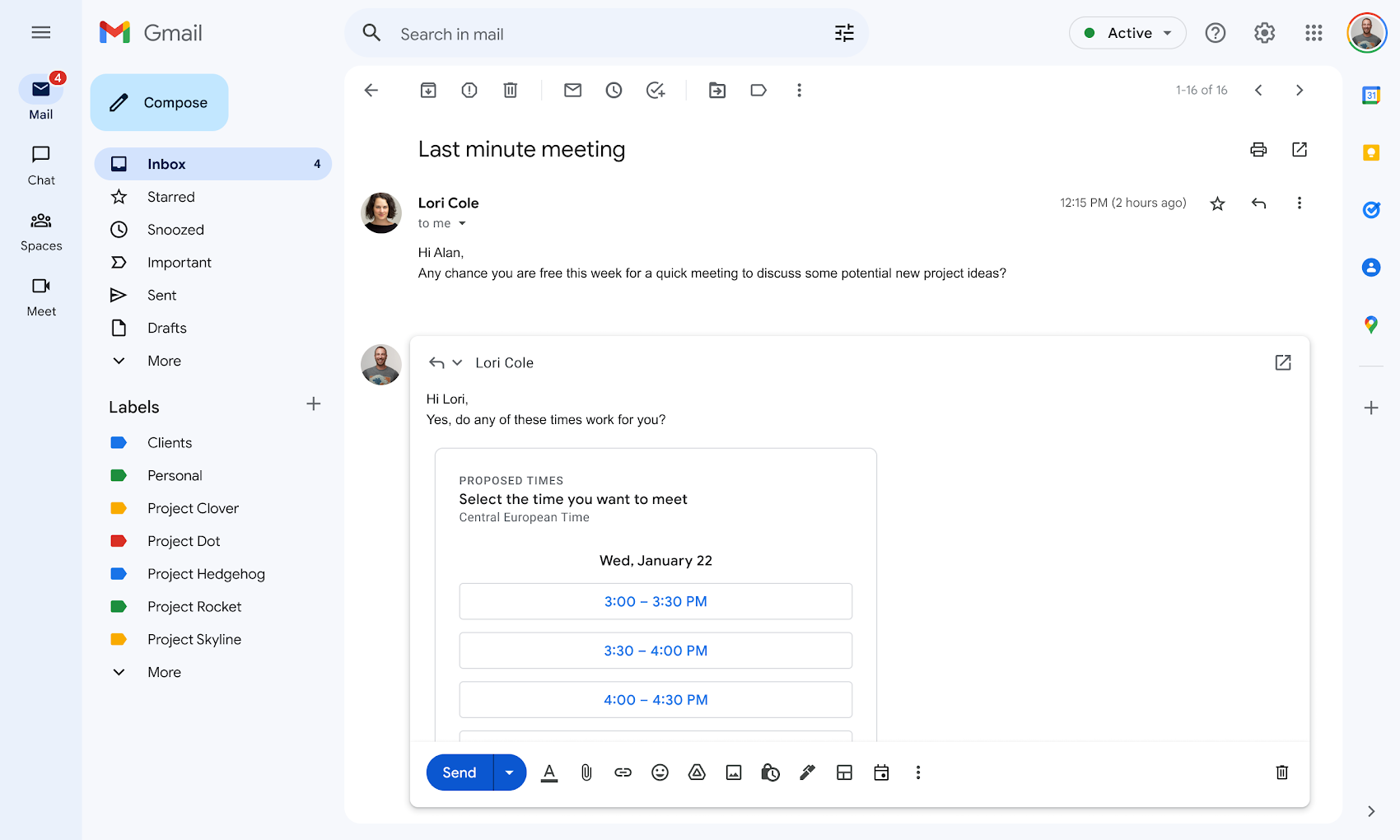
Lastly, and quite frankly, the best feature, in my opinion, is proposed meeting times from Calendar appearing right in Gmail via the compose menu. With this, you can click a single icon at the bottom of the composition and dynamically drop in available times without ever leaving your inbox. The recipient of the email can easily review the proposed times and select one directly from the email, receiving an automatic calendar invite – cool! Because I need to cross check my personal and business Calendars before confirming appointments, I’ll still need to stick to a Workspace payment, but that’s okay – I can still see how this could be super useful for the everyday user.
SUBSCRIBE TO UPSTREAM
Get Chrome Unboxed delivered straight to your inbox
Upstream is our flagship, curated newsletter with the top stories, most click-worthy deals, giveaways, and trending articles from Chrome Unboxed sent directly to your inbox a few times a week. Join 31,000+ subscribers.

