

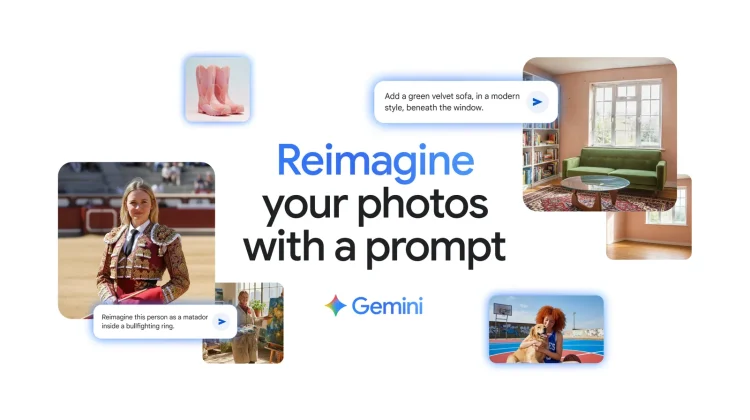
The native image editing tools in the Gemini app have been getting steadily more powerful, but today, they are taking a massive leap forward. Google is unveiling a new image editing model from Google DeepMind that is now integrated directly into the Gemini app, and it brings a host of powerful new creative capabilities.
But the biggest and most important update is a feature that finally solves one of the most common and frustrating problems with AI image editing: maintaining a person’s likeness.
Finally, an AI that keeps you looking like you
We’ve all seen it. You try to use AI to edit a photo of yourself or a friend, and the result is “close but not quite the same.” It’s that uncanny valley feeling where the AI just can’t quite capture the subtle features that make a person look like themselves.
This new update is specifically designed to fix that. The new model is far better at making sure that photos of your friends, family, and even your pets look consistently like themselves, no matter how wild the edits get. You can try out a 60’s beehive haircut or put a tutu on your chihuahua, and the AI will preserve their unique likeness. It’s a game-changer that makes these tools infinitely more useful for personal photos.
Some powerful new creative tricks
Alongside the improved likeness preservation, this new model unlocks some incredible new creative possibilities. You can now:
- Blend photos together: You can upload multiple photos—say, one of you and one of your dog—and have Gemini blend them together to create a brand-new scene, like a perfect portrait of you both on a basketball court.
- Use multi-turn editing: You can now edit images conversationally. Start with an empty room, ask Gemini to paint the walls, then add a bookshelf, then some furniture. The AI will work with you step-by-step to build your perfect scene.
- Mix up designs: In a cool style-transfer feature, you can apply the color and texture of one image to an object in another. For example, you could design a dress using the pattern from a butterfly’s wings.
This is a huge and very welcome upgrade to the Gemini app’s creative toolkit. The ability to make fun, imaginative edits while keeping people looking like themselves is a massive step forward. You can try out this updated image editing capability in the Gemini app starting today.
Join Chrome Unboxed Plus
Introducing Chrome Unboxed Plus – our revamped membership community. Join today at just $2 / month to get access to our private Discord, exclusive giveaways, AMAs, an ad-free website, ad-free podcast experience and more.
Plus Monthly
$2/mo. after 7-day free trial
Pay monthly to support our independent coverage and get access to exclusive benefits.
Plus Annual
$20/yr. after 7-day free trial
Pay yearly to support our independent coverage and get access to exclusive benefits.
Our newsletters are also a great way to get connected. Subscribe here!
Click here to learn more and for membership FAQ

